
Participant
March 20, 2018
Answered

Dear Adobe / Kyle. Please consider!...

  • March 20, 2018
  • 2 replies
  • 3392 views

Hello!


I love Kyle T Webster's brushes - i've bought almost all of them over the years. Now that Kyle is working for Adobe and is part of the adobe family...is it really necessary for each brush to be called "Kyle's..." "Kyle's..." "Kyle's..."? within CC?


I would love to organise my brushes better (They all crashed and I had to re download all of them the other day, but thats a different matter) but is the only option for me to go through and re-name all hundreds and hundreds of brushes so i can tell at a glance what it is? Just reading 'Kyle's..." is not helpful, the brush-stroke display is not particularly helpful to me either, what i'd like is a short name, like the "Kyle's inkbox - Kalvin" brush to just be called "Ink-Kalvin" or similar, so that it fits here?
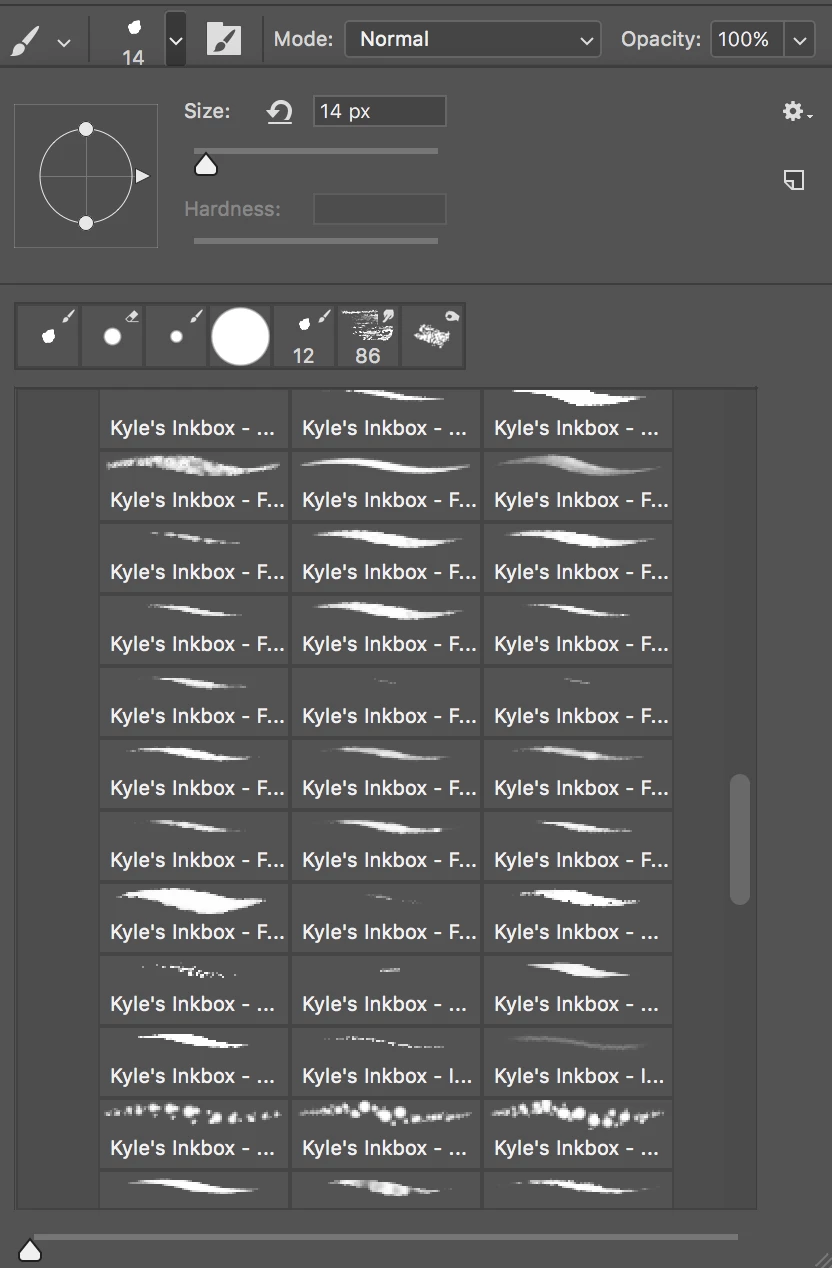
 

Am I being thick? i LOVE these brushes and i realise that when Kyle was a freelancer it was important for him to brand these as his and his alone, but I just want to easily read the brush descriptions?
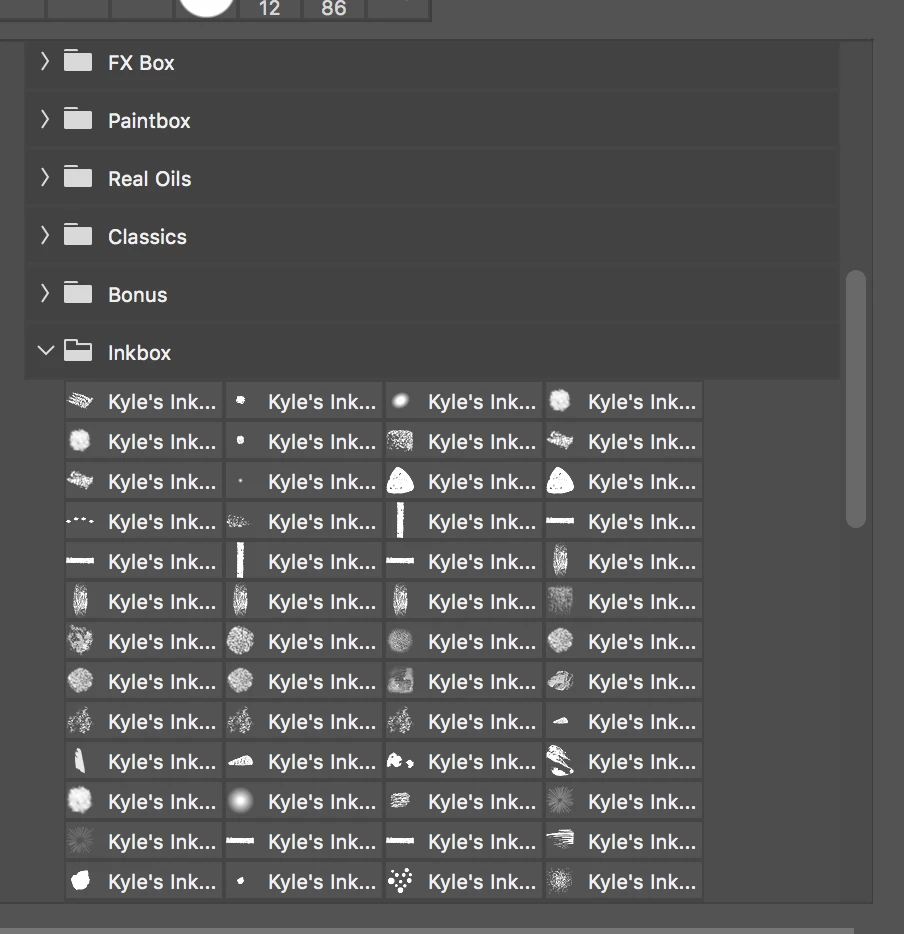
 

I tried here to click other options to display them and its er...kind of worse.

Does anybody have any suggestions for how to clearly and concisely see all these hundreds of brushes without resorting to painstakingly renaming each one? (Which I did, and then they all crashed and i had to reload them again)

This topic has been closed for replies.
Correct answer Kukurykus

It's quite easy to rename them at once by scripting. You simply remove 'Kyle's Inkbox ' from each name running the script in up to few secs for thousand presets I guess. When you're decided for such move, move your topic to Photoshop Scripting

There're some examplary codes that alert you of clicked Brush Preset name, but may be modified or completely rewritten to loop over all presets and simply rename common part to empty space: Getting the name of the current brush preset

Edit1: I checked my 1st script and it works wrongly in CC2018, not like used in earlier versions. But 2nd one with no change.

Edit2: what a shame, I just found my other script that detects renamed Brush Presets and it works bad in newst CC2018

Okey, this is FINAL EDIT / here's your script:

function sTT(v) {return stringIDToTypeID(v)}

(ref = new ActionReference()).putEnumerated(sTT('application'), sTT('ordinal'), sTT('target'))

lst = executeActionGet(ref).getList(sTT('presetManager')).getObjectValue(0).getList(sTT('name'))

for (i = 0; i < lst.count; i++) {

     if ((reg = /Kyle's Inkbox - /).test(nme = lst.getString(i))) {

          (ref1 = new ActionReference()).putName(sTT('brush'), nme);

          (dsc1 = new ActionDescriptor()).putReference(sTT('null'), ref1)

          dsc1.putString(sTT('to'), 'Ink-' + nme.replace(reg, ''))

          executeAction(sTT('rename'), dsc1, DialogModes.NO)

     }

}

Copy it, open Notepad, save as "Inks.jsx" (note you have to replace *.txt in Fiie's name field to that exact name, including double quotes!) Put this script at end of: C:\Program Files\Adobe\Adobe Photoshop CC 2018\Presets\Scripts (it may be little different for you). Reopen Photoshop (if launched). Finally you should find your script in File / Scripts. ​After you click Inks, and open Brushes Panel, you will see changed names.

2 replies

Participant
November 20, 2018

Not exactly the solution you are seeking but it may help a little.  You can change your UI Font Size to Tiny so you can see more of the brush names.  Go to preferences > Interface > Presentation> UI Font Size > Select Tiny.  You will need to restart photoshop.

Kukurykus
KukurykusCorrect answer
Legend
March 21, 2018

It's quite easy to rename them at once by scripting. You simply remove 'Kyle's Inkbox ' from each name running the script in up to few secs for thousand presets I guess. When you're decided for such move, move your topic to Photoshop Scripting

There're some examplary codes that alert you of clicked Brush Preset name, but may be modified or completely rewritten to loop over all presets and simply rename common part to empty space: Getting the name of the current brush preset

Edit1: I checked my 1st script and it works wrongly in CC2018, not like used in earlier versions. But 2nd one with no change.

Edit2: what a shame, I just found my other script that detects renamed Brush Presets and it works bad in newst CC2018

Okey, this is FINAL EDIT / here's your script:

function sTT(v) {return stringIDToTypeID(v)}

(ref = new ActionReference()).putEnumerated(sTT('application'), sTT('ordinal'), sTT('target'))

lst = executeActionGet(ref).getList(sTT('presetManager')).getObjectValue(0).getList(sTT('name'))

for (i = 0; i < lst.count; i++) {

     if ((reg = /Kyle's Inkbox - /).test(nme = lst.getString(i))) {

          (ref1 = new ActionReference()).putName(sTT('brush'), nme);

          (dsc1 = new ActionDescriptor()).putReference(sTT('null'), ref1)

          dsc1.putString(sTT('to'), 'Ink-' + nme.replace(reg, ''))

          executeAction(sTT('rename'), dsc1, DialogModes.NO)

     }

}

Copy it, open Notepad, save as "Inks.jsx" (note you have to replace *.txt in Fiie's name field to that exact name, including double quotes!) Put this script at end of: C:\Program Files\Adobe\Adobe Photoshop CC 2018\Presets\Scripts (it may be little different for you). Reopen Photoshop (if launched). Finally you should find your script in File / Scripts. ​After you click Inks, and open Brushes Panel, you will see changed names.

Trevor.Dennis
Community Expert
Community Expert
February 7, 2019

Kukurykus 

Hey, thanks for sharing the script.  Your post is racking up points as fast as I can refresh the thread!

I really like the new brush management system from a couple of updates back, but I was hoping it was a work in progress.  The right click menu is crying out for a search facility, because with so many brushes coming with the KW sets, it becomes a mission to find what you are after.  You can organise by dragging favourites into new brush groups, but that requires a ton of work up front.

The Photoshop search tool was a great addition, but it would be soooooo much better if it had a brush tab.  Pete.Green please pass this request on top the Development Team

Pete.Green
Community Manager
February 8, 2019

Thanks Trevor -- Done.

We do have this a feature request logged internally already, have added your +1 to the story.