Participant
April 11, 2024
Question

Does anyone know the solution?
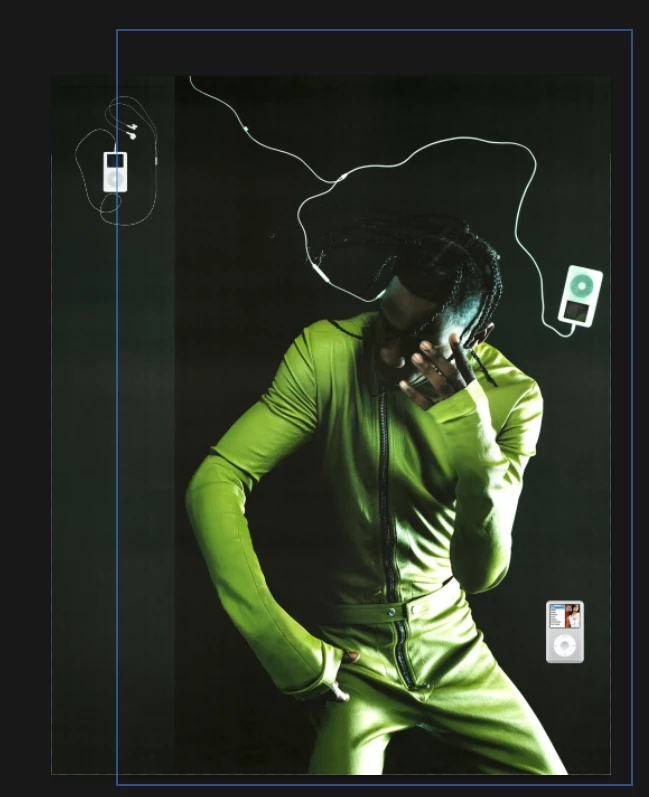
  • April 11, 2024
  • 3 replies
  • 542 views

Does anyone know how to disable these blue outlines that appear when I hover over images?

This topic has been closed for replies.

3 replies

Trevor.Dennis
Community Expert
Community Expert
April 12, 2024

I found the controls for Layer Bounds, right there in the Options Bar where I should of looked in the first place!  😞

Participant
May 10, 2024

You're amazing!

Legend
May 10, 2024
Trevor.Dennis
Community Expert
Community Expert
April 11, 2024

This happens when you have the Move tool selected, and you are using the Beta version?

At the moment, and AFAIK, there is no provision to turn these off without hiding all extas (Ctrl H), but this a very new feature, so that option might be added by the time this comes to the full release version.


What you should do is head over the thread that announced this (Jeff's link) and let it be known that you find the blue bounding box intrusive and annoying, and could we have an off switch please.


If you really feel like punishing your self, turn on Layer Edges. That will keep the blue bounding box turned on for the selected layer regardless of what tool you haver selected.  I think I would find that annoying as well.

Jeff Arola
Community Expert
Community Expert
April 11, 2024

Are you using the Photoshop 25.7 beta?


Loos like the Hover layer bounds as described here:

https://community.adobe.com/t5/photoshop-beta-discussions/hover-layer-bounds-is-now-in-photoshop-beta/m-p/14444458