jbunds
Known Participant
April 10, 2020
Answered

duplicate one layer to multiple documents/images

  • April 10, 2020
  • 3 replies
  • 22944 views

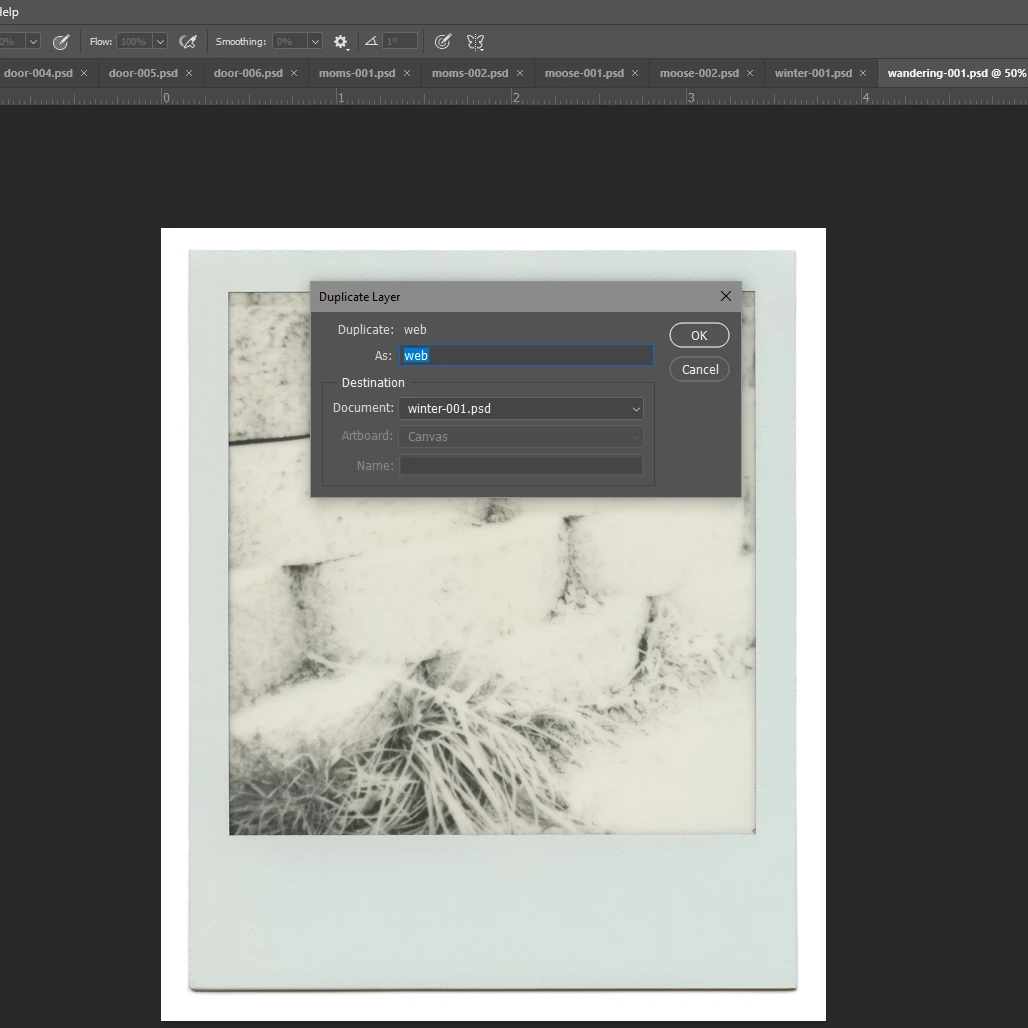
There should be an option to "duplicate layer to all documents". Right clicking on one layer and selecting duplicate layer and then which image to duplicate it to is very time consuming when you need to apply the layer to multiple images and frustrating if you skip a document or two. I tried making an action, but it just wanted to copy the layer to the same image. Photoshop should make an option for this, instead of us having to search around on the internet and download sketchy "scripts" from people. Unless there is something that I am missing and can't find that makes this easier?


Correct answer Stephen Marsh

thank to reply.....I want to paste each time the selected layer of the front document just to the back document ..not all open documents


quote

thank to reply.....I want to paste each time the selected layer of the front document just to the back document ..not all open documents


By @nandu nag


It is easy for a human to know which of the multiple open documents is the active document. It is also easy for a script to know which of the multiple open documents is the active document. So all good on the source document!


The target document may not be so easy. A human knows which is the back document, however, a script would need to be programmed to achieve the same result. This would rely on "marking" either the source or the target document or relying on the order that the documents were originally opened. The index order of the source and target documents would need to be logical and consistent.


Edit: The following script has very specific requirements to work as intended, please follow the notes at the head of the script.


#target photoshop

/*
1. Open the target/destination docs first in floating windows
2. Open the source doc last in a floating window
3. Select the layer to duplicate in the source doc and run the script
4. The layer will be copied to the previous doc to the upper left
5. As the duplicate layer command is used, it is assumed that all docs share the same colour mode and colour space
*/

var sourceDoc = activeDocument;
var sourceLayerName = sourceDoc.activeLayer.name;
var openDocCount = documents.length;
var targetDocIndex = openDocCount - 2;
var targetDocName = documents[targetDocIndex].name;
dupeLayer();

function dupeLayer() {
	function s2t(s) {
        return app.stringIDToTypeID(s);
    }
	var descriptor = new ActionDescriptor();
	var list = new ActionList();
	var reference = new ActionReference();
	var reference2 = new ActionReference();
	reference.putEnumerated( s2t( "layer" ), s2t( "ordinal" ), s2t( "targetEnum" ));
	descriptor.putReference( s2t( "null" ), reference );
	reference2.putName( s2t( "document" ), targetDocName );
	descriptor.putReference( s2t( "to" ), reference2 );
	descriptor.putString( s2t( "name" ), sourceLayerName );
	descriptor.putList( s2t( "ID" ), list );
	executeAction( s2t( "duplicate" ), descriptor, DialogModes.NO );
}


 

3 replies

PECourtejoie
Community Expert
Community Expert
April 12, 2020

Hello When you created your action, did you open a second document to paste the action into it? Do you want to paste on open documents only?

jbunds
jbundsAuthor
Known Participant
April 12, 2020

Yes I had the other documents open, it just didn't really work. I realized that I would have had to start with the creation of the adjustment layer when making an action, not just recording an action of me trying to duplicate the layer! So ya know, learning curves! (no pun intended). But of course I realized that much later haha. And yes I would only be trying to paste it to other images I already have open. When I run my next batch I am going to try all of these things.

PECourtejoie
Community Expert
Community Expert
April 13, 2020

IMHO, learning by doing is maybe the most efficient way to remember and grow your knowledge.

Stephen Marsh
Community Expert
Community Expert
April 11, 2020

A feature request has already been made 8 years ago, and a high-level Adobe employee answered with a link to a, you guessed it – "Sketchy script from some person":


https://feedback.photoshop.com/photoshop_family/topics/can_we_see_a_feature_to_duplicate_layer_to_all_open_documents_please


http://cameronmcefee.com/blog/photoshop-script-duplicate-to-all


https://raw.githubusercontent.com/cameronmcefee/Duplicate-to-All/master/Duplicate-to-All.js


You could vote on this and add a comment asking for it to be included as a native feature. It only has one vote (low ranking) and as it has not appeared in the software I'm guessing that the idea is of little importance to Adobe.


There is always a balancing act in software development. It is little things like your request which should be a "no brainer", one would think that they are easy to program and would be of sufficient use to all users that they should be included as standard. It is great that Adobe allows Photoshop to be extended via scripts, however, at times that can also appear to be a good reason for Adobe not to hard code in such features as a basic program feature.


If you do download this .zip, I had an error running the duplicate-to-all.jsx version, however, the duplicate-to-all.js version worked fine.


NOTE: The script has no error checking for incompatible layers (unlike the native feature), so "sketchy" things may happen if the layer to be duplicated is not applicable in the receiving document/s (such as a source RGB document vibrance adjustment layer being applied to a Lab mode target document).


https://prepression.blogspot.com/2017/11/downloading-and-installing-adobe-scripts.html


jbunds
jbundsAuthor
Known Participant
April 12, 2020

Ok good to know! Thanks! I just don't really trust downloading stuff from unknown sources. I will give this a go, thanks for your help!

JJMack
Community Expert
Community Expert
April 12, 2020

If you do make feature request or participate in one the was made you should spell out how the feature should work on documents with  compatibility issues with the layer. Also how layer alignment relative to document canvases should be handled etc. There are many attributes document have,  mode, color spaces, bit depth, etc layer are not generic. There are types of layers some document type do not support layers.  It not possible to add a generic dupe layer to all open document. 


Duplicating a layer to an other open document is not always possible these today it is not always an option.

JJMack
c.pfaffenbichler
Community Expert
Community Expert
April 10, 2020

» tried making an action, but it just wanted to copy the layer to the same image.«

With the detail you provided it’s not possible to discern what the problem is. 

You really shoud provide a meaningful description of the process – for example why a Layer and not an image? Placing an image is pretty easily done with an Action. 


»Photoshop should make an option for this, instead of us having to search around on the internet and download sketchy "scripts" from people.«

If »people« are so suspicious to you what are you doing here talking to them? 

And no one is stopping you from creating a Script yourself that is devoid of sketchiness. 


Please post Photoshop Feature Requests over on 

https://feedback.photoshop.com/photoshop_family/

jbunds
jbundsAuthor
Known Participant
April 10, 2020

Because not all of us know how to make scripts, obviously or I would just do that. And obviously I'm not talking about the people on this website.


I'm talking about copying an adjustment layer to multiple images. Does anyone out there have any USEFUL info? Without being rude?

Conrad_C
Community Expert
Community Expert
April 11, 2020

If it’s an adjustment layer that can be saved as a preset, such as Curves or Levels, you could try saving a preset, then making an action that loads that preset. Then batch that.