Participant
November 26, 2016
Answered

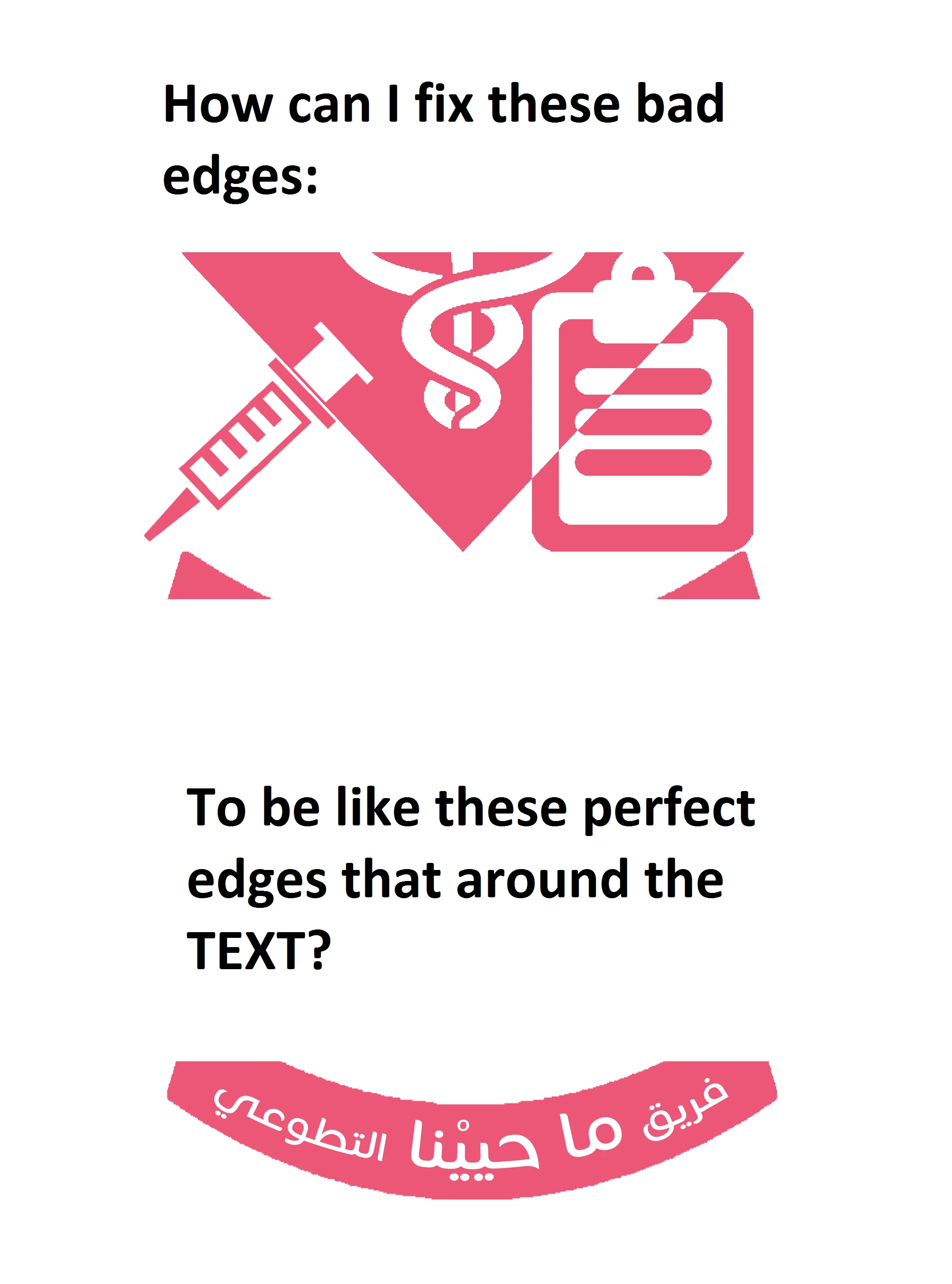
Edge Issue

  • November 26, 2016
  • 3 replies
  • 352 views

The Original Image:

This topic has been closed for replies.
Correct answer JJMack

The best way would be to create a custom shape so it will scale to any size perfectly.

3 replies

davescm
Community Expert
Community Expert
November 26, 2016

You can easily convert your pixel image to a smooth shape layer :

1. Select your image (I just used the magic wand tool)

2. Go to the paths panel and click on the symbol to convert selection to a path

3. Select the pen tool and in the options bar click on "Make : Shape"

4. Double click on the shape layer in the layers panel and change the fill colour to match your original. Then turn off your original image layer.

Done! (Note : If you need to you can make adjustments to any of the points between steps 2 & 3, I did not for this example)

Hope that helps

Dave

JJMack
Community Expert
JJMackCommunity ExpertCorrect answer
Community Expert
November 26, 2016

The best way would be to create a custom shape so it will scale to any size perfectly.

JJMack
barbara_a7746676
Community Expert
Community Expert
November 26, 2016

It's hard to understand the question. Do you want the shape around the text to look like the second image:

instead of like this?