


Error merging layers

Link in Zwischenablage kopieren
Kopiert
After latest update cant merge my layer, i have my background image and after adding a new image with bokeh lights setting this new layer to screen if i merge this 2 layers there is no problem, but if i transform the bokeh layer so i can place them i the way i want if i want to merge this 2 layers it bumps a program error and cant merge.



Entdecken Sie verwandte Tutorials und Artikel
 25
Antworten
25
25
Antworten
25



Link in Zwischenablage kopieren
Kopiert
I have simmilar problem. Cant merge layers no mather what


Link in Zwischenablage kopieren
Kopiert
Can you post screenshot with Layers panel also visible?
Link in Zwischenablage kopieren
Kopiert
Had to revert to 22.0.1 to keep working since update 22.1 was not working for me. So i cant screenshot right now.

Link in Zwischenablage kopieren
Kopiert
Had the same issue after update. Reverted back to previous version and no issues.

Link in Zwischenablage kopieren
Kopiert
I had the same issue, just reverted back thanks to this comment. Its working again.

Link in Zwischenablage kopieren
Kopiert
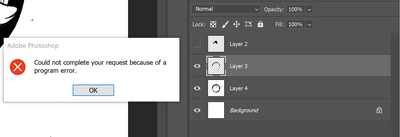
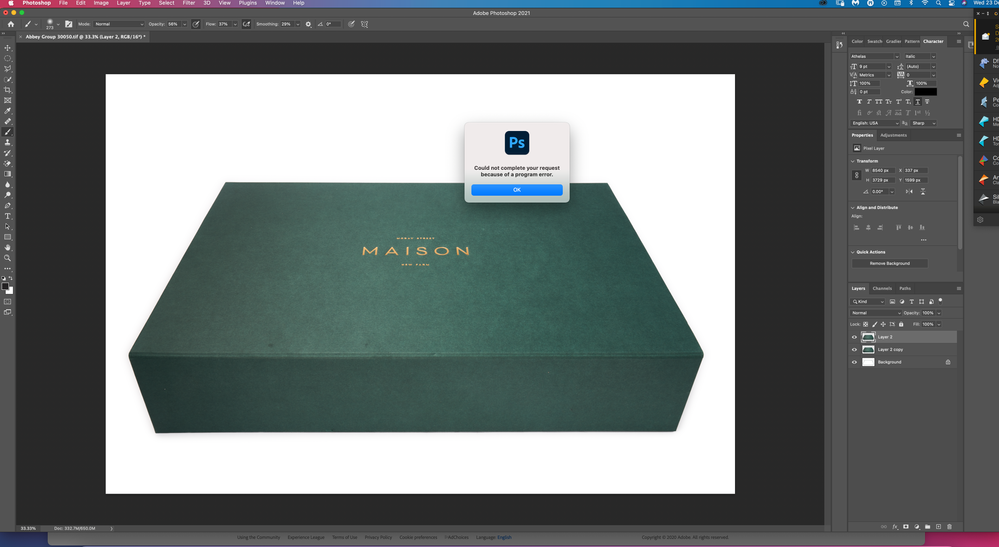
I have the same issue, also after the most recent update. It also happened when trying to save another document to Cloud Documents (same message) and the only workaround I found was to save it to my desktop and upload it later.

Link in Zwischenablage kopieren
Kopiert
Link in Zwischenablage kopieren
Kopiert
Im having the same issue, it seems to let me merge layers below the mask but not above the mask.

Link in Zwischenablage kopieren
Kopiert
I have the same problem. I try to merge layers and I get PROGRAM ERROR. At this point I get the same error with the Healing Brush. I uninstalled then uninstalled then rebooted. I'm using Windows 10.

Link in Zwischenablage kopieren
Kopiert
And to be clear, I got this error and still get this error after I uninstalled then uninstalled then rebooted.

Link in Zwischenablage kopieren
Kopiert
same problem here... And it won't let me save my document either

Link in Zwischenablage kopieren
Kopiert
I've been having the same issue. No matter what I try, I can't merge layers, save the file anywhere or export it. I lost a lot of work because of that, so I'm not sure why this hasn't been fixed yet.
Link in Zwischenablage kopieren
Kopiert
Revert to previous update and everything works fine, its a pain that 20 days after i first expirienced this error they still havent fixed it.

Link in Zwischenablage kopieren
Kopiert
Same problem on a Mac, I just reported it (although I can't now find that entry).
I can merge a small number of layers, but when I try to merge a group of layers, or a large nmber of layers, I get the program error. One of the layers seems to poison the process, in that when I include that, I get the error for a much smaller number of layers. I've tried clearing the preferences and even removing and reinstalling Photoshop, as well as completely recreating the file, all to no avail.
Link in Zwischenablage kopieren
Kopiert
So, yes, happy that rolling back to 22.1 to 22.0.1 did the trick, and I can now merge willy nilly again. It lost all my actions and things, though, so now I've got to go find those again.

Link in Zwischenablage kopieren
Kopiert
Having the same issue - can merge fine until I use the transform tool on the layer, then "Could not complete your request because of a program error"

Link in Zwischenablage kopieren
Kopiert
Ran into a similar problem flattening an image. But I'm on a marginal machine- 2012 Mac mini running Mojave. Merge Down DID work ok.

Link in Zwischenablage kopieren
Kopiert
Same issue here. I realized that if the layers I want to merge are in a group, then PS will merge the group to the background without error. Not the best solution, but works fine for me.

Link in Zwischenablage kopieren
Kopiert
Same issue here merging layers. I get it on both Windows and MacOS.

Link in Zwischenablage kopieren
Kopiert
Same issues here. Crazy that it hasn't been addressed yet, and this isn't a new thread. Guess I'll have to go back to the old version and redo all my presets...

Link in Zwischenablage kopieren
Kopiert
Just adding to the comments because I have the same issues. Can't merge layers every now and then, but as a workaround, if I go to the layers panel and click on "merge visible" it works and well, it acomplishes the same thing.
So just hide the layers that you dont want to merge and hit "merge visible". Seems to be working.
Another file I was working on however, wouldn't let me save the file besides giving me the same error.
I had to do a whole bunch of gimnastics to make the file workable that time, because even if I copypasted the layers unto a new file, it then wouldn't let me save that.
I don't know if I could have solved that issue with the "merge visible" workaround.
Let me know if it works for you.

Link in Zwischenablage kopieren
Kopiert
I am getting this error also, and no workaround seems to be useful. Merge Visible gives me the same error message, this happens inconsistently
Link in Zwischenablage kopieren
Kopiert
I just updated yesterday and it seems to be working now
Link in Zwischenablage kopieren
Kopiert
I take that last comment back as it seems to have gone back to program error again.
Come on Photoshop hurry up and fix this issue!

-
- 1
- 2

Weitere Inspirationen, Events und Ressourcen finden Sie in der neuen Adobe Community
Jetzt ansehen
 AdChoices