



Eureka
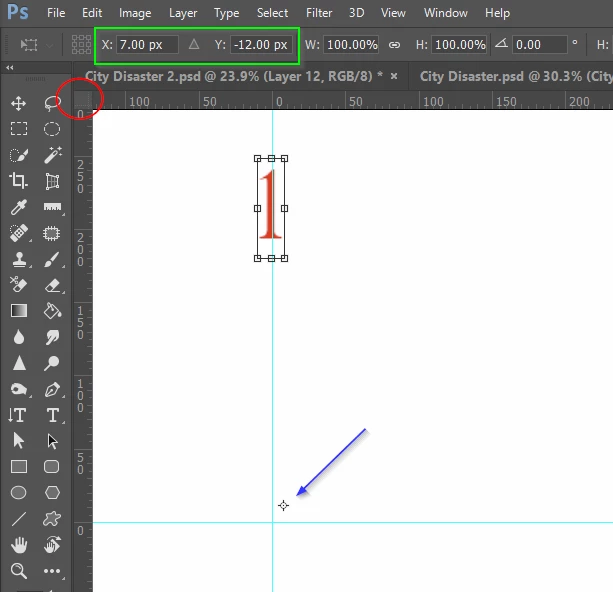
I had one of those 'penny dropped' moments yesterday, and realized there was an easy answer to something that has annoyed me for years. When you are doing multiple transforms, like with Step & Repeat, the origin (centre handle) does not snap to grid lines, or anything else. For years I have been zooming way way in and carefully placing it manually.
The answer is the drag the grid origin to the guide intersection (that does snap), and after starting the Free Transform process, Alt click somewhere near the 0,0 point. Then manually type a zero into the X: and Y: fields. You now have a perfect reference, and can perform multiple Step & Repeat actions around that centre point, and exactly match the start and end points.
I feel kind of dumb for not working this out sooner after using Photoshop since version 4. Especially after thousands of hours using Autocad where you continually move the UCS (User Coordinate System) to place your zero, zero point in convenient positions, so if you are as slow as me, I hope I have helped you. If you have been doing this for years...


 AdChoices