


bfrankphoto
Inspiring
January 5, 2018
Answered

Export Adjustment Brush Mask in Camera Raw Filter

  • January 5, 2018
  • 4 replies
  • 1832 views

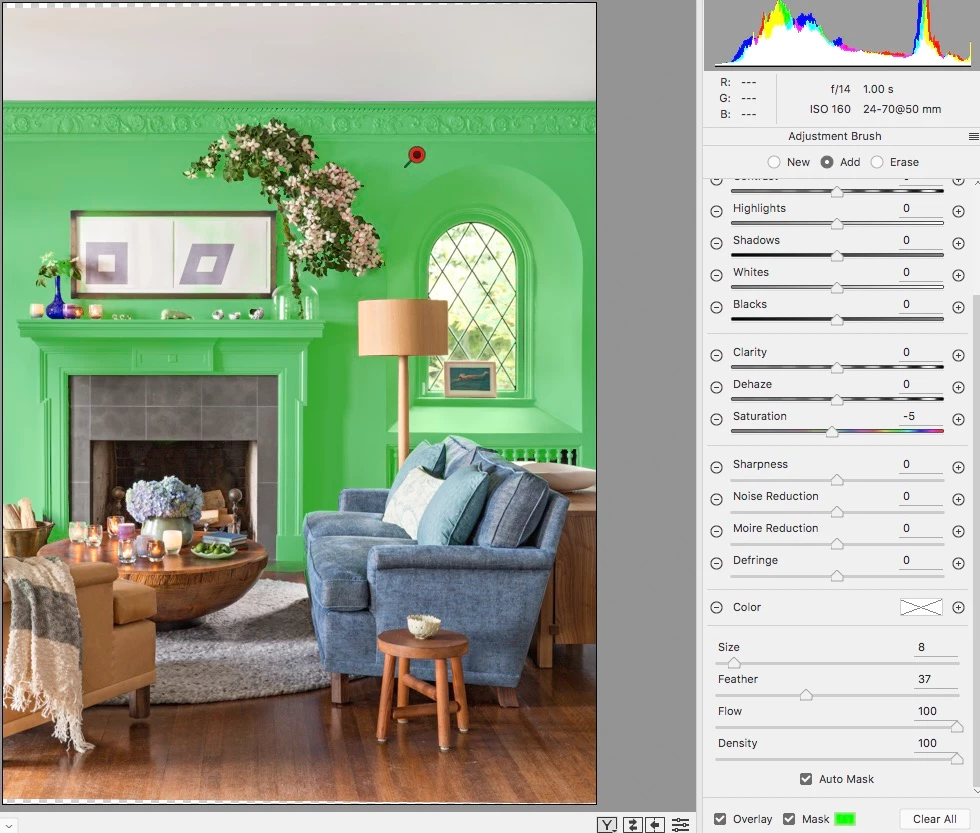
Using the Auto Mask feature for the adjustment brush in Camera RAW, I quickly created a decent mask for color correction. I did most of it in the Camera RAW filter, but want to tweak it a bit as an adjustment layer. Is there a way to export that auto mask selection so it can be used in an adjustment layer?

This topic has been closed for replies.
Correct answer Theresa J

You could make a temporary extreme edit that would make it easy to select that area with Photoshop's quick select tool. After you have the  Photoshop selection created you could go back and return the edit to the correct settings. This would work if you are using the Camera Raw filter as a smart filter on a smart object. You could also save the good edit as a preset before whacking it out for the Photoshop selection.

4 replies

PECourtejoie
Community Expert
Community Expert
September 28, 2022

Hi, I posted a feature request for that, come vote, and explain how it could help your workflow: https://community.adobe.com/t5/photoshop-ecosystem-ideas/get-masks-selections-from-camera-raw/idi-p/13231816#M15488

bfrankphoto
Inspiring
January 5, 2018

I had thought about that too, but was hoping for an export option. Thanks for responding!

Theresa J
Community Expert
Theresa JCommunity ExpertCorrect answer
Community Expert
January 5, 2018

You could make a temporary extreme edit that would make it easy to select that area with Photoshop's quick select tool. After you have the  Photoshop selection created you could go back and return the edit to the correct settings. This would work if you are using the Camera Raw filter as a smart filter on a smart object. You could also save the good edit as a preset before whacking it out for the Photoshop selection.

Theresa J
Community Expert
Community Expert
January 5, 2018

That would be cool, but I don't think there is a way to save the mask.