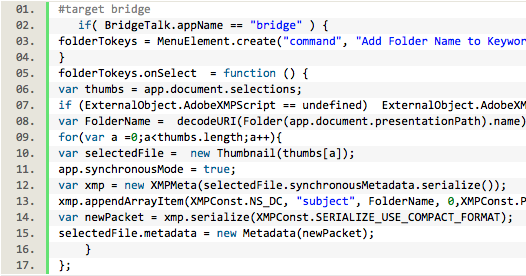
I copy this script into VSCode, I saved it as jsx JavaScriptReact. I did debug (not sure if needed) and saved in Scripts, but still cannot to see in scripts in PS. Any idea? Thank you Jacek
/t5/photoshop-ecosystem-discussions/export-layers-to-files-from-github/m-p/11765310#M505491Jan 19, 2021
Jan 19, 2021
Copy link to clipboard
Copied
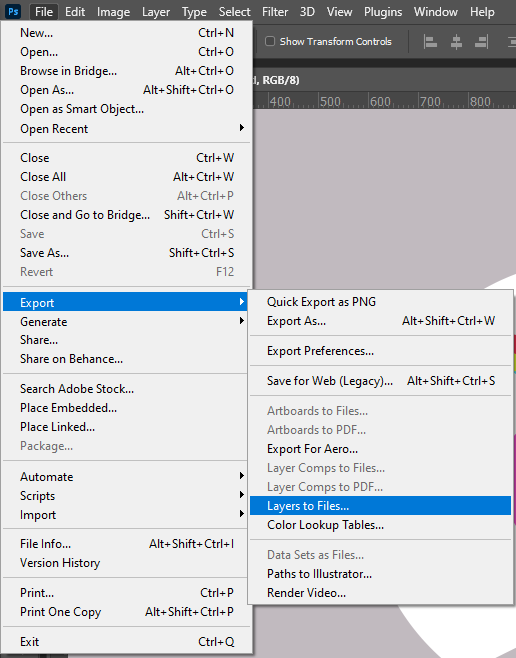
If you did not copy the script into Photoshop presets Scripts folder paths and restart Photoshop you will need to use menu File>Scripts>Browse.... then navigate to where your script is located. You could also drop tor script onto Photoshop to run it. By the way Adobe install a script export layer to files its accessed via menu File>Export>Layers to Files...
I copied script into SCRIPTS folder in PS from beggining and cannot to see this in File menu. This tool which is native in PS is extremly rubish. It doesn't work. If you have as me 30 layers and don't have milion core Mac you can forget you will get good result. My colegue is using this script from GitHub and it's working perfect. Thank you again.
/t5/photoshop-ecosystem-discussions/export-layers-to-files-from-github/m-p/11785802#M507564Jan 26, 2021
Jan 26, 2021
Copy link to clipboard
Copied
This is just a guess, but the two may not co-exist nicely at the same time (looking at the harvest zstring info the GitHub version uses the same menu name and structure).
I'd make a backup of the default one installed with Photoshop, just in case you need to revert.
I'd then remove it and install the modified one from GitHub.
Hi Stephen, Thank you for so many solution. I start with removing native script as you suggest as they maybe can "disturb" each other and it doesn't work. I used script from your first link saving in VSCode. This time script appear and it's working, but it's extremly slow so I cannot to use this for me. Four layers took ages. Quite often I have 20-30, where my colegue extension with this script is working like F1 🙂 Again, thank you Stephen.







 5
Replies
5
Replies





 AdChoices