
Participant
September 11, 2018
Answered

Extending Canvas

  • September 11, 2018
  • 1 reply
  • 425 views

Hi All,

I will try to explain my problem as best I can, I am new to photoshop and may not have all the lingo down.

I am working on and image.  Now I realize that my borders are to small.  So I use my crop tool that allows me to extend out the borders of my canvas, with a with background.

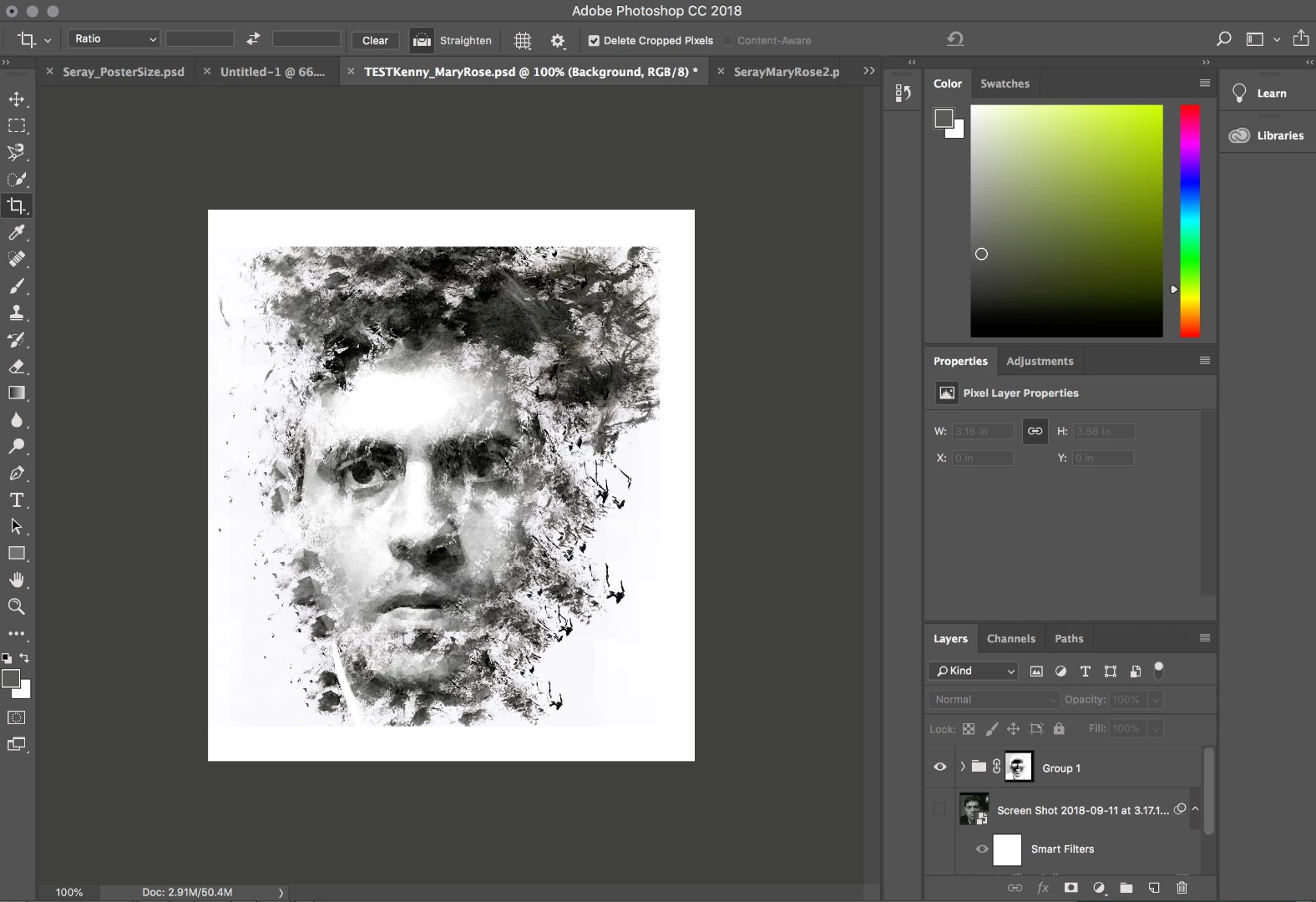
Now, when I want to add to the new canvas size.  The images on the canvas still react to the old border size.  The just disappear into the white background where the old canvas border was.

Any help would be MUCH appreciated.  Thanks!!!!

OLD SIZE:

s. 

NEW SIZE.  but the smoke still won't extend into new area.
    This topic has been closed for replies.
    Correct answer JJMack

    You added canvas the only layer that would have Pixels added would be the Background layer for it is canvas size and does not support transparency. All other layers pixels stay the same only the layers position over the canvas changes. If you want the smoke to intend into the new canvas area use free transform the scale the smoke layer up in size. You may want to hold the shift key down to constrain the transform and drag on a corner.  If the smoke layer is in the layer group  You will also have to Fix UP the layer mask on the layer group it now has black boarders  that will mask off the new canvas area added.

    1 reply

    JJMack
    Community Expert
    JJMackCommunity ExpertCorrect answer
    Community Expert
    September 12, 2018

    You added canvas the only layer that would have Pixels added would be the Background layer for it is canvas size and does not support transparency. All other layers pixels stay the same only the layers position over the canvas changes. If you want the smoke to intend into the new canvas area use free transform the scale the smoke layer up in size. You may want to hold the shift key down to constrain the transform and drag on a corner.  If the smoke layer is in the layer group  You will also have to Fix UP the layer mask on the layer group it now has black boarders  that will mask off the new canvas area added.

    JJMack
    Participant
    September 12, 2018

    Thanks!