
External hard drive as scratch disk but free space detected is the same as my main disk
Hi I am using the photoshop ver 23.2.1 on my macbook.
The photoshop software was installed on the external hard drive because I am running out of space on my main disk. The sratch disk was also initially set to the external hard drive. Everything was fine at the beginning, and I think at that time ps can correctly detect the space available on my hard drive.
However after sometime last week when I didn't have my hard drive with me and then I installed a copy of ps on my main disk (by deleting some files and softwares i have). Used it for several hours.
When I got back to home, I deleted the ps on my main disk and got back to the ps on my external hard drive.
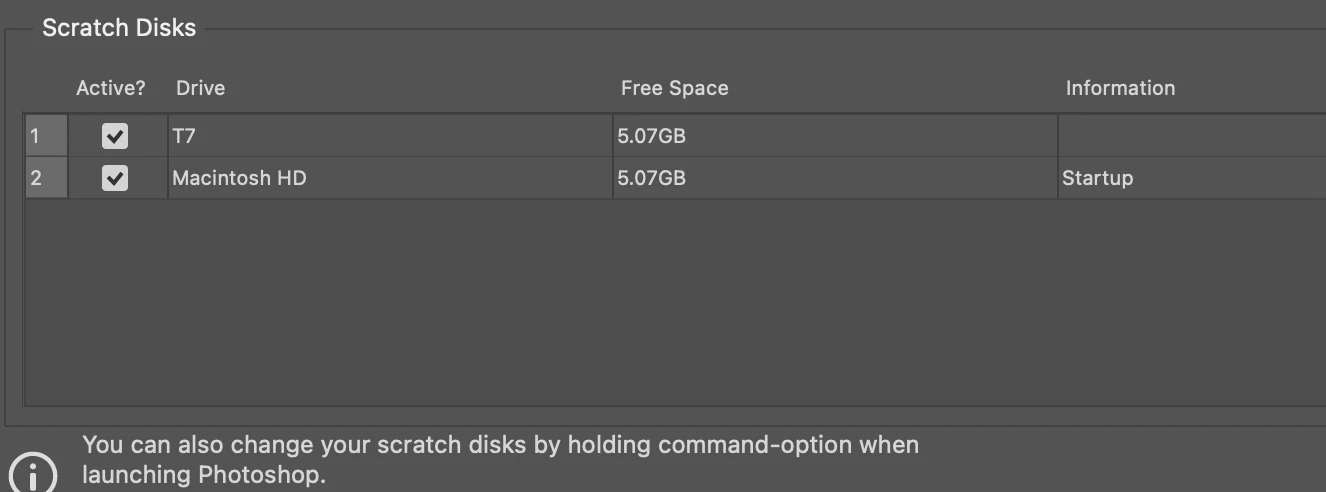
Then it started to pop up the message of cannot show preview/... because scratch disk is full.
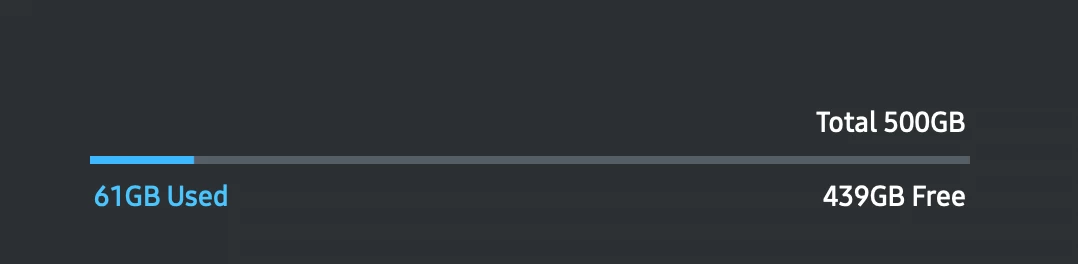
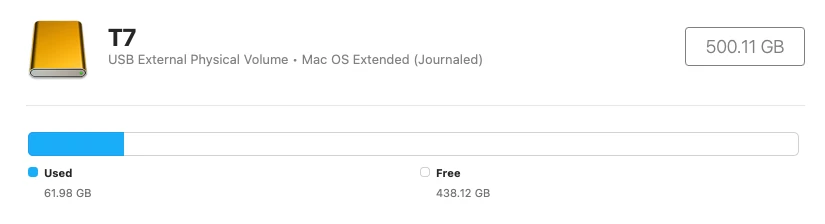
I do have 400+ gb of free space on my external hard drive. It seems like the free space photoshop see on my external hard drive is the same as the free space on my main disk, which is really wired.
I don't know how to fix it. I have completely clean the cc apps with the clean tool (uninstall all the adobe apps), and reinstall them back, but the issue still persists.
 AdChoices