prepstein7474
Participant
August 9, 2024
Answered

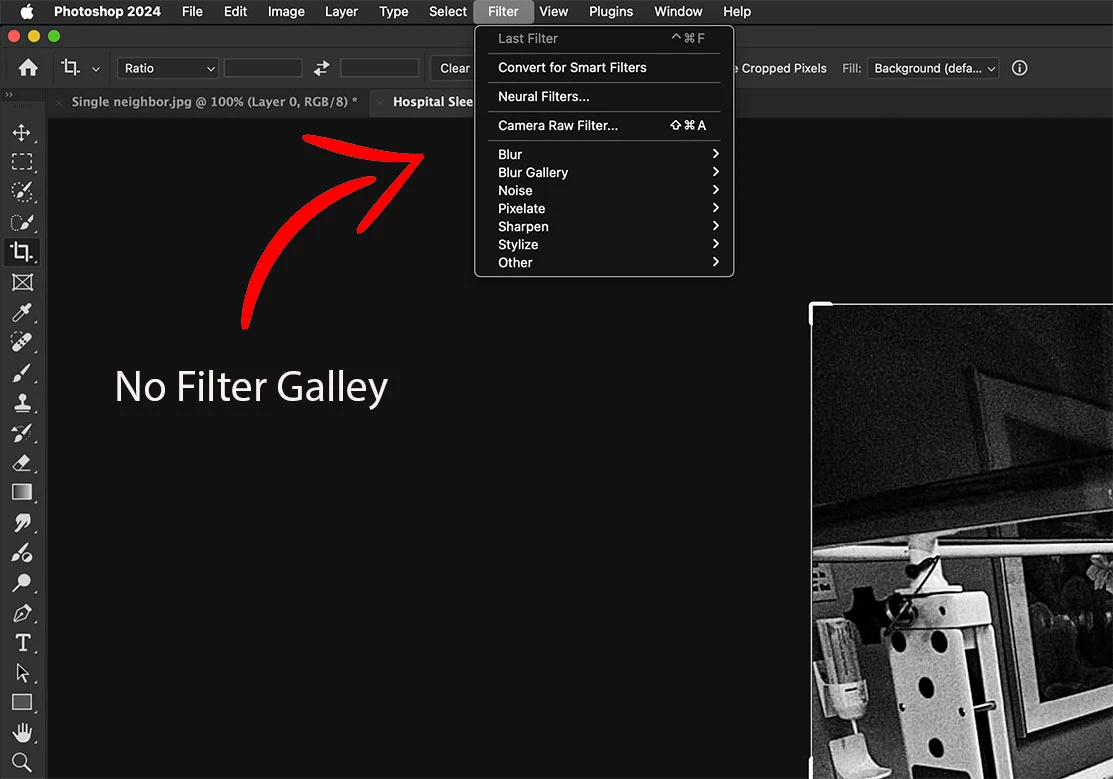
Filter Galley completely missing

  • August 9, 2024
  • 2 replies
  • 990 views

I just reinstalled my Photoshop 2024 and now my Filter Gallery option is missing

    This topic has been closed for replies.
    Correct answer Jeff Arola

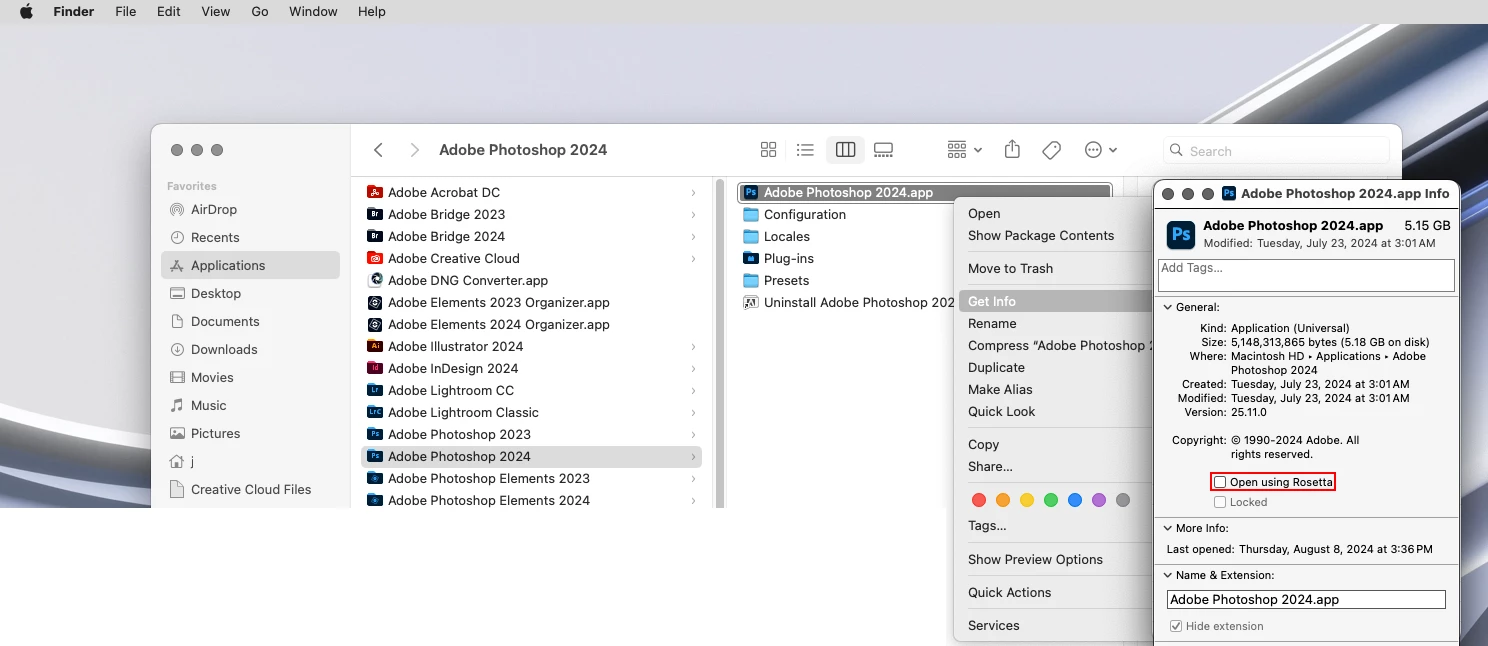
    Check and see Photoshop 2024 is running under Rosetta.


    Go to

    Applications/Adobe Photoshop 2024

    right click on the

    Adobe Photoshop 2024.app

    then click

    Get Info

    and see if

    Open using Rosetta

    is checked


    If so, unchecxk it and see if the Filter Gallery is back on the Filter menu.
     

    2 replies

    Jeff Arola
    Community Expert
    Jeff ArolaCommunity ExpertCorrect answer
    Community Expert
    August 9, 2024

    Check and see Photoshop 2024 is running under Rosetta.


    Go to

    Applications/Adobe Photoshop 2024

    right click on the

    Adobe Photoshop 2024.app

    then click

    Get Info

    and see if

    Open using Rosetta

    is checked


    If so, unchecxk it and see if the Filter Gallery is back on the Filter menu.


    Participant
    September 8, 2024

    Had the same problem and this worked, thank you!

    kglad
    Community Expert
    Community Expert
    August 9, 2024

    in the future, to find the best place to post your message, use the list here, https://community.adobe.com/

    p.s. i don't think the adobe website, and forums in particular, are easy to navigate, so don't spend a lot of time searching that forum list. do your best and we'll move the post (like this one has already been moved) if it helps you get responses.


    <"moved from using the community">