

Marc Lucas
Participating Frequently
May 9, 2017
Answered

Filter not showing up in menu

  • May 9, 2017
  • 1 reply
  • 2654 views

Hi

I have Flexify 2 installed and isn't showing up in the menu bar. It is in the correct 'Plugin Folder' in the Finder.

I was using PS the previous day with no problem next day I opened PS there was a warning saying that some plugins weren't loading properly but when that came up I just clicked no when it asked if I wanted to re-install because that was before I knew the plugin wasn't loading.
This topic has been closed for replies.
Correct answer Jeff Arola

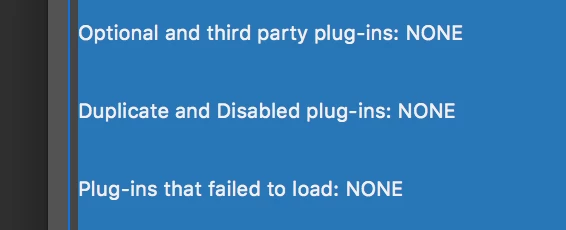
Thats really odd because I've not got anything in there.


I would trash the photoshop CC 2017 preferences/settings folder and see if that makes a difference.

In your User Library

~/Library/Preferences/Adobe Photoshop CC 2017 Settings

1 reply

Jeff Arola
Community Expert
Community Expert
May 9, 2017

What version of photoshop and operating system are you using?

There aren't any installers for the Flaming Pear plugins anyway as you know already.

One just copies the downloaded/unzipped folder of the Flexify folder to the photoshop plugins folder.

Marc Lucas
Participating Frequently
May 9, 2017

I've just updated to the latest version but was on the previous with the problem. As mentioned above the plugin is in the right folder as was before.

Jeff Arola
Community Expert
Community Expert
May 9, 2017

What version of mac os are you using?

You downloaded the newest Flexify 2 from Flaming Pear and it still doesn't work?

Free trials - Flaming Pear Software