


Fixing White Dots within Black Areas of a Scanned Image
Hello!
I am new to Photoshop but have thorougly enjoyed using this amazing software!
I am scanning a bunch of old newspaper comics. I am happy with my scans. However, one thing that has been giving me trouble is that the quality of the newspaper prints is not fantastic - if you look closely, there are many "white dots" within the black areas of the comics (it's not dust - more just a result of poor printing quality I'm assuming).
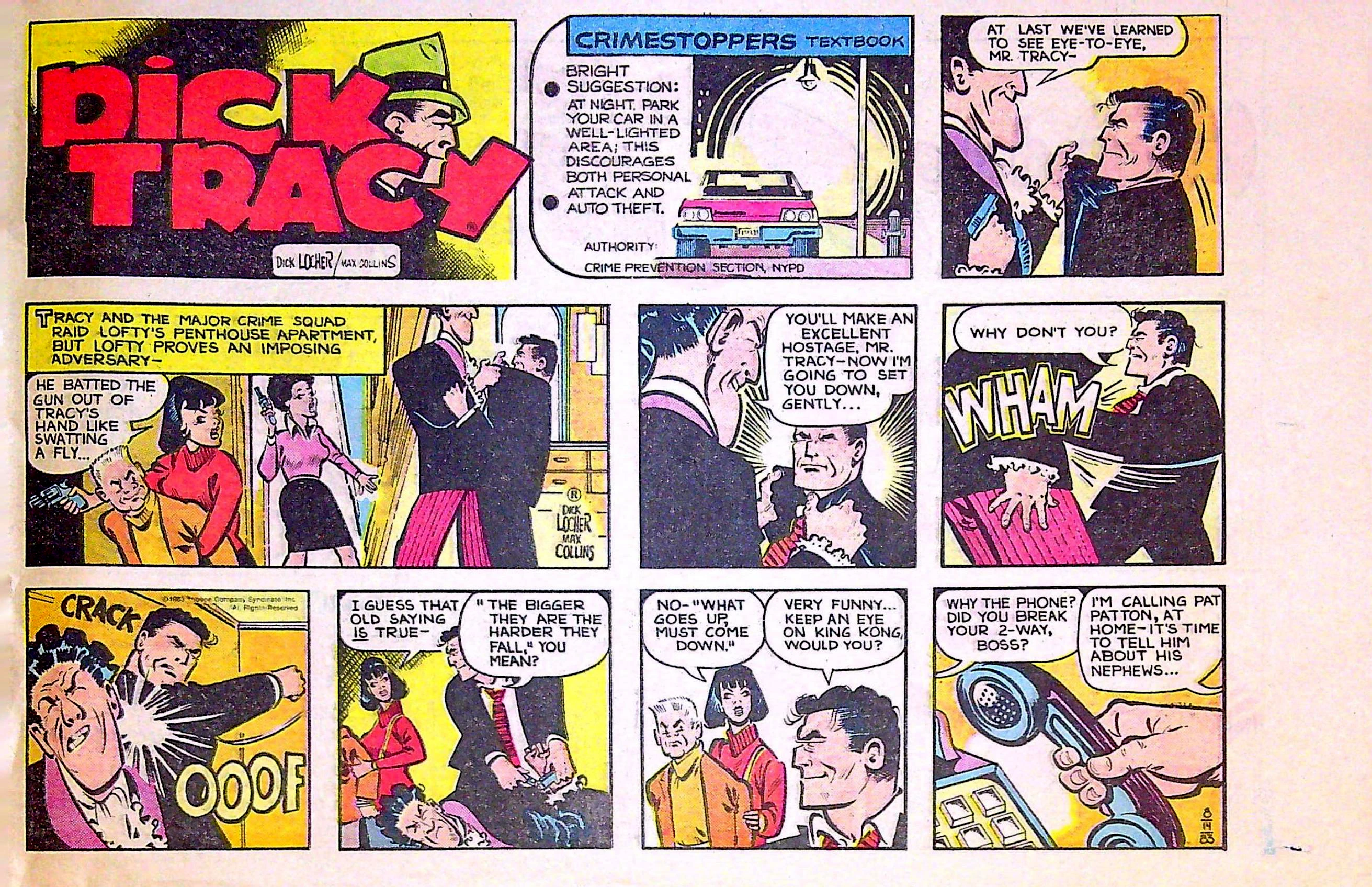
When looking at the comics in person, the white dots are not very visible. But when scanning the image, the white dots are much more noticable. I think this is because I am using a "sharpening" tool in Photoshop. The problem is, without the sharpening, the image is not nearly as clear as it appears in person. If I had to choose between one or the other, I'd choose the "sharpness" of the image for clarity even if it gives me white dots - but I'd like to fix both if possible 🙂
I have played around with the sharpening tool for weeks now and have finally settled on a setting I like. However, I'd like to tackle removing those "white dots" if possible. I've played around with curves, selective colors (adding more "black" - which was decent, but it didn't totally solve the problem - it did make many of the black pixels more black, but also made some of the white pixels stand out even more), and other tools but can't quite seem to find anything good enough.
I am attaching a picture of one of the comics - the white dots are especially noticable in the black areas of the "Dick Tracy" logo, as well as on the black suit jackets of the characters.
Any advice would be greatly appreciated! Thanks so much for your help!
~Tony
 AdChoices