
Participant
December 7, 2018
Answered

Font Corners Unwanted Beveling

  • December 7, 2018
  • 5 replies
  • 817 views

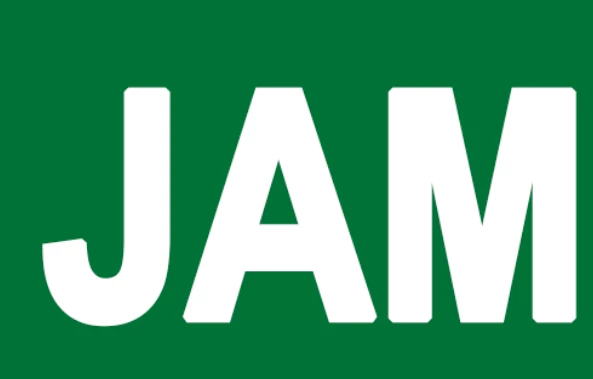
Since downloading Photoshop CC 2019, I've had issues with some square cornered fonts beveling or angling when the corner should be square. With script fonts I don't see any issue. This happens both on screen and when printed.
This topic has been closed for replies.
Correct answer Kenneth Kawamoto

It has a stroke applied somewhat - can you do Character panel > Reset Character, then apply the font/size/color again?

5 replies

Participant
December 7, 2018
Kenneth Kawamoto
Community Expert
Kenneth KawamotoCommunity ExpertCorrect answer
Community Expert
December 7, 2018

It has a stroke applied somewhat - can you do Character panel > Reset Character, then apply the font/size/color again?

Participant
December 7, 2018

That worked. Thanks!

Participant
December 7, 2018

That didn't make a difference. When my colleague opens the file on Photoshop 2018 the font still has the same issue.

c.pfaffenbichler
Community Expert
Community Expert
December 7, 2018

The font seems way off, could you provide the file for testing?

Participant
December 7, 2018

It is Arial Narrow Bold in the image, but I have the same issue regardless of bold or italic. There doesn't seem to be a specific type of font it happens to -- most fonts that have hard corners are having this problem, but occasionally one that doesn't. Happening to both TrueType and OpenType fonts. No stroke effect on.

c.pfaffenbichler
Community Expert
Community Expert
December 7, 2018

»Shot in the dark«: Does checking

Photoshop > Preferences > Performance > Legacy Compositing

and restarting Photoshop have an effect?

Mike_Gondek10189183
Community Expert
Community Expert
December 7, 2018

Not 100% sure what font that is, but appears a little bolded also. Do you possibly have a stroke effect on there?

c.pfaffenbichler
Community Expert
Community Expert
December 7, 2018

Which fonts?

Please post a meaningful screenshot wit the text selected and including the pertinent Panels (Options; Layers, Character, …) visible.

Is a Faux Style or a Layer Style involved?