


Marc Kandalaft MK
Participant
January 13, 2023
해결됨

Font problem in Photoshop - looks a bit fat, rounded and slanted

  • January 13, 2023
  • 3 답변들
  • 872 조회

It's strange but all of a sudden Photoshop started doing this for every font.
Of course I check if the "italic" option was on in the Type Options but it's not, not even the bold one, and there is no stroke on the font. There is a weird angle on some edges...
Very mysterious. Did research on the web but found nothing relevant.
Also did a reset of the TYPE tool.
Erase Photoshop with its pref and re-installed.

Still the same...

Any idea how to fix this?
이 주제는 답변이 닫혔습니다.
최고의 답변: jane-e

@Marc Kandalaft MK 

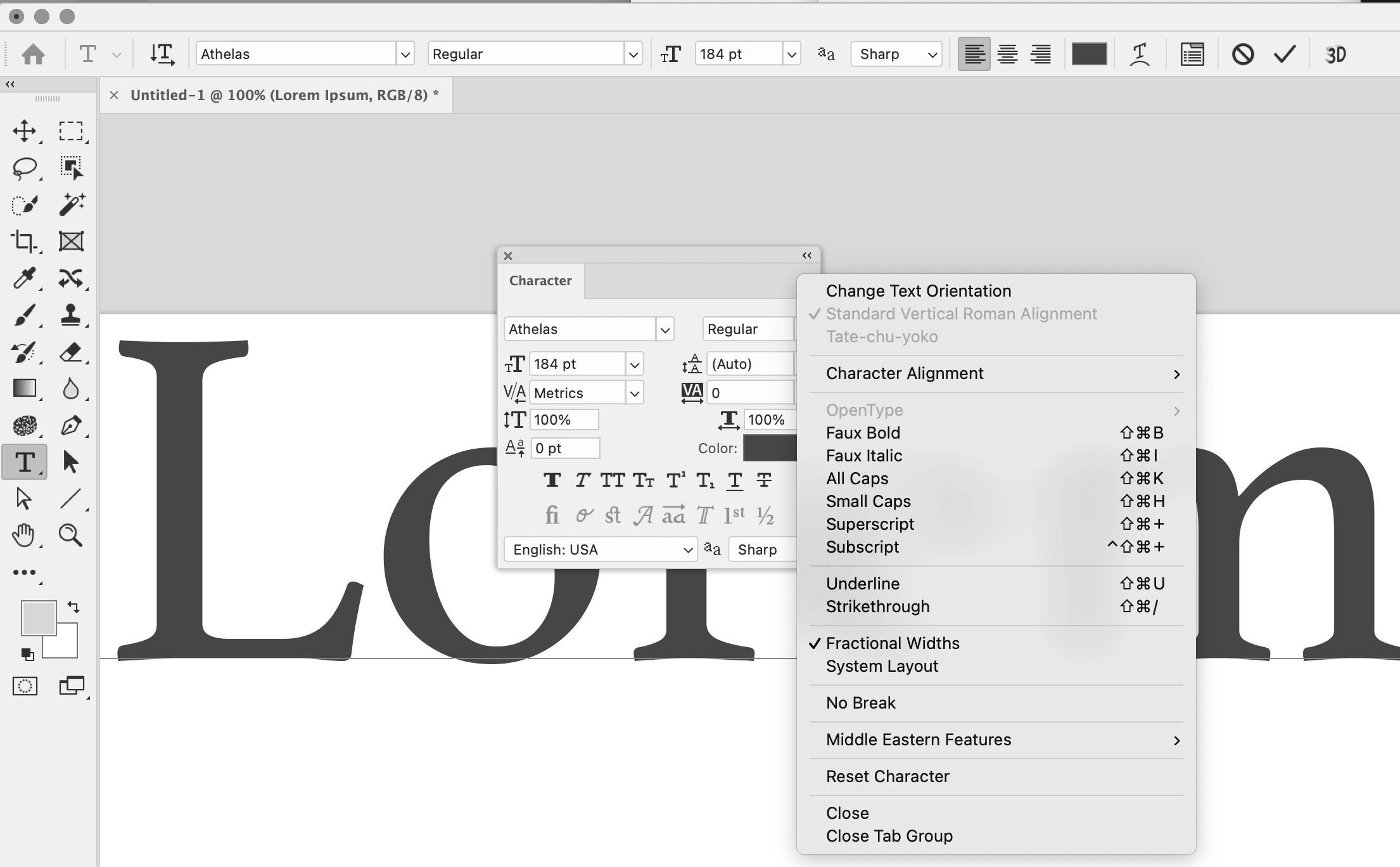
Can you show us one more screenshot? We need:

  • an insertion point in your text (Type tool)
  • Character panel ( Window menu) instead of the Properties panel
  • the panel menu for the Character panel (the lines in the upper right)


Jane

3 답변

jane-e
Community Expert
Community Expert
January 14, 2023

You're welcome, @Marc Kandalaft MK , I'm happy to help!


Jane


Marc Kandalaft MK
Participant
January 14, 2023

Thank you, I had no idea there were hidden bold and italic over there.

Problem solved!

jane-e
Community Expert
jane-eCommunity Expert답변
Community Expert
January 14, 2023

@Marc Kandalaft MK 

Can you show us one more screenshot? We need:

  • an insertion point in your text (Type tool)
  • Character panel ( Window menu) instead of the Properties panel
  • the panel menu for the Character panel (the lines in the upper right)


Jane