
Frame Tool in CC20 jumps into randon Layer!
Hey Guys,
I have an existing Document I would like to implement some new Frames to easily drag and drop some cloud content.
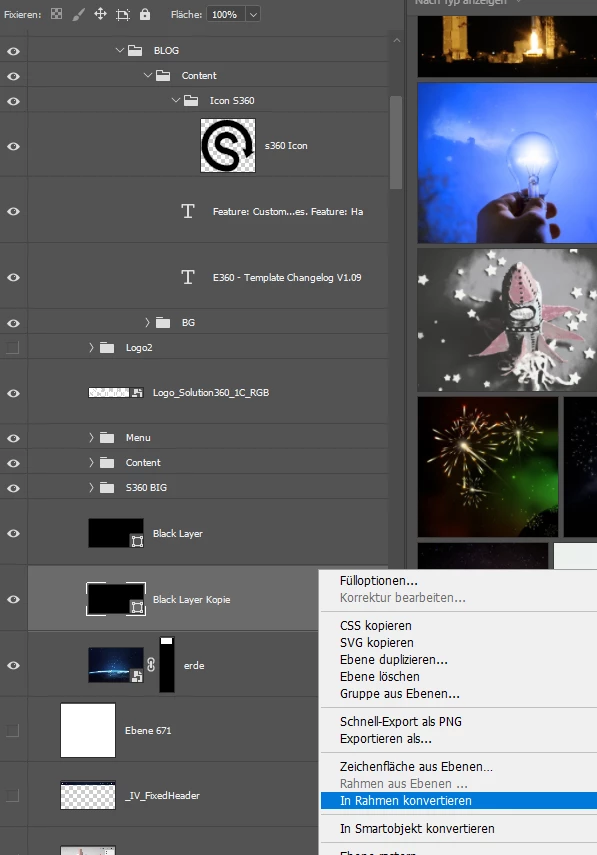
As you can see, I have the content itself (Masked Layer 'erde') with a black layer above. I have duplicated the black layer to turn it into a frame - It is just a black layer with 10% opacity I also have turned to 100% to turn it into a frame.
In another document before it worked pretty well and got applied on the layer below.
In my actual document, the new generated frame is applied into (randomly??) the 's360 Icon' Layer. Not even close to the one I would like to apply, or the one I am turning into a frame.
Is there any system (There is no option to convert the object into a frame and say like "Apply to Layer below" or something. I can just name it.
Even if I select the layer with my cloud content 'erde', and create a new frame with the shortcut 'K' or by clicking the tool icon:
The new frame jumps automatically to the same 's360 Icon' layer you can see in the previous screenshot:
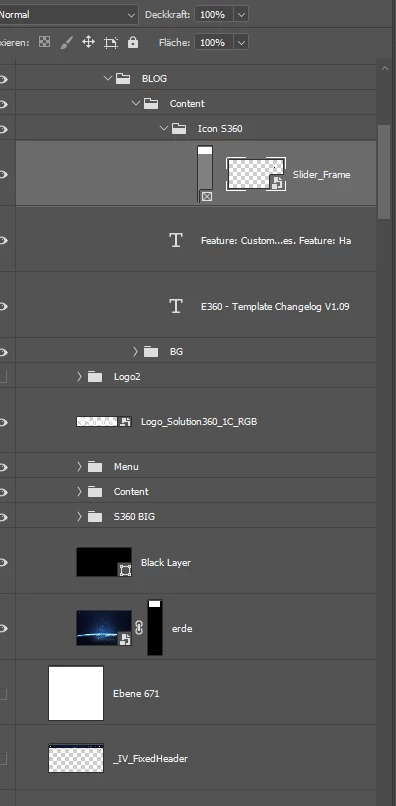
So is it a bug with some older files, or is there something I am missing?
Thanks in advance,
Baris
 AdChoices