
Inspiring
January 29, 2018
Answered

Full Screen Mode with Menu Bar issue with multiple monitors

  • January 29, 2018
  • 2 replies
  • 3003 views

Hi Everyone, Last Friday there was a new update to Photoshop CC, and now when ever I open a PSD full screen mode with menu bar is not working properly. Let me explain. I have 3 monitors, and I do all of my work on my mac cinema display. I feel like what's happening is photoshop is not seeing it's resolution and it's shrinking the viewable workspace. If I drag it into my laptop's display it works fine, and if I drag it into my dell monitor it works fine. For some reason though when I'm in my cinema display where I do all my work it fails. I've found 1 way to get it to work while I'm in the screen and that's to toggle my cinema display's resolution. Although once I close the PSD, or leave full screen mode with menu the issue returns until I toggle the resolution again. It's definitely annoying. Is this a bug with the new CC update? This never happened until I updated. I have Photoshop CC 2018 19.1.0 Release.

Attached is a screen shot of what's happening.
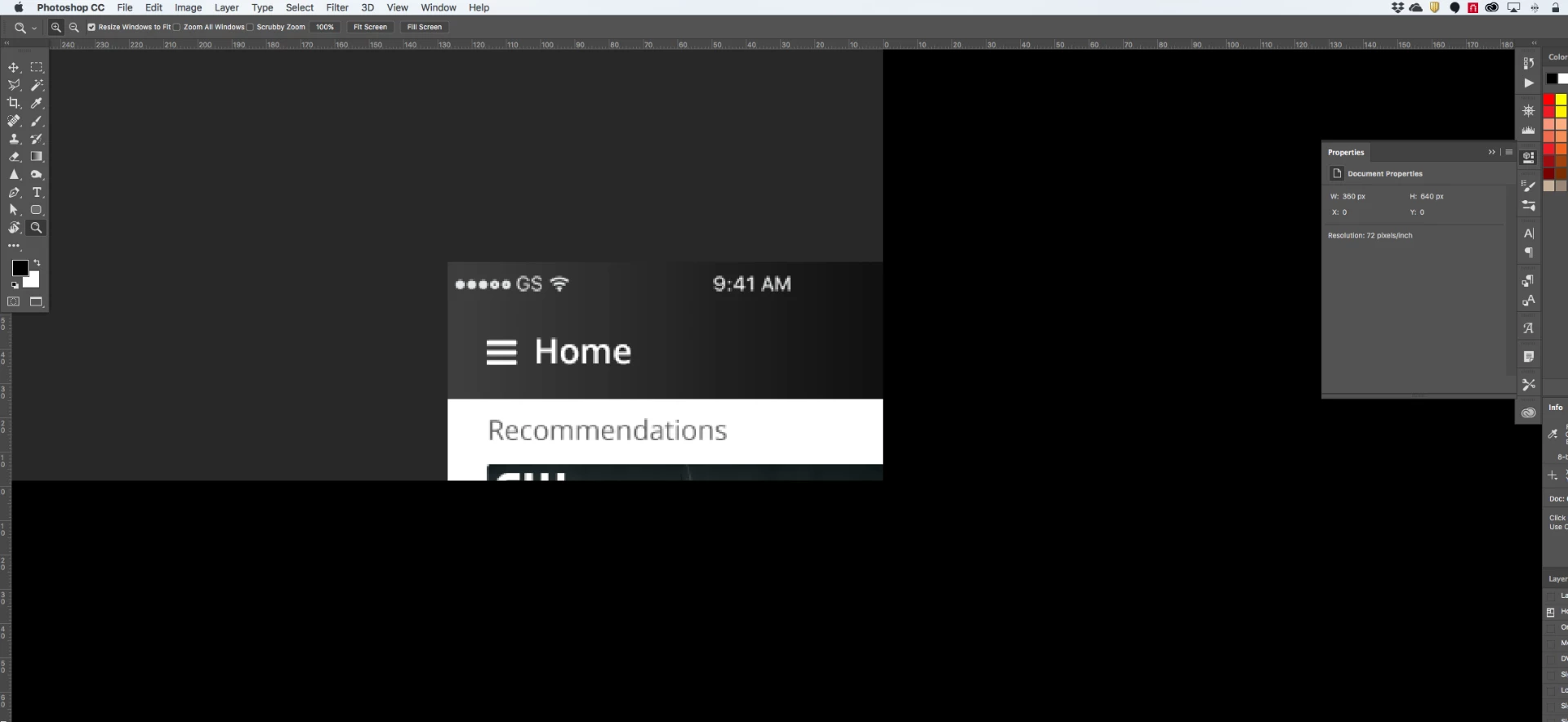
Thank you for your help!

-Joe

This topic has been closed for replies.
Correct answer c.pfaffenbichler

Does turning off »Use Graphics Processor« in the Performance Preferences (Photoshop > Preferences > Performance > Graphic Processor Settings) and restarting Photoshop have any bearing on the issue?

You may want to add your »Mea too« here:

https://feedback.photoshop.com/photoshop_family/topics/photoshop-19-1-in-fullscreen-mode-canvas-moves-to-upper-left-corner-and-3-4-of-the-canvas-is-unusable?utm_source=notification&utm_medium=email&utm_campaign=new_comment&utm_content=reply_button&reply%5Bid%5D=19277210#reply_19277210

2 replies

c.pfaffenbichler
Community Expert
Community Expert
January 29, 2018

And please try whether the work-around of hitting tab twice works for you.

c.pfaffenbichler
Community Expert
c.pfaffenbichlerCommunity ExpertCorrect answer
Community Expert
January 29, 2018

Does turning off »Use Graphics Processor« in the Performance Preferences (Photoshop > Preferences > Performance > Graphic Processor Settings) and restarting Photoshop have any bearing on the issue?

You may want to add your »Mea too« here:

https://feedback.photoshop.com/photoshop_family/topics/photoshop-19-1-in-fullscreen-mode-canvas-moves-to-upper-left-corner-and-3-4-of-the-canvas-is-unusable?utm_source=notification&utm_medium=email&utm_campaign=new_comment&utm_content=reply_button&reply%5Bid%5D=19277210#reply_19277210

Inspiring
January 29, 2018

This worked! Thank you so much. Is it good to not use the Graphic Processor? I've never had to uncheck that before. Thanks! I'm going to check that link now.

c.pfaffenbichler
Community Expert
Community Expert
January 29, 2018
Is it good to not use the Graphic Processor?

Not really, certain features (Rotate View Tool for example) depend on it, others benefit from it (some Filters can run faster).