

Generate Stunning Backgrounds with Photoshop on the Web
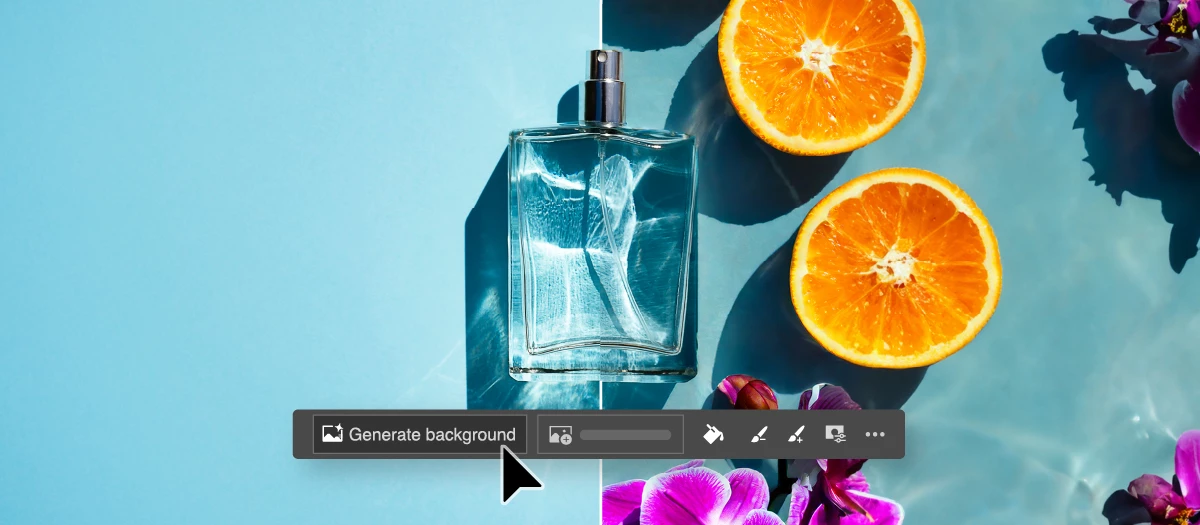
In this featured post, we delve into the exciting new capabilities of Photoshop on the web, focusing on its innovative Generate Background feature. This powerful tool allows you to seamlessly remove and replace backgrounds in your product photos with generated content, elevating the quality and appeal of your images. Whether you're a seasoned professional or a novice photographer, our step-by-step guide will help you master this feature and make your product photography truly stand out.
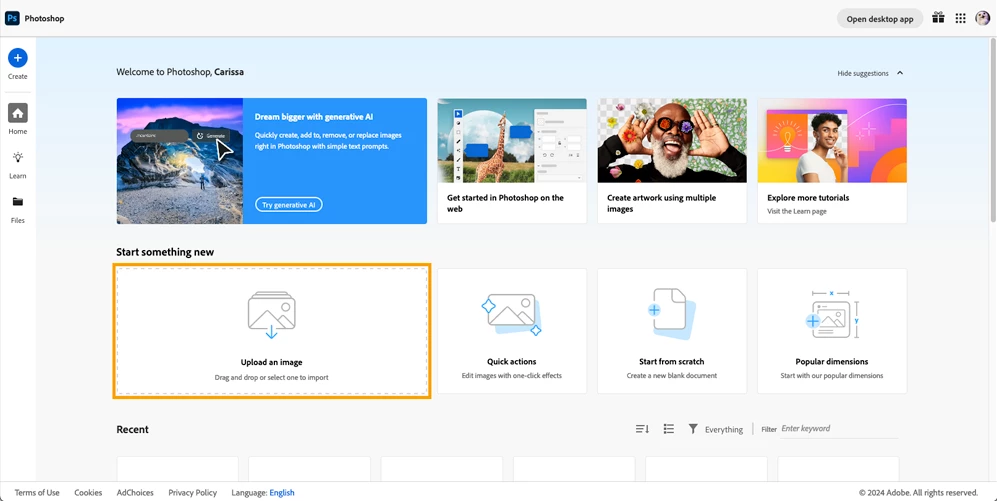
❶ Upload your image
- Open Photoshop on the Web
- Select "Upload an image" or "drag and drop" your image
- Photoshop on the Web will load your image into the workspace
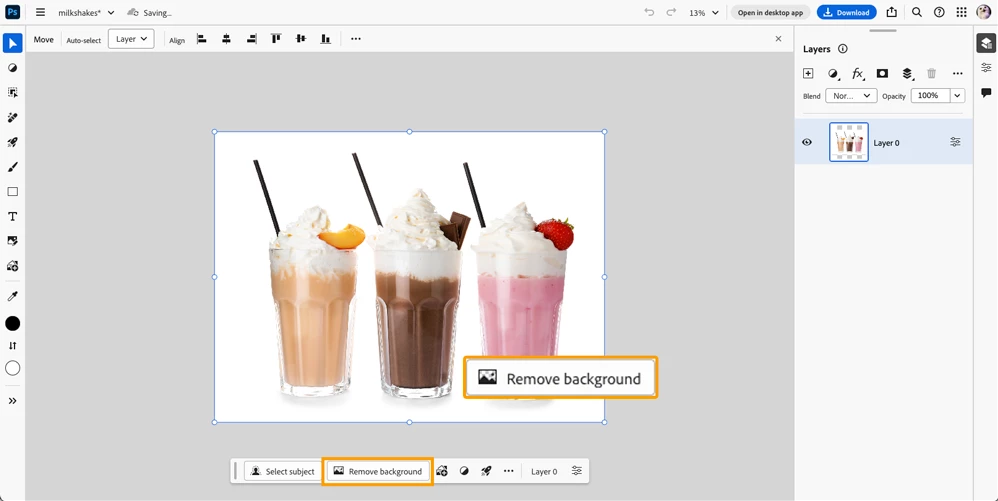
❷ Remove background
- Select "Remove background" from the Contextual Task Bar
- Note: Before generating a new background try refining the mask. You can do this by clicking on the "..." and select "Refine Mask"
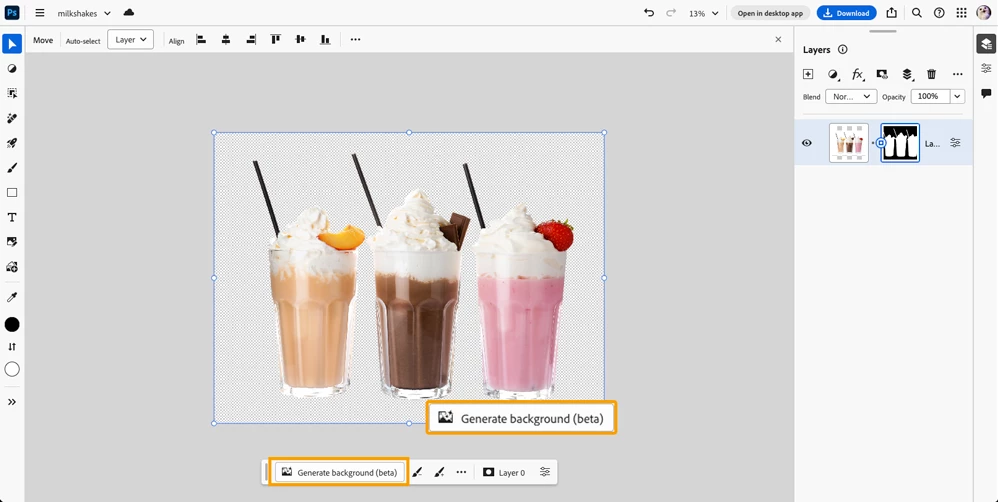
❸ Generate a new background
- Next select "Generate background" from the Contextual Task Bar
- Enter a prompt describing your preferred background. Need help creating a prompt? Check this out this article: Writing effective prompts
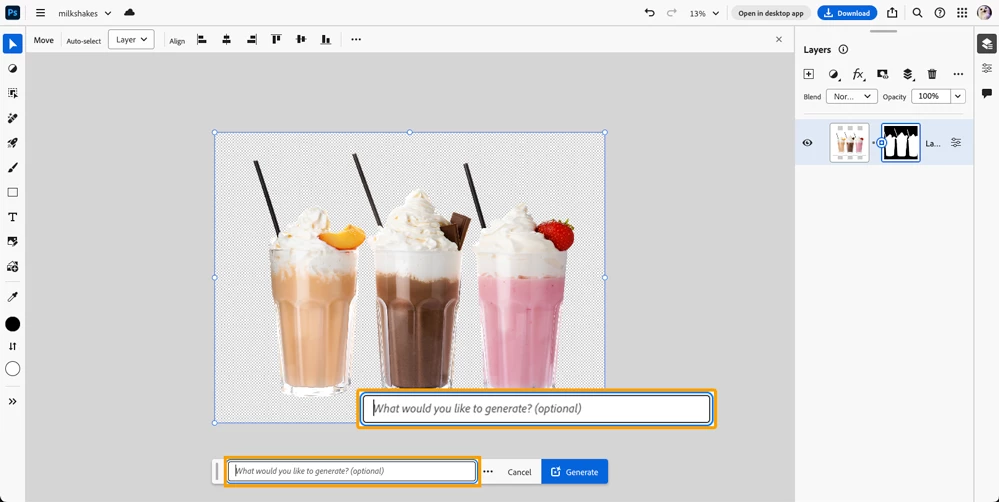
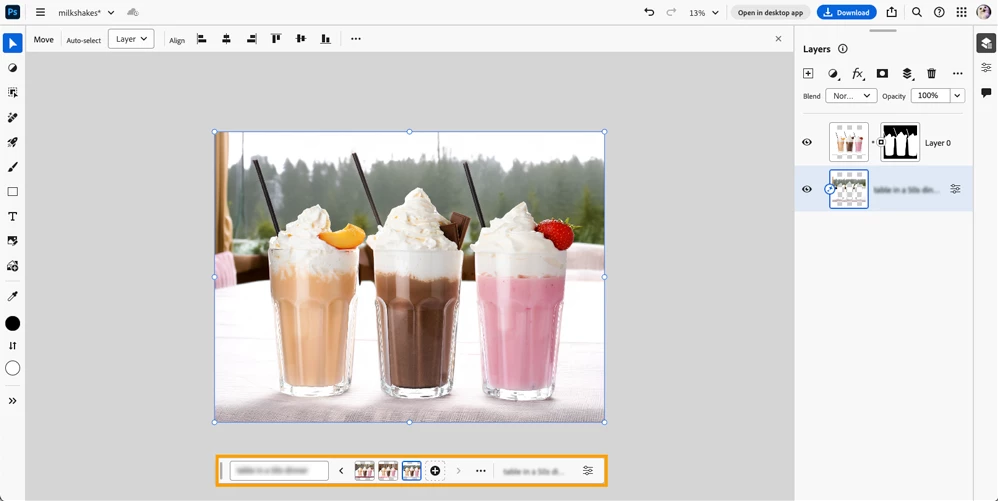
❹ Choose your variation
- You'll see three genereated images everytime you "Generate". Choose your favorite variation from the Contextual Task Bar.
Now that you've learned how to replace a background in using Photoshop on the web, what do you plan to create next? We'd love to hear about your projects and ideas—feel free to share them in the comments below!
Related links:


 AdChoices