hellojoko
Participant
May 16, 2018
Answered

Gif optimized quality too low

  • May 16, 2018
  • 2 replies
  • 5379 views

Hello! I made a super simple gif frame animation on PS. I'm trying to save for web except the quality becomes super low.

I tried changing the settings but nothing affects it.

Is there any way to save it as a transparent gif that loops once and has the original quality?

Not sure if this helps but:

The gif is basically transparent clouds with one cloud that moves aside and the word "about" is revealed.

The only color in the file is white.

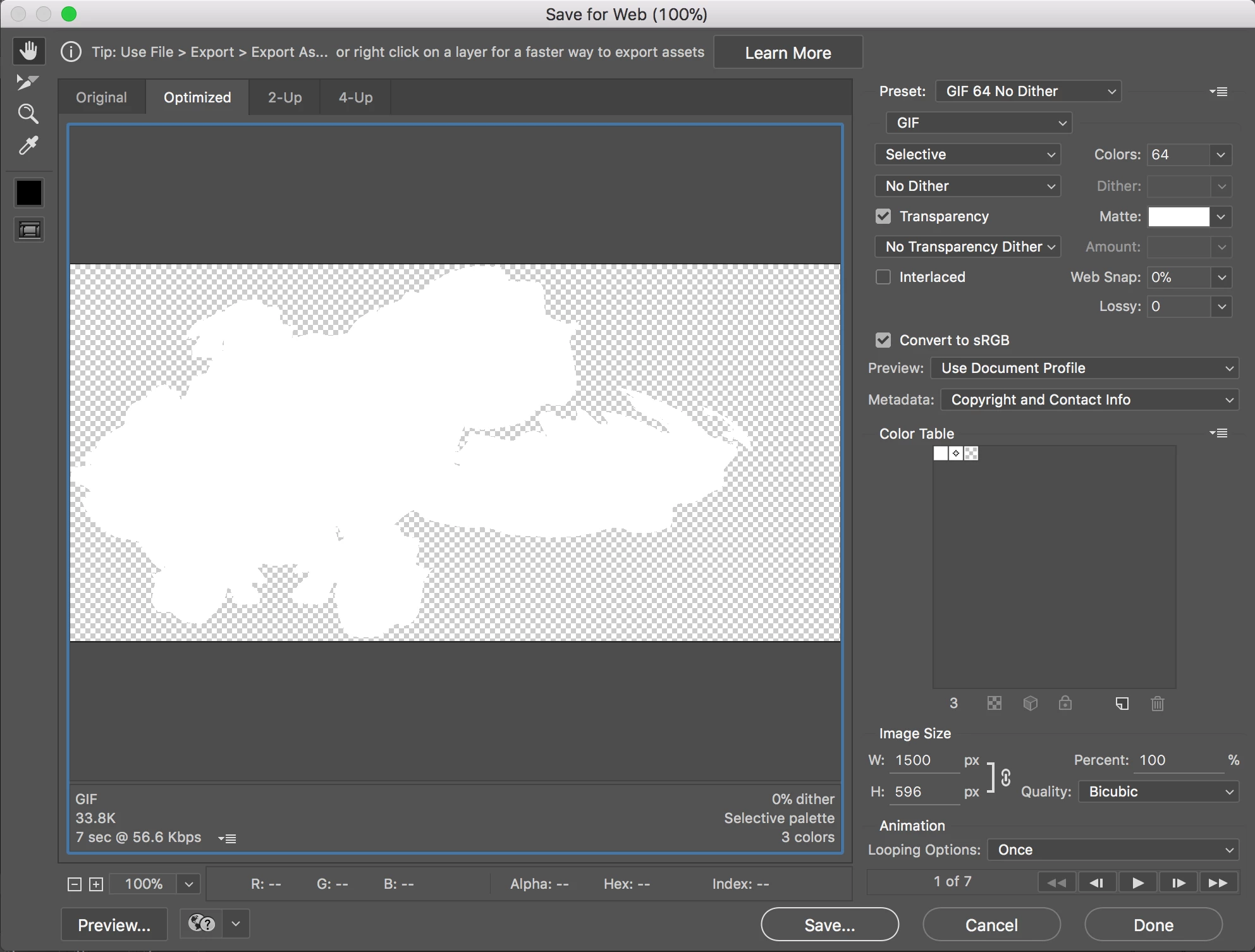
Here's what the original looks like vs the optimized:
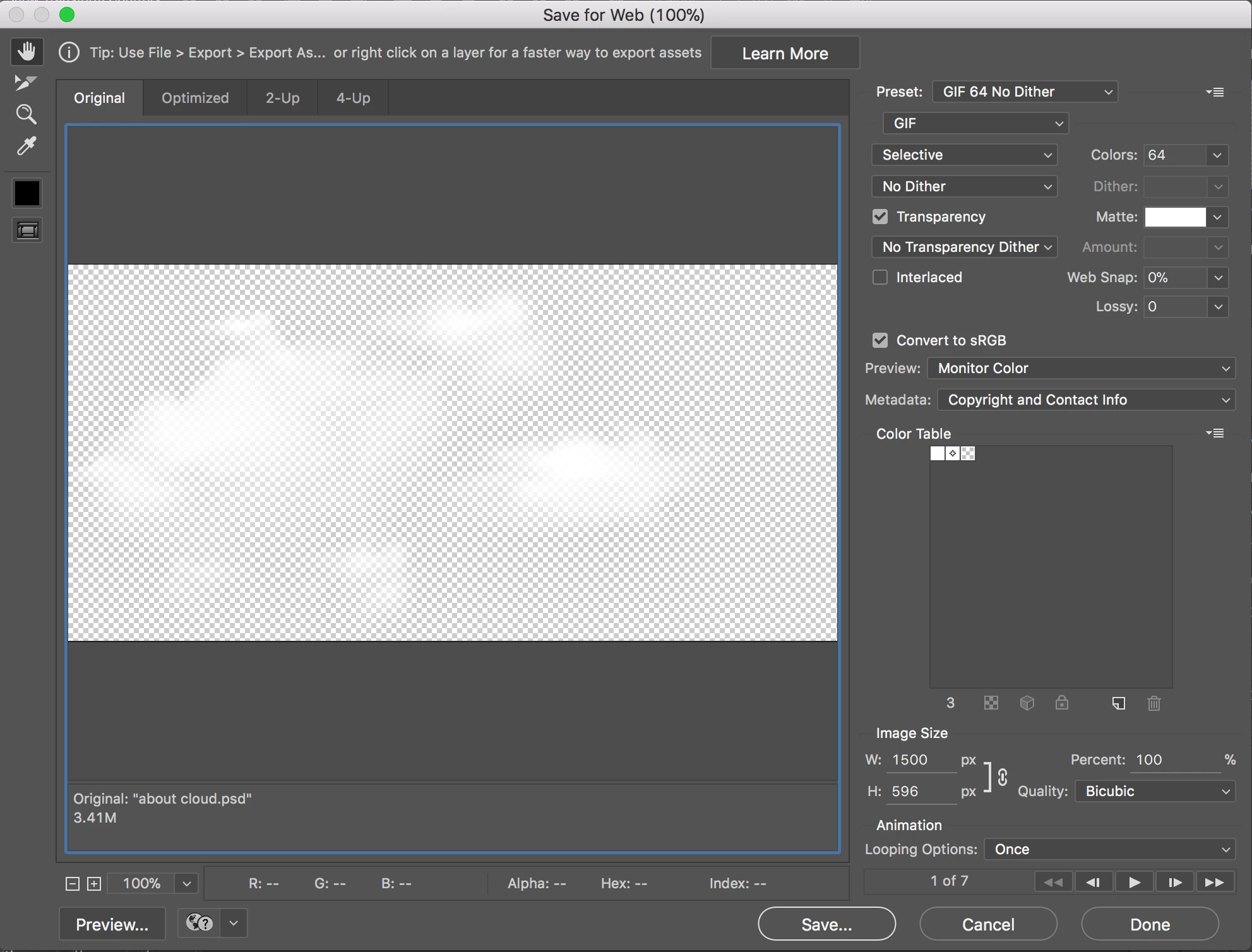
If for some reason, this isn't possible on PS, could you please recommend any program / online method to create the gif?

I also have each frame saved as a PNG to use for other programs.

I tried searching but I couldn't find any options that allowed transparent backgrounds and looping only once.

Thank you!

This topic has been closed for replies.
Correct answer rayek.elfin

You can't, and the reason is very simple: the GIF format only supports 1bit transparency: either on or off. No in-between values, so those fluffy clouds with a smooth transition are NEVER going to work in GIF. Dithering only results in a very rough and ugly looking version.

No other tool is going to help you fix this. So, what are your options?

  • Remove the transparent background, and make it opaque.
  • Export to APNG. This animation format supports full transparency, and works in all browsers, excepting Microsoft, of course. And of course Photoshop can't export to APNG, because as always Adobe is lagging behind in regards to developments on the web.
    https://caniuse.com/#feat=apng
    There's a nice polyfill (javascript enabler for APNG) which enables APNG support on IE and Edge.
    To export to APNG, you will need FFMPEG which will convert your sequence of PNG files to APNG.
    https://www.ffmpeg.org/
    Or use APNG Assembler (visual tool to convert a sequence of PNG images to APNG).
  • The third option is to use CSS and animation steps with a background sprite sheet to create your animation. Google it.

2 replies

rayek.elfin
rayek.elfinCorrect answer
Legend
May 16, 2018

You can't, and the reason is very simple: the GIF format only supports 1bit transparency: either on or off. No in-between values, so those fluffy clouds with a smooth transition are NEVER going to work in GIF. Dithering only results in a very rough and ugly looking version.

No other tool is going to help you fix this. So, what are your options?

  • Remove the transparent background, and make it opaque.
  • Export to APNG. This animation format supports full transparency, and works in all browsers, excepting Microsoft, of course. And of course Photoshop can't export to APNG, because as always Adobe is lagging behind in regards to developments on the web.
    https://caniuse.com/#feat=apng
    There's a nice polyfill (javascript enabler for APNG) which enables APNG support on IE and Edge.
    To export to APNG, you will need FFMPEG which will convert your sequence of PNG files to APNG.
    https://www.ffmpeg.org/
    Or use APNG Assembler (visual tool to convert a sequence of PNG images to APNG).
  • The third option is to use CSS and animation steps with a background sprite sheet to create your animation. Google it.
JJMack
Community Expert
Community Expert
May 16, 2018

What is being pointed out is GIF 256bit mapping  when there is transparency in the actual GIF  each pixels is either 100% opaque or 0% completely transparent enpty.  There can only be 255 mapped colors when there is actual transparency image with thing like drop shadows will be dithered with empty pixels.   Its that GIF 256 index color thing.

JJMack
JJMack
Community Expert
Community Expert
May 16, 2018

Upload your PSD file with the frame animation and post a link to it.  If the cloud is too transpatent I would thinnk About would always be visible.

JJMack