
Participant
March 15, 2024
Answered

GPU not detected by Camera Raw

  • March 15, 2024
  • 6 replies
  • 8469 views

Well, the classic Adobe problem

Camera Raw is not detecting my GPU.


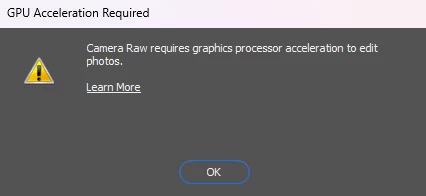
- When I open an image in Photoshop and try to edit it using the Camera Raw filter I have the following error: "Camera Raw requires graphics processor acceleration to edit photos":


- Opening the file directly with Camera Raw I have the same message:
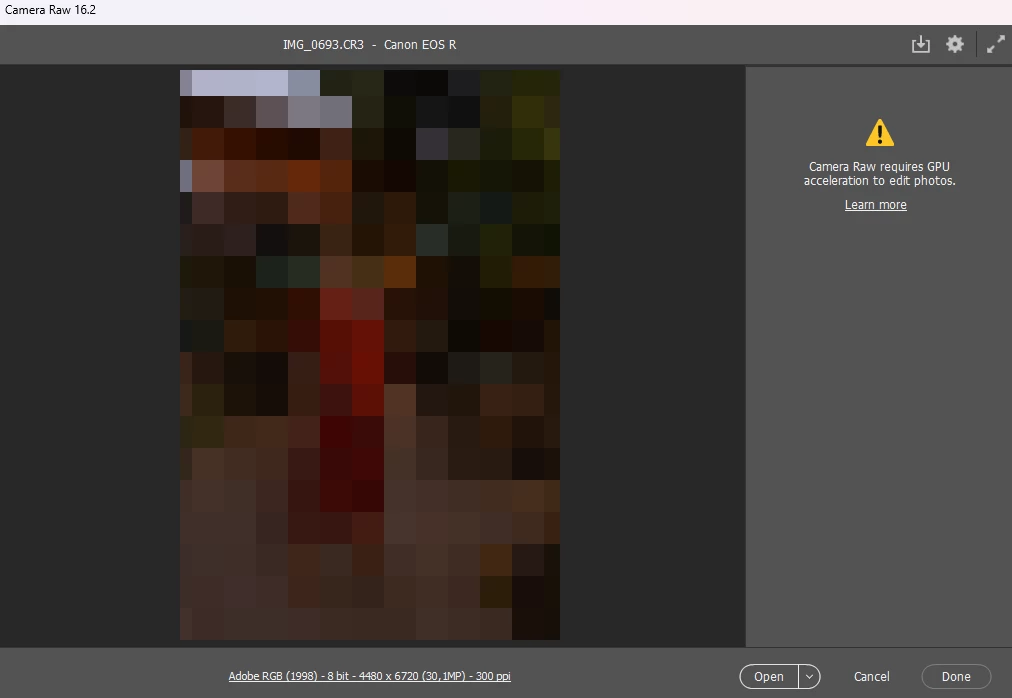
 

Probably it started after the last update.

In Photoshop when I click "Help > GPU Compatibility" everything looks ok:
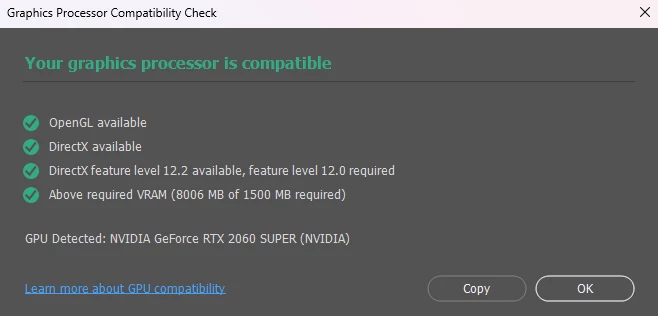


It seems that it's only with Camera Raw. Graphics acceleration seems to work ok in Photoshop.


Photoshop Version: 25.5.1

Camera Raw Version: 16.2

OS: Windows 11 Pro 23H2
CPU: Intel Core i7 2.90GHz

GPU: NVIDIA GeForce RTX 2060 SUPER (updated - v551.61)
RAM: 16GB

Correct answer belisario_r

After chatting for over an hour with Adobe support not solving my problem, I ended up solving the issue by myself.


First I installed a previous version of Camera Raw and then I re-installed Photoshop (which installs the latest version of Camera Raw). Everything worked again.


Previously I tried re-installing the latest version of the Camera-Raw plugin, but that way it still didn't detect my GPU.


Maybe I was lucky, I don't know.

I hope I can help someone.


Bye

6 replies

Participant
November 19, 2024

problem


Participant
October 25, 2024

@belisario_r   Thank you for sharing! But how do I do all of that? hahaha

indigodm
Participant
May 28, 2024

Same problem here. I've updated my macos to sonoma 14.5 (macbook pro m3 max) and the camera raw is not working, even though my gpu is compatible. I'll try to fix like you suggested. thanks!

indigodm
Participant
May 28, 2024

It worked! But I reinstalled Photoshop, camera raw is still 14.5 and not 16.3. 

indigodm
Participant
May 28, 2024

Installed the 16.3 camera raw and it worked!!

Participant
May 21, 2024

I had same problem, then I installed latest Camera Raw and it worked.

Known Participant
March 30, 2024

I have the same issue! Camera Raw requires GPU acceleration to edit photos. It happened after my MAC OS update.


Mac Pro running Mac OS Sonoma 14.4.1

belisario_rAuthorCorrect answer
Participant
March 18, 2024

After chatting for over an hour with Adobe support not solving my problem, I ended up solving the issue by myself.


First I installed a previous version of Camera Raw and then I re-installed Photoshop (which installs the latest version of Camera Raw). Everything worked again.


Previously I tried re-installing the latest version of the Camera-Raw plugin, but that way it still didn't detect my GPU.


Maybe I was lucky, I don't know.

I hope I can help someone.


Bye

Participating Frequently
July 4, 2024

I'm going to sound utterly stupid but I can't uninstall Camera Raw. In Creative Cloud there's a list of apps and all of them have the option to uninstall except CR. Is there a manual way to delete it or does it delete automatically when you uninstall Photoshop and Lightroom?


Ged_Traynor
Community Expert
Community Expert
July 4, 2024

@default1227tj8ndsgk just download version 14.5 from the below link, it will overwrite the current installed version

https://helpx.adobe.com/ie/camera-raw/kb/camera-raw-plug-in-installer.html