Inspiring
February 12, 2023
Answered

gradient for array of boxes

  • February 12, 2023
  • 4 replies
  • 1646 views

This is what I would like to do but do not know how: create a grid of rectangular boxes and have that entire array of boxes be one gradient of colour . Then I want to place that gradient array of boxes over another colour gradient background. Help appreciated!

This topic has been closed for replies.
Correct answer Trevor.Dennis

This might give you food for thought.


Make your box on a new layer > Fill it with any colour > and make it a Smart Object.

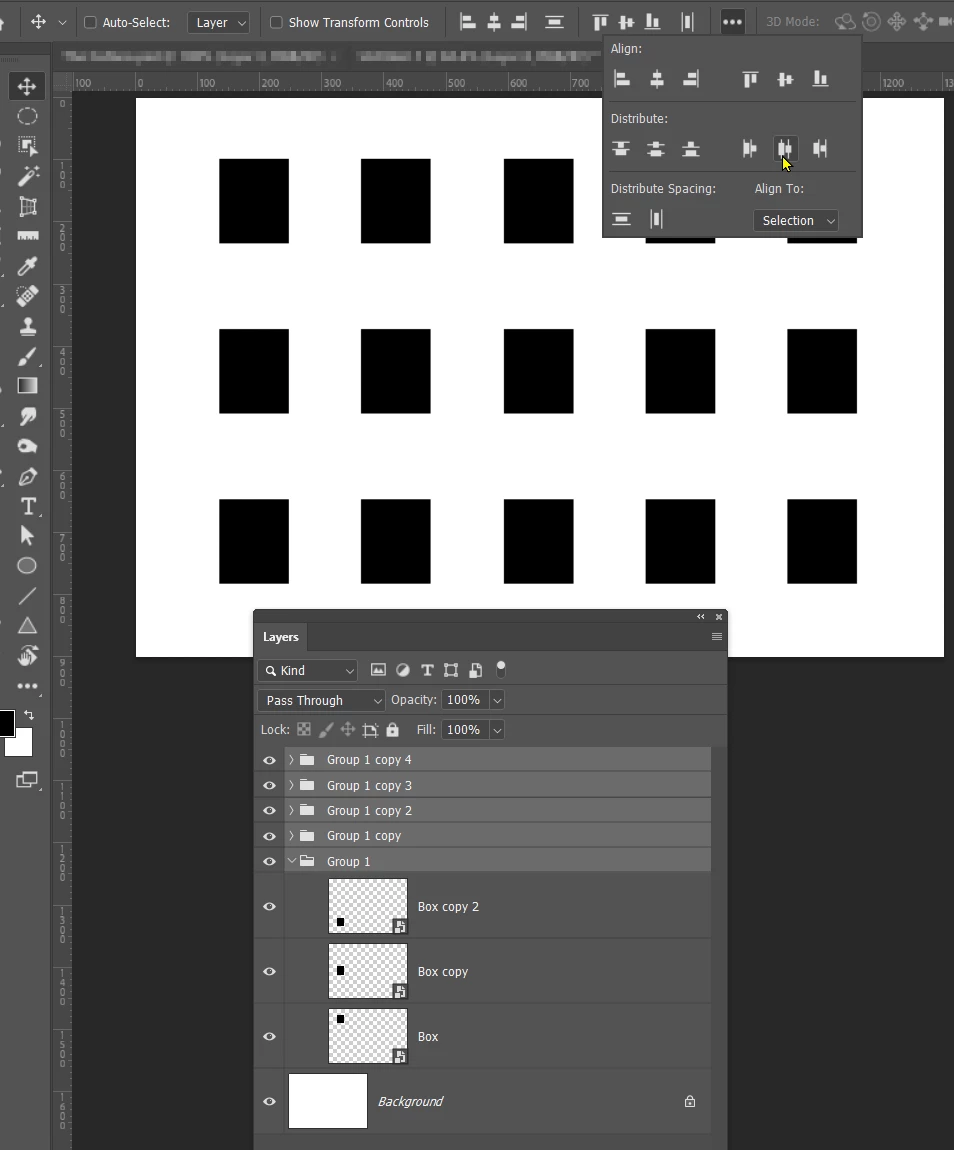
Make as many copies as you need rows, and use Move > Align to equally space them.

Place thouse layers in a Group, and repeat the last steps to make the colums.
 

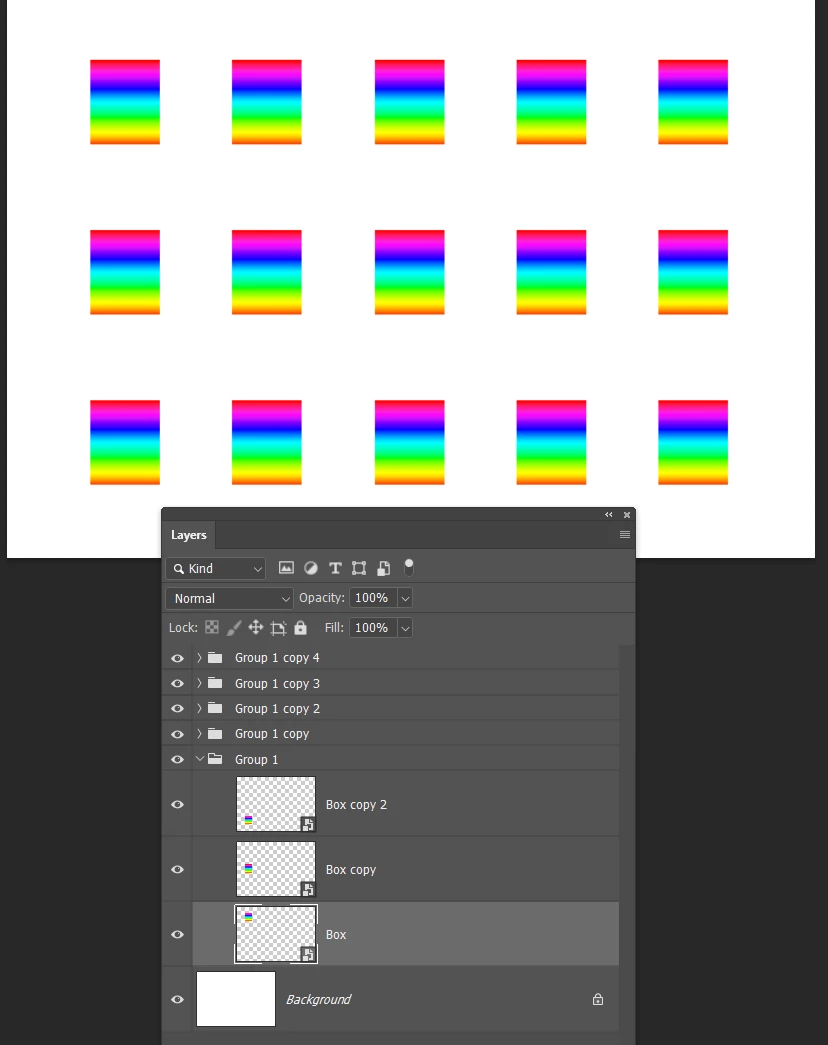
If you double click any of the Smart Objects to open it in a new window, and run your gradient, the other Smart Objects will be updated, thus
 

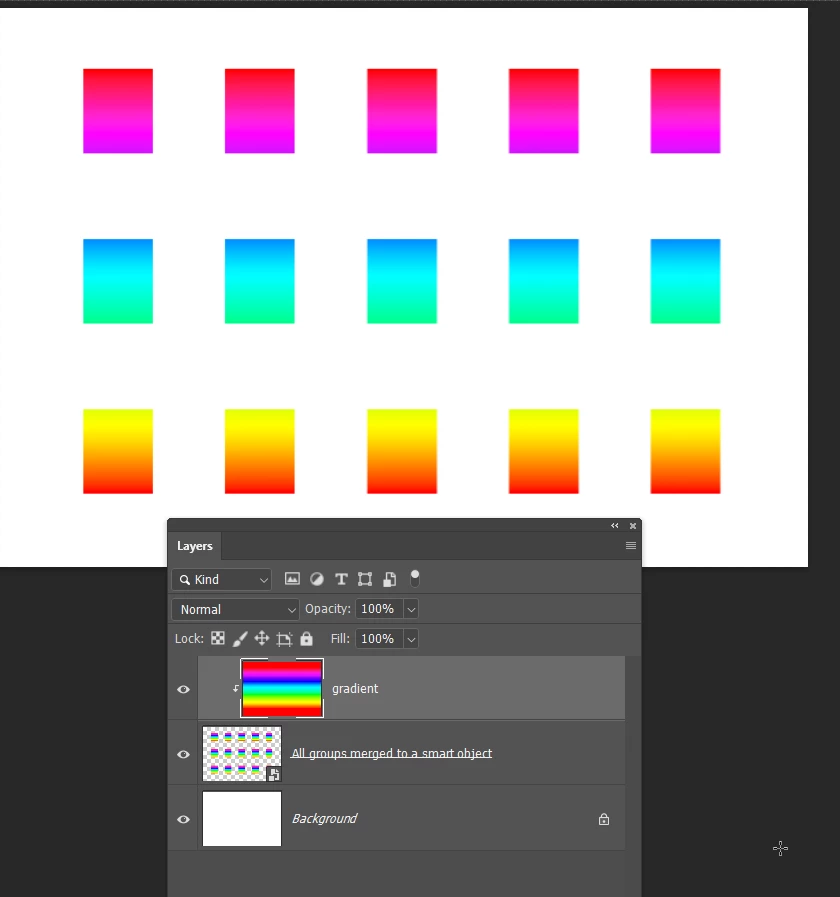
If, on the other hand, you wanted a single gradient to cover the boxes, them select all the groups, and make that a smart object.  That effectivel;y puts them all into a single layer.

You can now run a gradient in a new layer and clip it to that Smart Object.

You can still double click the Smart Object to edit it.
 

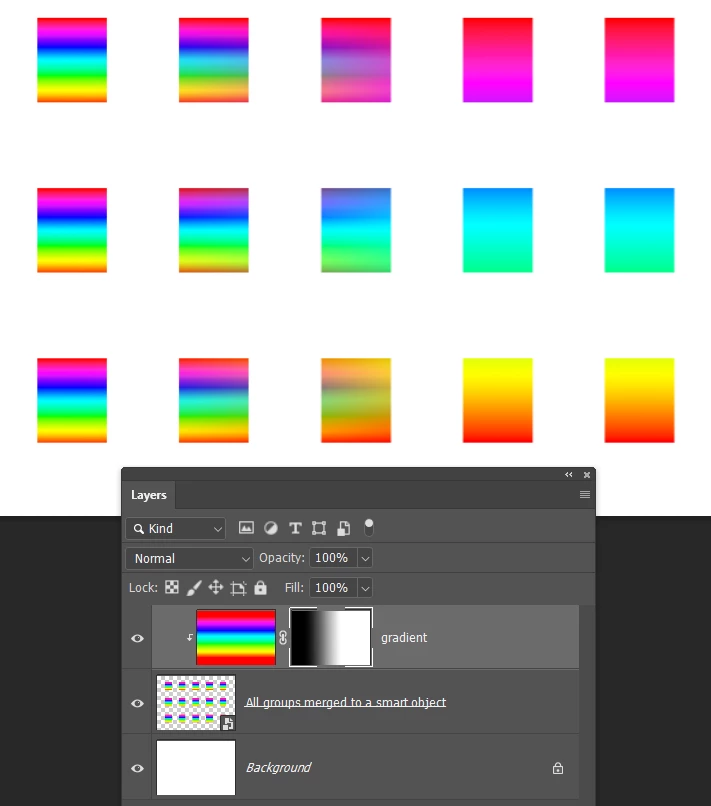
You could also add a layer mask to the gradient layer, and mask some of the layer to reveal the original gradients.
 

If we/I are missing your point, give us some more details and someone will work it out with you.

4 replies

SyyyyyyBAuthor
Inspiring
February 13, 2023

Thank you everyone! This is what I did:

I chose the rectanglular shape tool and created my boxes and arranged them on my background. I combined all the box layers into a smart object and gave that a gradient overlay. I then took my background layer and made a new fill layer that was a gradient. I arranged the layers so the background was beneath the box array smart object layer. It worked!

Bojan Živković11378569
Community Expert
Community Expert
February 13, 2023

Perhaps this tutorial can help something https://youtube.com/watch?v=_ishD85JXns&feature=shares

Trevor.Dennis
Community Expert
Community Expert
February 13, 2023

Bojan, do you remember the Trevor Morris scripts before it all changed to HTML5 and broke a ton of useful tools?  His Dmonzon Tools had a useful array generator.  Did Chuck Uebele's Equal Space extension give us back the first two functions?  It's built into the Move > Align tools now.  

Bojan Živković11378569
Community Expert
Community Expert
February 13, 2023

I know for Trevor, can not remember script.

Trevor.Dennis
Community Expert
Trevor.DennisCommunity ExpertCorrect answer
Community Expert
February 12, 2023

This might give you food for thought.


Make your box on a new layer > Fill it with any colour > and make it a Smart Object.

Make as many copies as you need rows, and use Move > Align to equally space them.

Place thouse layers in a Group, and repeat the last steps to make the colums.


If you double click any of the Smart Objects to open it in a new window, and run your gradient, the other Smart Objects will be updated, thus


If, on the other hand, you wanted a single gradient to cover the boxes, them select all the groups, and make that a smart object.  That effectivel;y puts them all into a single layer.

You can now run a gradient in a new layer and clip it to that Smart Object.

You can still double click the Smart Object to edit it.


You could also add a layer mask to the gradient layer, and mask some of the layer to reveal the original gradients.


If we/I are missing your point, give us some more details and someone will work it out with you.

PECourtejoie
Community Expert
Community Expert
February 13, 2023

Hi, to create the Clipping mask, OPTION+click between the gradient and the other layer (ALT+click on a PC)

You just then need to place a gradient adjustment layer on top of the background layer.

I hope we're not doing your homework! 😉


Semaphoric
Community Expert
Community Expert
February 12, 2023

Do you want each box to have its own gradient, or have the gradient span all of them?

SyyyyyyBAuthor
Inspiring
February 13, 2023
Gradient span all of them.