Exit
  • Global community
    • Language:
      • Deutsch
      • English
      • Español
      • Français
      • Português
  • 日本語コミュニティ
  • 한국 커뮤니티
0

Gradient Map

Contributor ,
Jul 13, 2020 Jul 13, 2020

Why did Adobe make the Gradient Map so much difficult to use? Before you could double click on the map and the legacy color maps would show up. You could append other graidents and get to them in ONE click. Now you have to go through small groups of color maps. They made it very difficult to use. 

I have downloaded the legacy color maps but still have to go through this silly list of maps.

iMac, latest CC and LR.

1.6K
Translate
Report
Community guidelines
Be kind and respectful, give credit to the original source of content, and search for duplicates before posting. Learn more
community guidelines
Adobe
Contributor ,
Jul 13, 2020 Jul 13, 2020

Also, when I get to the graident I cannot edit it. 

Why does Adobe make it more difficult to use PS

Translate
Report
Community guidelines
Be kind and respectful, give credit to the original source of content, and search for duplicates before posting. Learn more
community guidelines
Contributor ,
Jul 13, 2020 Jul 13, 2020

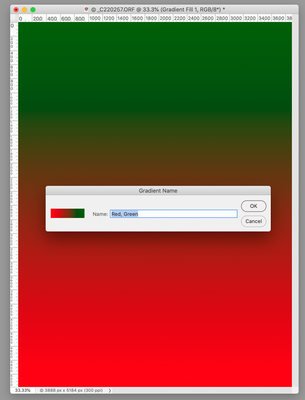
Here is what I get. See attached.

Screen Shot 2020-07-13 at 9.35.07 AM.png


Translate
Report
Community guidelines
Be kind and respectful, give credit to the original source of content, and search for duplicates before posting. Learn more
community guidelines
Mentor ,
Jul 13, 2020 Jul 13, 2020

you're clicking the wrong thing...

Translate
Report
Community guidelines
Be kind and respectful, give credit to the original source of content, and search for duplicates before posting. Learn more
community guidelines
Mentor ,
Jul 13, 2020 Jul 13, 2020

Nothing's really changed with regards to usability. What "silly list of maps" are you talking about?

Translate
Report
Community guidelines
Be kind and respectful, give credit to the original source of content, and search for duplicates before posting. Learn more
community guidelines
Community Expert ,
Jul 13, 2020 Jul 13, 2020

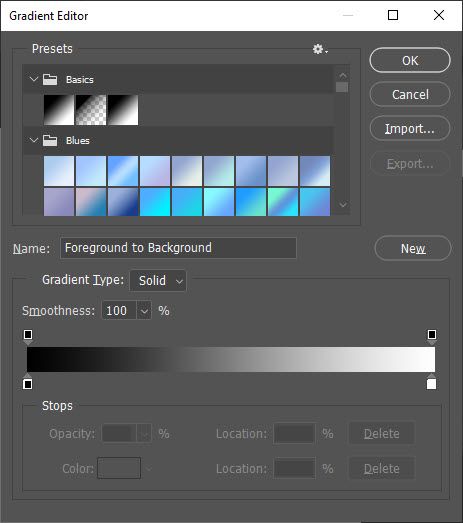
Something wrong is going on your side. Here is screenshot of Gradient Editor. By the way, if you Ctrl + click on triangle on the left side to expand gradient group it will expand all other groups so you have same thing as in some previous versions with addition of groups which make things easier to organize. Not big deal in my opinion and still useful change.

gradient editor.jpg

Translate
Report
Community guidelines
Be kind and respectful, give credit to the original source of content, and search for duplicates before posting. Learn more
community guidelines
Contributor ,
Jul 13, 2020 Jul 13, 2020

Before all you had to do was click on the Gradient Map and up would come all gradients and the gradient editor. Now you have to scroll down each small group of gradients. 

Translate
Report
Community guidelines
Be kind and respectful, give credit to the original source of content, and search for duplicates before posting. Learn more
community guidelines
Community Expert ,
Jul 13, 2020 Jul 13, 2020

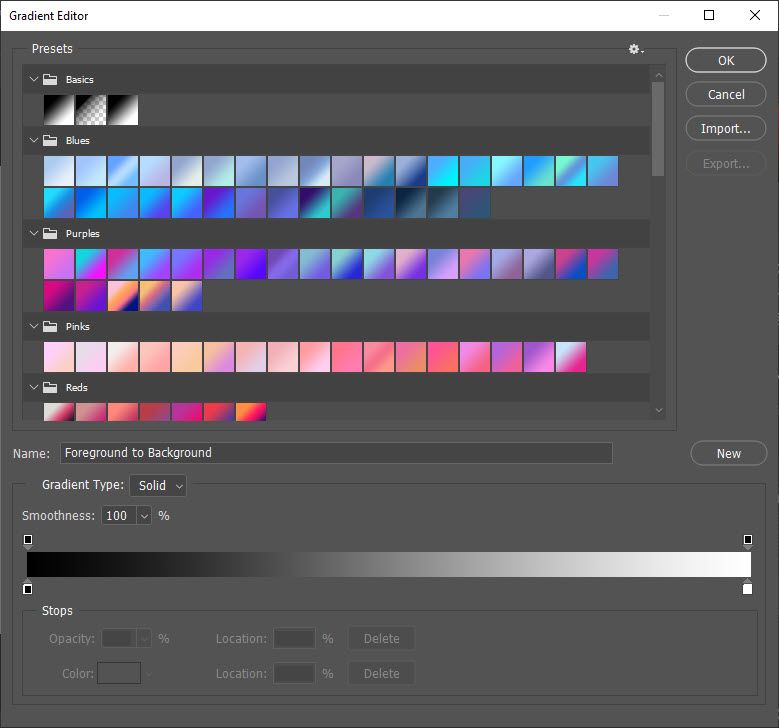
You can resize Gradient Editor dialogue if that is what you are missing. You can also select and manually move all gradients into one group so you do not need to scroll through groups.

resize gradient editor window.jpg 

Translate
Report
Community guidelines
Be kind and respectful, give credit to the original source of content, and search for duplicates before posting. Learn more
community guidelines
Contributor ,
Jul 13, 2020 Jul 13, 2020

how do you get to the editor? Do I add a new preset group or drag to Basics?

Translate
Report
Community guidelines
Be kind and respectful, give credit to the original source of content, and search for duplicates before posting. Learn more
community guidelines
Community Expert ,
Jul 13, 2020 Jul 13, 2020

It is up to you to drag all gradients into any group or to even create new group and to drag all gradients into that group. You can use existing Basics group to drag gradients into it. After dragging gradients you can delete empty groups.

Translate
Report
Community guidelines
Be kind and respectful, give credit to the original source of content, and search for duplicates before posting. Learn more
community guidelines
Contributor ,
Jul 13, 2020 Jul 13, 2020
LATEST

Do not like the new set up for GM but will have to adjust. Thanks.

Translate
Report
Community guidelines
Be kind and respectful, give credit to the original source of content, and search for duplicates before posting. Learn more
community guidelines