
Grid unreadable after update
So today I opened up my photoshop and it had done an automatic update...
After this the grid is unreadable to me, and looks like this (400% zoom):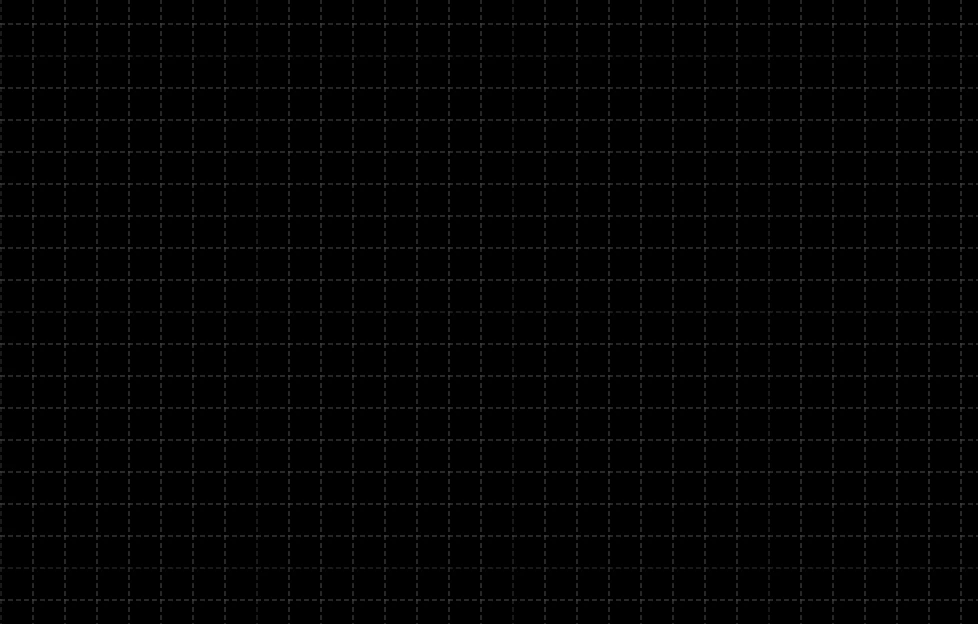
This is 64px grid with 8 divisions. Can you differentiate the grid and actual divisions? I can't. I use grids and divisions on my everyday work. How can I switch it back to old, thinner grid?
Notice that I also use grays or other non-intrusive colours for grid, with bright colours, the divisions become more noticeable, but bright grid messes up my view.
Same thing in 100% zoom: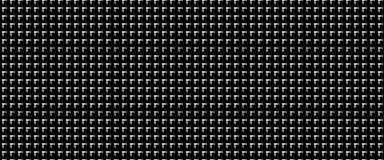
Totally obstructs the view. I can no longer work with files I worked with just yesterday!
Edit: It appears the new grid look also takes more processing power. On 4k image it takes forever to zoom in now... Why, Adobe, you change somethings that has no problems? It is not innovative, it does not make things better.
 AdChoices