


rajb98468254
Participant
September 10, 2021
해결됨

Heavy Glitches in Photoshop texture editing for 3d object

  • September 10, 2021
  • 2 답변들
  • 438 조회

Photo below for reference, in texture editing mode only. I have updated to the latest version of photoshop and there are no pending updates for this Windows machine. As I scroll side to side or up and down, parts of the images in place leave a trace as they drift across the screen, and as I use the transform tool, the bounding box becomes invisible and leaves me blind aside from finding the handles with the changes in how the pointer displays (very challenging!). 
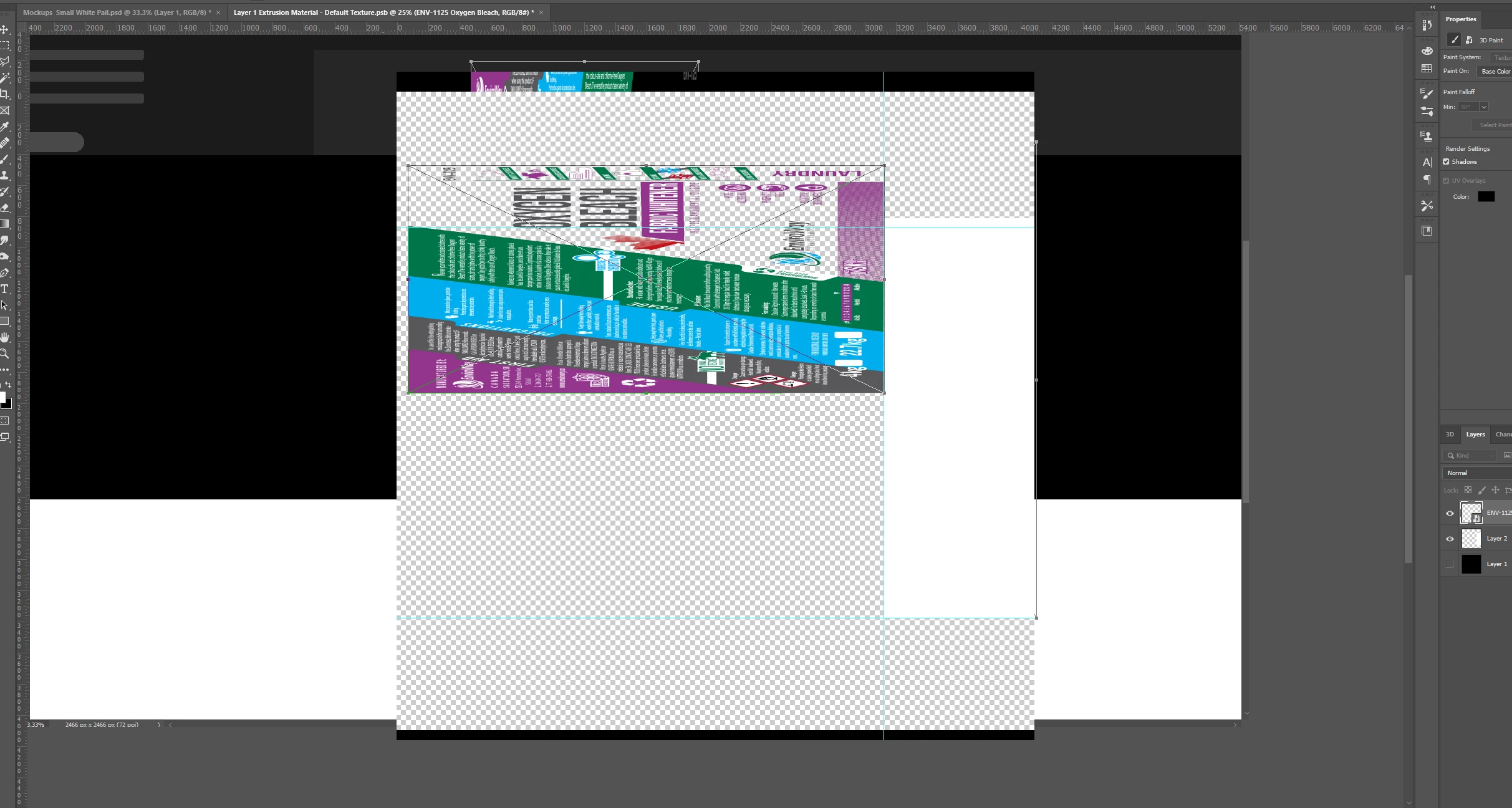
 

System info:

Windows 10 Pro V 10.0.19043 Build 19043

Dell Precision 3640 Tower

Intel Core i7-10700 2.90GHz 8 core

16GB RAM

800GB free space

NVidia Quadro P2200


이 주제는 답변이 닫혔습니다.
최고의 답변: J453
  1. Go to preferences > Technology Previews... and check "Disable Native Canvas" - then restart Photoshop. Does the problem still occur?
  2. If disabling Native Canvas doesn't help, go to Preferences > Performance... and uncheck Use Graphics Processor. Restart Photoshop. If this fixes it, try updating your graphics driver and re-enable Use Graphics Processor.  https://helpx.adobe.com/photoshop/kb/troubleshoot-gpu-graphics-card.html 

2 답변

rajb98468254
rajb98468254작성자
Participant
September 14, 2021

"Disable Native Canvas" worked for me. Thank you!

J453답변
Legend
September 10, 2021
  1. Go to preferences > Technology Previews... and check "Disable Native Canvas" - then restart Photoshop. Does the problem still occur?
  2. If disabling Native Canvas doesn't help, go to Preferences > Performance... and uncheck Use Graphics Processor. Restart Photoshop. If this fixes it, try updating your graphics driver and re-enable Use Graphics Processor.  https://helpx.adobe.com/photoshop/kb/troubleshoot-gpu-graphics-card.html