Copy link to clipboard
Copied

I would like to make a similar design, who is ready to assist me? Thank you!
Hi
You need to learn how to use masks to bring the background images together, then shapes and layer styles to make the boxes and title text.
I have attached some links below:
Use masks to hide layers in Photoshop
Layer effects and styles in Adobe Photoshop
If you are new to Photoshop I suggest you take a course either on line (Lynda.com or Linked in offer online courses) or a tutor led course at your local college. Once you get the basics - you w
...Copy link to clipboard
Copied
Please paste the image directly into the forum rather than a link.
Dave
Copy link to clipboard
Copied
Hi, enclosed is the image. Thank you.

Copy link to clipboard
Copied
Hi
You keep posting a link which is broken and gives an error message.
Please either:
Copy the image and paste it into the forum post.
or
Use the image button to add the image.

Dave
Copy link to clipboard
Copied
Hi Dave, thank you for the observation and feedback.
It appears well from my end but I wouldn't know why it isn't so into the forum.
I have carried it out and attached the image again.
Thanks.

Copy link to clipboard
Copied
Hi
I can see it now. Which part are you having a problem with?
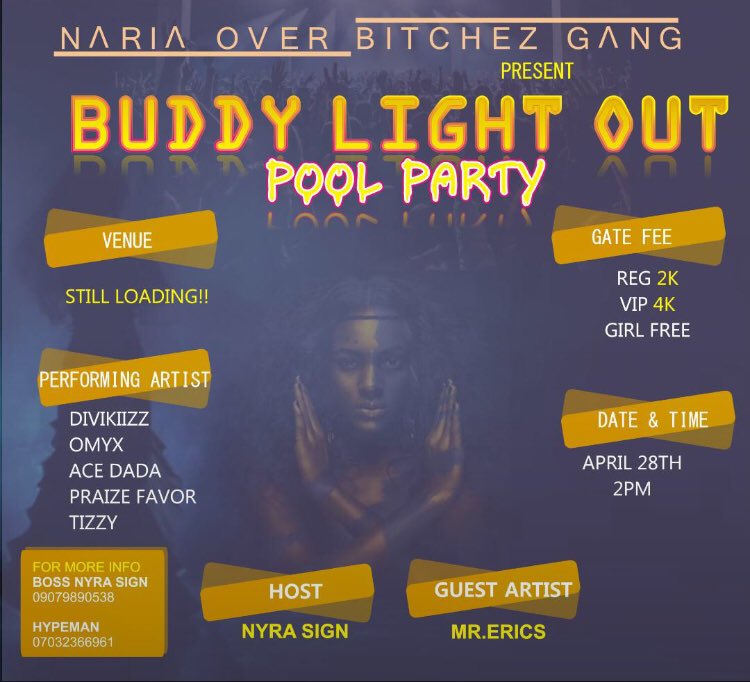
It looks like a composite of three images masked and blended together, with some shape layers and text .
Dave
Copy link to clipboard
Copied
Hi,
Thank you. I am actually having a problem with all.
That's exactly how it looks like but I want to redesign similar image. Could you tell me the procedures to follow?
Frank.
Copy link to clipboard
Copied
Hi
You need to learn how to use masks to bring the background images together, then shapes and layer styles to make the boxes and title text.
I have attached some links below:
Use masks to hide layers in Photoshop
Layer effects and styles in Adobe Photoshop
If you are new to Photoshop I suggest you take a course either on line (Lynda.com or Linked in offer online courses) or a tutor led course at your local college. Once you get the basics - you will be able to produce most of the image and shout out if you get stuck on any part.
Dave

Copy link to clipboard
Copied
Hi Dave,
Thank you for the links.
I will certainly review and revert.
Have a productive day!
Frank.
Get ready! An upgraded Adobe Community experience is coming in January.
Learn more