Copy link to clipboard
Copied
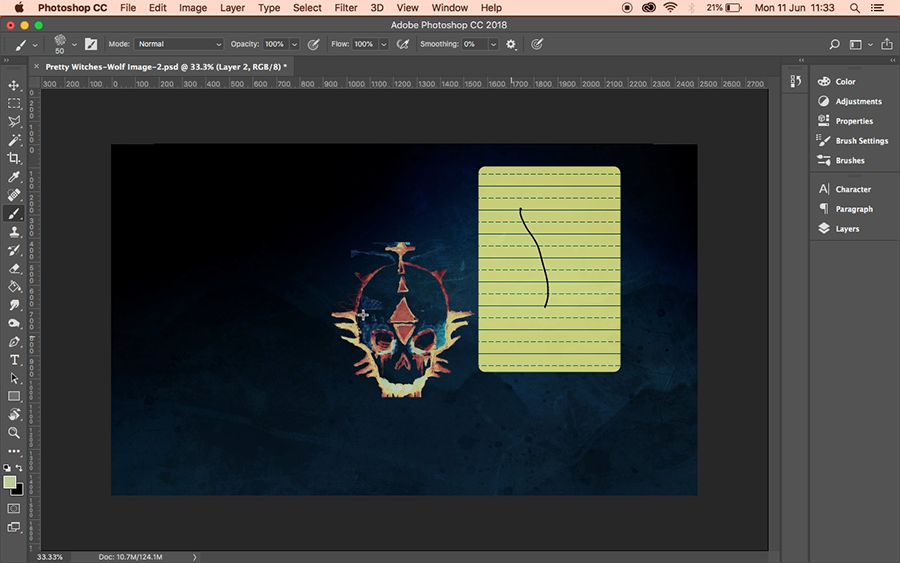
So if you look at the screenshot below.
Every time I touch the Bamboo Pen to the tablet it continuously draws the line with the yellow stitching behind it.
Which is very frustrating, but most of all it has no effect afterwards. This actually happens on everything not just Photoshop CC.

So that you know I've tried all the different drivers (some not compatible with my OSX).
https://www.wacom.com/en/support/product-support/drivers
I've kind've run out of options so I'm turning to this community.
Cheers
Which version of macOS are you using?
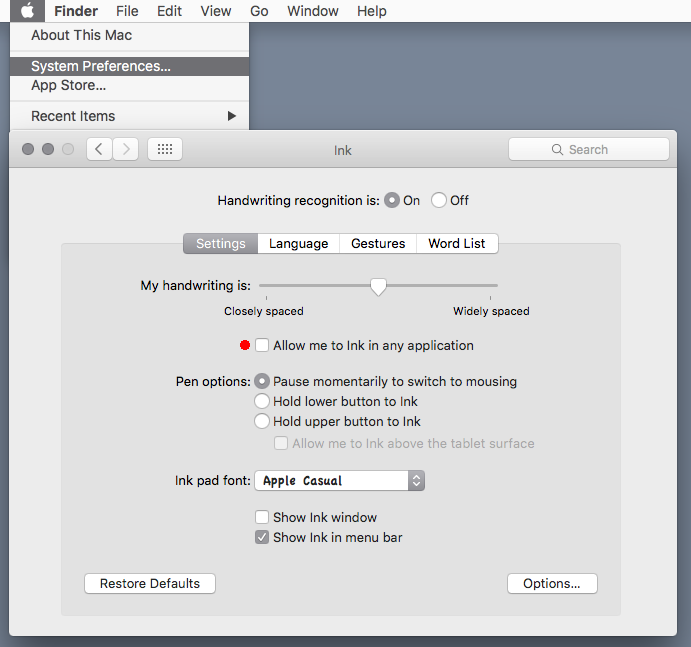
Looks like Mac Inkwell is enabled.
Go to Apple>System Preferences>Ink and uncheck Allow me to Ink in any application.
Or you can turn off Hand Writing recognition.

Copy link to clipboard
Copied
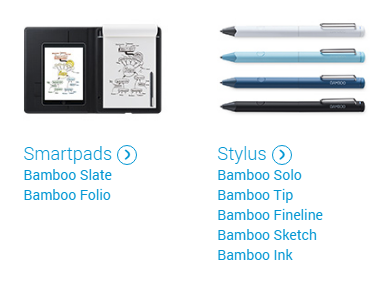
The only Bamboo Wacom Products I see these daye are

None of these are for Mac computers. They seem to be for devices like Apple IOS devices and Android Devices except for the Bamboo INK which is for Windows 10 INK. Do you have some old discontinued Wacom Bamboo product? That is like an Intuos tablet.
Your link shows
Drivers for Bamboo Create, Capture, Connect, Splash, Bamboo CTL, Bamboo CTH, and One by Wacom
I do not see drivers for macOS 10.12 or 10.13
Copy link to clipboard
Copied
Thank you very much for getting back in touch so quickly.
It's definitely going to be discontinued by now.
The model is: Bamboo Pen - CTL-460/k
The serial number is: 01BP036904
I was just wondering if one of the other drivers worked with it?
If it has no drivers, then it works (but it acting as a mouse...)
This is less than ideal for a tablet (albeit an old one).
It's something that I've brought along on my travels to save on paper.
It would be great if there's a way to get the pressure simulation to work.
Any help is welcome (see attached of the tablet and message i write to you now.

Copy link to clipboard
Copied
I have this same device. Now that I'm running Catalina (10.15.5), it doesn't work.
Were you ever able to get your CTL-460 to function again on the Mac? The fact that an iOS upgrade kills your devices is beyond unacceptable. It's why I've slowly been moving all my devices away from Apple and will continue to do so until I'm back on Windows or running a full Linux shop again.
Copy link to clipboard
Copied
Which version of macOS are you using?
Looks like Mac Inkwell is enabled.
Go to Apple>System Preferences>Ink and uncheck Allow me to Ink in any application.
Or you can turn off Hand Writing recognition.

Copy link to clipboard
Copied
Thank you very much.
It must've been a conflict between the two.
Lifesaver.
Find more inspiration, events, and resources on the new Adobe Community
Explore Now