Participant
February 4, 2022
Question

Help for a BEGINNER

  • February 4, 2022
  • 4 replies
  • 243 views

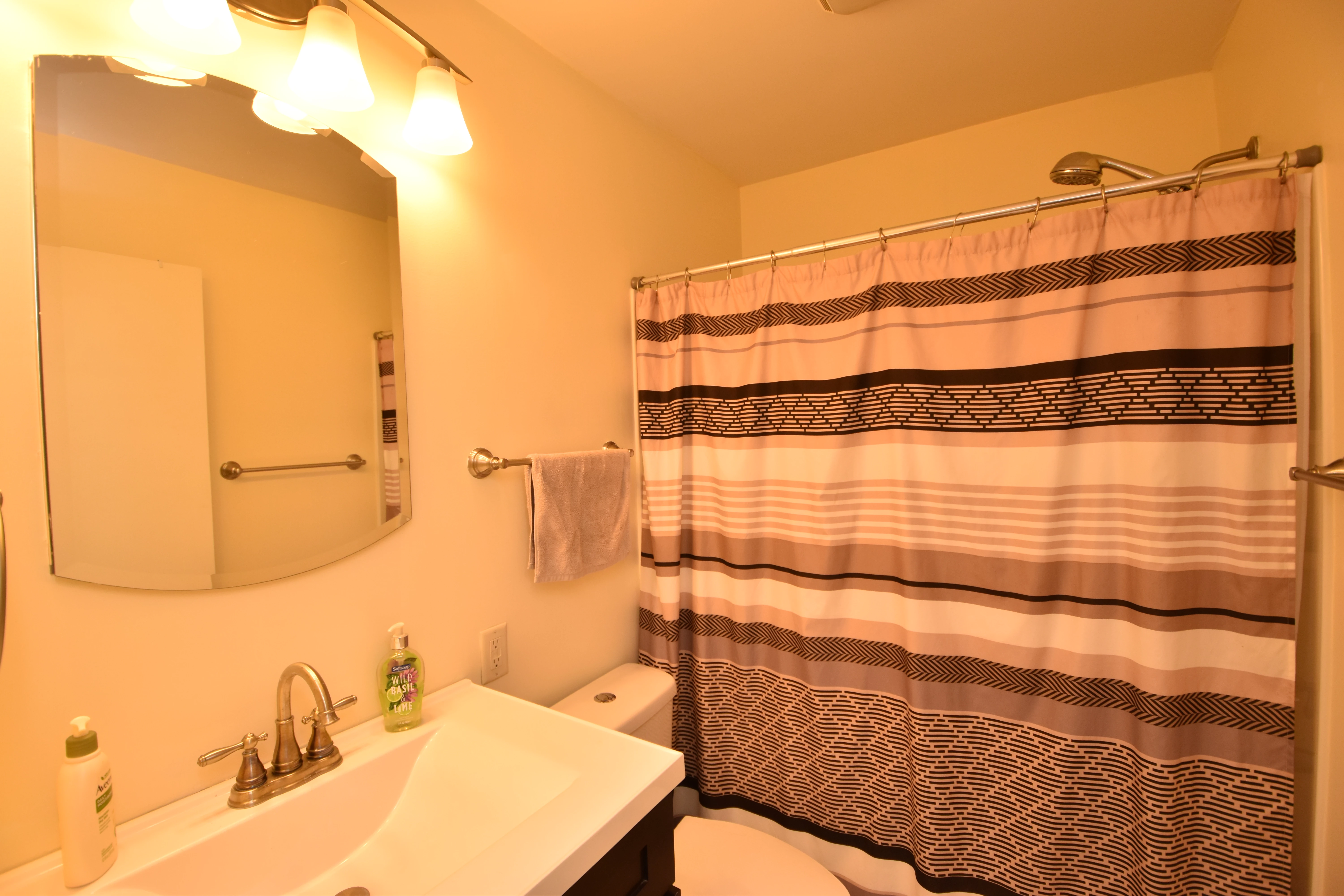
I am a realtor and I am not an educated photographer.  I need help in learning 1.  how to get photos less warm.  I am sure there are better camera setting for this but how can I edit in photoshop the photos I already have?



This topic has been closed for replies.

4 replies

Legend
February 4, 2022

Run through some basic image editing tutorials (and photography 101...)


Setting proper white balance and exposure is one of the most vital adjustments that any photographer needs to know.

Abambo
Community Expert
Community Expert
February 4, 2022

What is going wrong in your pictures is the white balance. Cameras need to compensate for different light situations, so that pictures appear in natural colours. They do so, by applying a white balance correction. Normally, setting your camera to “Auto” for the white balance should do the job for you.


Your camera is great for your use. If you want to keep all editing possibilities, change from JPEG to RAW shooting (or at least save both formats). For raw, you will need more storage, but corrections, like the white balance, can be better applied. Raw is basically the data as read from your camera's sensor. When saving as JPEG, your camera makes a certain number of decisions that are mostly irreversible. In addition, with JPEG you have a lossy compression, which is no problem for your final image, but for editing you will add more compression artefacts for each generation. Using a tripod and/or an external flash (can be like your lens a third-party flash, compatible with your system) can also help to get better pictures.


So, my workflow is: taking pictures as RAW→editing→Saving as JPEG when the edits are final. Raw pictures can also be edited “non-destructively” using Bridge together with Adobe Camera Raw or Lightroom (Classic) Lr (LrC). You then export your pictures to JPEG or continue editing in Photoshop. Photoshop in such a workflow is used to make the most complex edits, that can't be done in Camera Raw or Lr(C).


As for correcting existing pictures, do as @Sameer K suggests. Camera Raw will, as a side note, also be used to “develop” your raw images.

ABAMBO | Hard- and Software Engineer | Photographer
Jumpenjax
Community Expert
Community Expert
February 4, 2022

In photoshop open photo, go image/adjustments/curves. Make sure preview is clicked. Then choose channel menu/ drop down menu. You can ten click the line and move it around, watch how it reacts to your photo. Save as a new photo (give it a different name).


Another way is image/adjustments/hue/saturation. A box will open make sure preview is selected then slide the lines to achieve what you like. ( Save the photo as a different name)


There are so many ways, so as you learn more you can choose what works best for you. Don't be afraid to try different things. Just make sure you keep the original untouched.

Lee- Graphic Designer, Print Specialist, Photographer
Sameer K
Community Manager
Community Manager
February 4, 2022

Hi, 


Thanks for reaching out! We are here to help!  


Could you please share the exact version of Photoshop along with the operating system on your computer? Are you working with JPEG or Raw files from your camera?   

While there are many ways & techniques to achieve the results you wish to get, you can try this workflow as a quick step. 

  • Open the image in Photoshop. 
  • Press Command + Shift + A (macOS) & Control + Shift + A (Windows) to open the image in Camera Raw Filter.  
  • In the Edit Panel, go to Basic > White Balance > change it from As Shot to Auto as a quick result. Below is the result of Auto White Balance in Photoshop.  

  • You can continue to adjust the Temperature & Tint to change the overall color tone of the image.  


For more help in making Tonal & Color adjustments with Camera Raw, please check here: 

https://helpx.adobe.com/camera-raw/using/make-color-tonal-adjustments-camera.html 


Quick tip – Please feel free to check for video tutorials online, and a helpful search term, in this case, would be White balancing in Photoshop. 


You can find help in adjusting the camera preferences from the manufacturer's end for better help.  

As you also edit multiple image color tones, check this article for automation and batch processing.  

https://helpx.adobe.com/camera-raw/using/navigate-open-save-images-camera.html  


Please let us know if this helps!  

Regards, 

Sameer K.