Answered
Hide the Start workspace in Photoshop 2020
Where is the option to hide the star workspace in Photoshop 2020?
There isn't in the Edit > Preferences > General.

Where is the option to hide the star workspace in Photoshop 2020?
There isn't in the Edit > Preferences > General.
I have tried to use all combinations and anything isn't working... maybe I need a reinstallation?
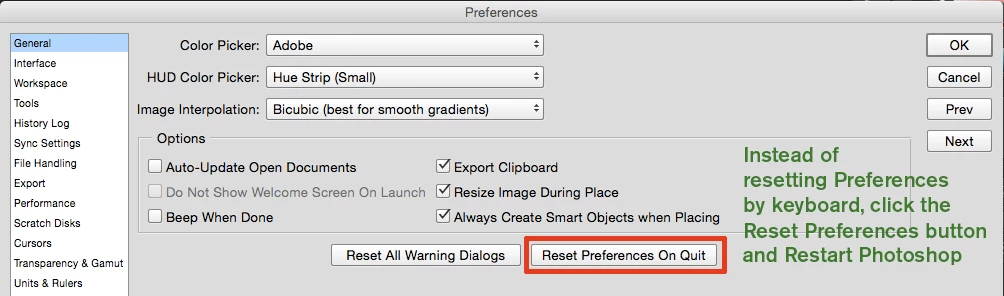
Let's try a Preferences Reset: Then try again. Also restart Photoshop when you change the Home Screen setting.
Already have an account? Login
No account yet? Create an account
Enter your E-mail address. We'll send you an e-mail with instructions to reset your password.


 AdChoices