I am trying to generate a Photoshop script that automatically crops a black and white image. Then I want to take that cropped image and put it into a layer mask. The goal is to generate an opacity mask I can us in my application.
I have code to crop the image and I have found code to add a layer mask (though I don't quite understand what the code is doing). But I am failing to find code to edit the layer mask.
Here are the steps in the Photoshop UI I am trying to replicate
- Crop image to desired dimensions
- Copy the cropped image
- Start a new document without a background layer
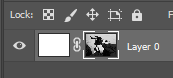
- Add layer mask to the only layer
- Alt-Click the layer mask to edit it
- Paste the copy from step 2 into the layer mask
- Export as PNG
Any help would be greatly appreciated. Here is the code I have so far
var dir = new Folder('Some Directory')
var files = dir.getFiles("*.psd");

for (var i = 0; i < files.length; i++) {
   var doc = app.open(files[i]);

  doc.flatten();

   var bounds = [96, 155, 722, 613];
  doc.crop(bounds);

  doc.selection.selectAll();
  doc.selection.copy();

   var blankLayer = doc.artLayers.add();

  doc.activeLayer = blankLayer;

  newColor = new SolidColor;
  newColor.rgb.red = 255;
  newColor.rgb.green = 255;
  newColor.rgb.blue = 255;
  doc.selection.selectAll();
  doc.selection.fill(newColor);
  doc.selection.deselect();

  makeMask();

   //Open Layer Mask for Edit

  doc.paste();

  savePng(doc);

  doc.close(SaveOptions.DONOTSAVECHANGES);
}


function savePng(doc) {
   var file = new File(doc.path + '/' + doc.name + '.png')

   var opts = new PNGSaveOptions();

  doc.saveAs(file, opts, true);
}

// FUNCTION MAKE MASK ()
function makeMask()
{
  // =======================================================
  var id4556 = charIDToTypeID( "setd" );
  var desc983 = new ActionDescriptor();
  var id4557 = charIDToTypeID( "null" );
  var ref657 = new ActionReference();
  var id4558 = charIDToTypeID( "Chnl" );
  var id4559 = charIDToTypeID( "fsel" );
  ref657.putProperty( id4558, id4559 );
  desc983.putReference( id4557, ref657 );
  var id4560 = charIDToTypeID( "T " );
  var ref658 = new ActionReference();
  var id4561 = charIDToTypeID( "Chnl" );
  var id4562 = charIDToTypeID( "Chnl" );
  var id4563 = charIDToTypeID( "Trsp" );
  ref658.putEnumerated( id4561, id4562, id4563 );
  desc983.putReference( id4560, ref658 );
  executeAction( id4556, desc983, DialogModes.NO );

  // =======================================================
  var id4564 = charIDToTypeID( "Mk " );
  var desc984 = new ActionDescriptor();
  var id4565 = charIDToTypeID( "Nw " );
  var id4566 = charIDToTypeID( "Chnl" );
  desc984.putClass( id4565, id4566 );
  var id4567 = charIDToTypeID( "At " );
  var ref659 = new ActionReference();
  var id4568 = charIDToTypeID( "Chnl" );
  var id4569 = charIDToTypeID( "Chnl" );
  var id4570 = charIDToTypeID( "Msk " );
  ref659.putEnumerated( id4568, id4569, id4570 );
  desc984.putReference( id4567, ref659 );
  var id4571 = charIDToTypeID( "Usng" );
  var id4572 = charIDToTypeID( "UsrM" );
  var id4573 = charIDToTypeID( "RvlS" );
  desc984.putEnumerated( id4571, id4572, id4573 );
  executeAction( id4564, desc984, DialogModes.NO );
}


// FUNCTION APPLY LAYER MASK()
function applyLayerMask()
{
  // =======================================================
  var id1949 = charIDToTypeID( "Dlt " );
  var desc398 = new ActionDescriptor();
  var id1950 = charIDToTypeID( "null" );
  var ref291 = new ActionReference();
  var id1951 = charIDToTypeID( "Chnl" );
  var id1952 = charIDToTypeID( "Chnl" );
  var id1953 = charIDToTypeID( "Msk " );
  ref291.putEnumerated( id1951, id1952, id1953 );
  desc398.putReference( id1950, ref291 );
  var id1954 = charIDToTypeID( "Aply" );
  desc398.putBoolean( id1954, true );
  executeAction( id1949, desc398, DialogModes.NO );
}






 3
Replies
3
Replies




 AdChoices