Participant
March 7, 2017
해결됨

How do I automate auto-blend for different numbers of files/layers in Photoshop?

  • March 7, 2017
  • 1 답변
  • 580 조회

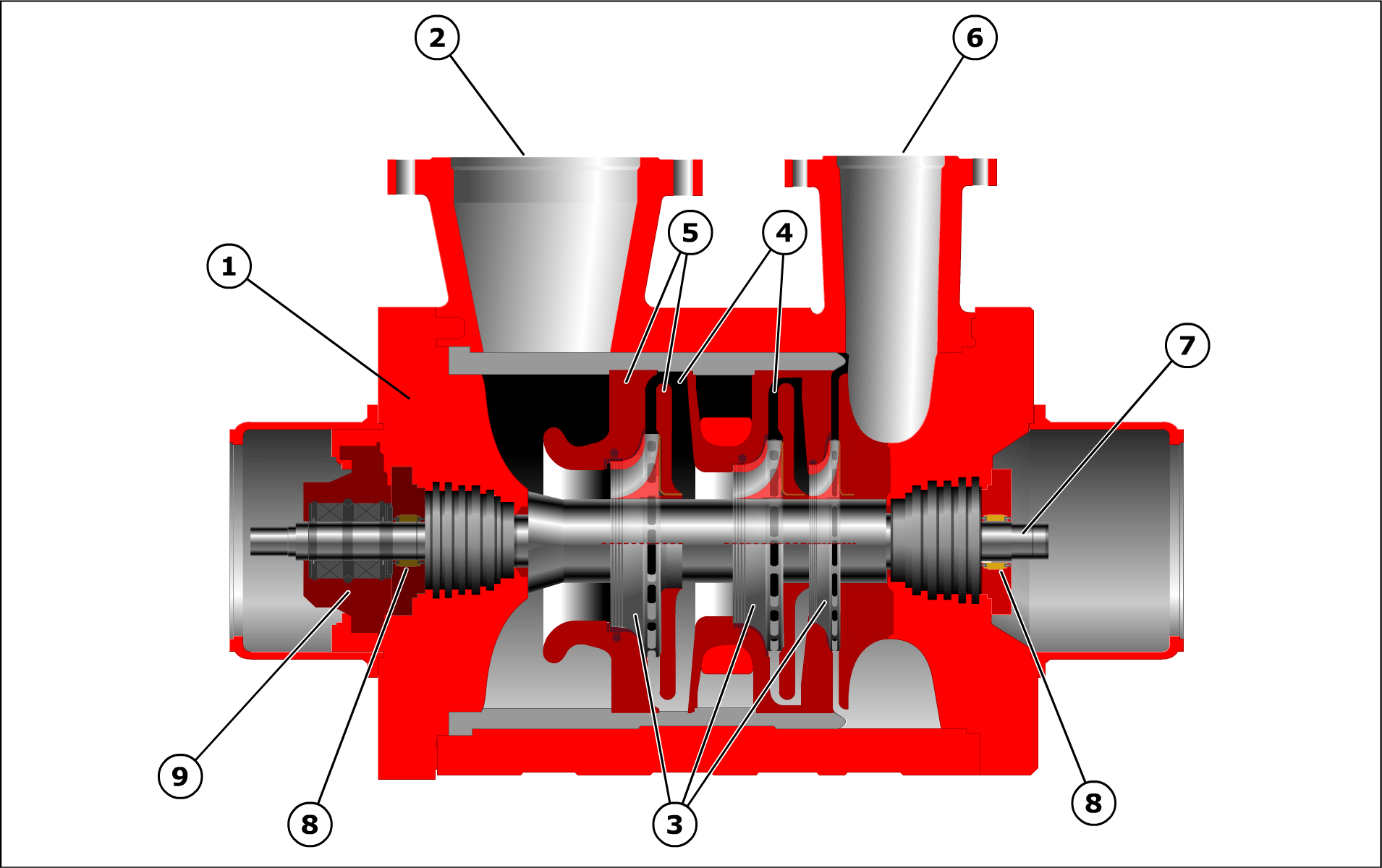
I am in the process of updating hundreds of files of old content. I am looking for a way to automate this function as it will need to be repeated hundreds of times. I need to merge 2 nearly identical gifs of indexed colour to create a single gif of indexed colour as follows:
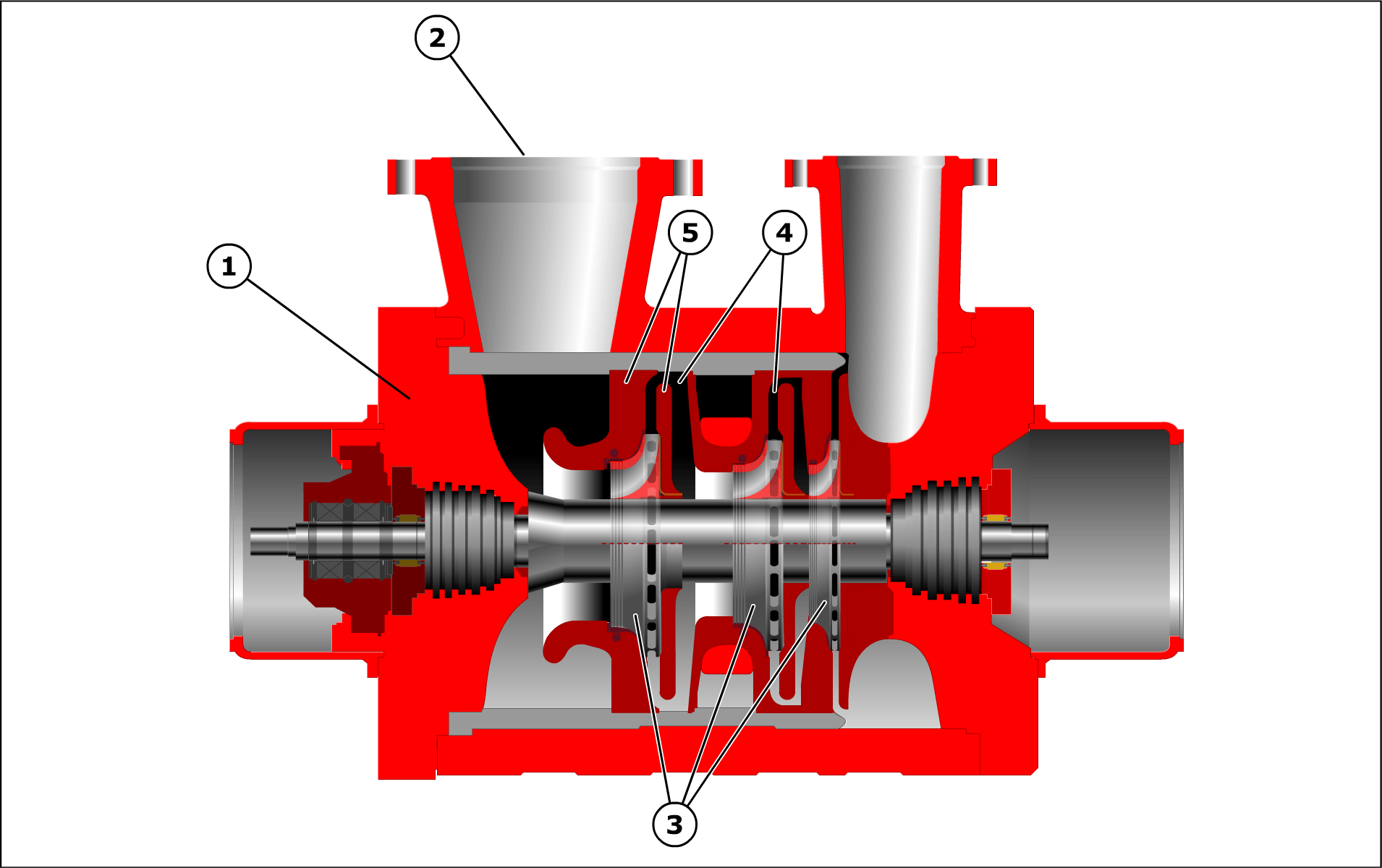
Auto-blend seems to be the easiest way to do this, however, I can't see how to avoid doing this process manually. The variables in this process are:

  • there are 2 or more different files that need to be merged (normally 2, but up to 5)
  • the files in a group have the same name with a sequential letter appended to the name, eg. 1234a 1234b
  • while each file group is the same dimension, different groups have different dimensions

The original .gif files were exported from Flash. However, the template is rather complex, and no tool was created to export the images. Manually exporting new gifs from Flash or creating a Flash panel to do this is more time consuming than using auto-blend manually in Photoshop.

Is there a way to create a droplet, or automate this process?
이 주제는 답변이 닫혔습니다.
최고의 답변: JJMack

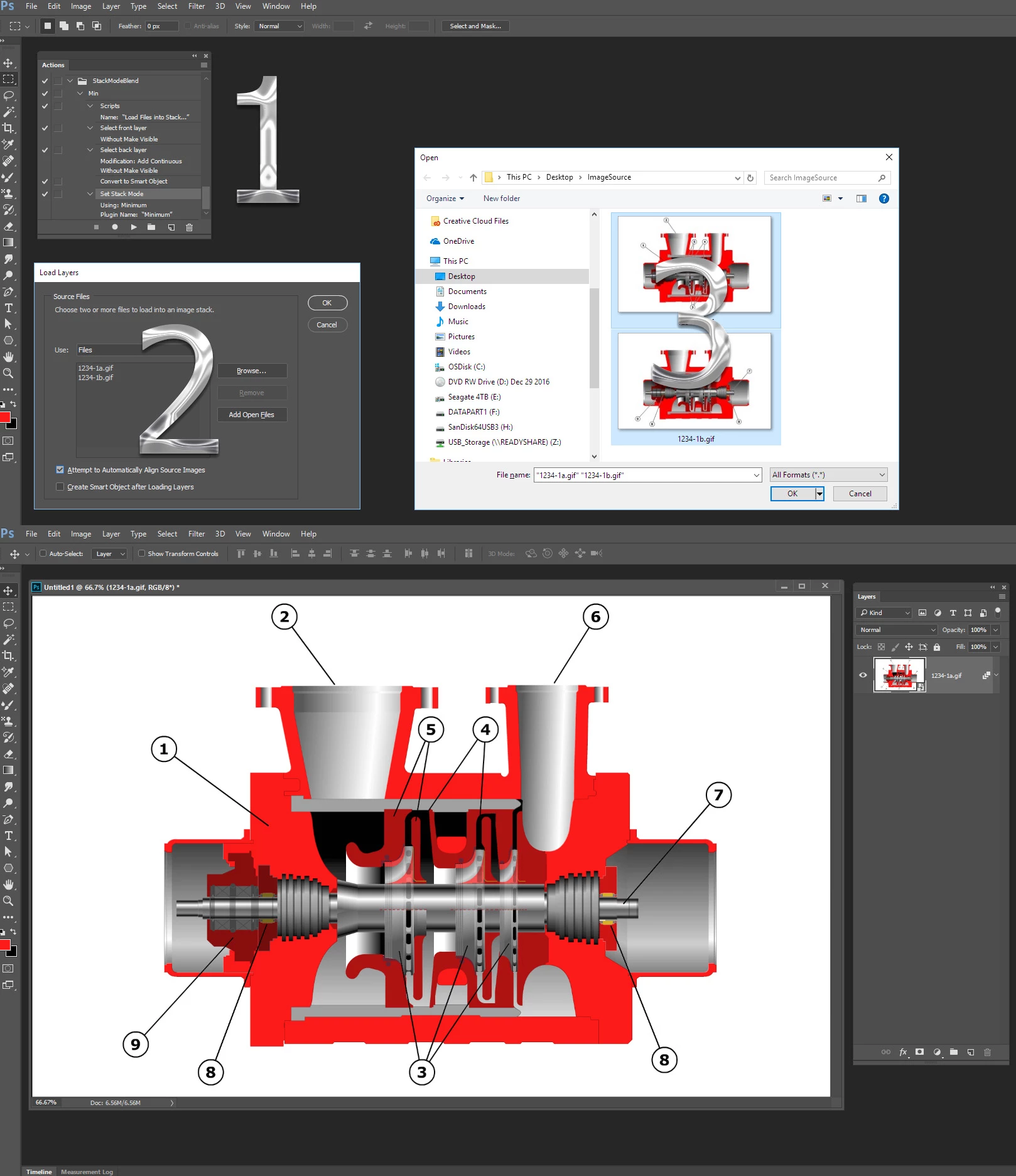
I would agree record an Action that uses script Load File into a Stack, You Browse and select thumbnails Click OK and OK the action makes the stack a smart object layer and stack mode blends it.  Simple as 1 2 3...

1 답변

JJMack
Community Expert
Community Expert
March 8, 2017

You may be able to write a Photoshop Script to do what you want to automate.  Can you program in JavaScript? However  I doe not think Auto-blend would give you  the results you show.  I do no think blending  gif mapped colors would be possible either.  Convert to RGB may blend however you may need to use stack mode blending. Is my guess. Auto-Blend seemed to work with your two layers but seemed to be much slower than stack mode blending tool some time tp create the layer mask for the layers. Stack Mode blending just creates the composite there are no layer masks.

However I believe what you want to do is create a set of RGB image from your GIF. Then stack the images. Covert all the images layers into a smart object, use stack mode blending Minimum save out your merged Gif files..

JJMack
cb_wood작성자
Participant
March 8, 2017

Thanks,

I'll try what you suggest.

I am a lightweight Javascript user. I'm certain it would take longer for me to develop the script than to convert the files manually.

JJMack
Community Expert
JJMackCommunity Expert답변
Community Expert
March 8, 2017

I would agree record an Action that uses script Load File into a Stack, You Browse and select thumbnails Click OK and OK the action makes the stack a smart object layer and stack mode blends it.  Simple as 1 2 3...

JJMack