

해결됨
How do I convert a png from RGB to CMYK for print?
I uploaded a PNG image I created to an online printer. They say they need the image changed from RGB to CMYK. How do I do this?

I uploaded a PNG image I created to an online printer. They say they need the image changed from RGB to CMYK. How do I do this?
Hi there,
PNG was designed for transferring images on the Internet, not for professional-quality print graphics, and therefore does not support non-RGB color spaces such as CMYK.
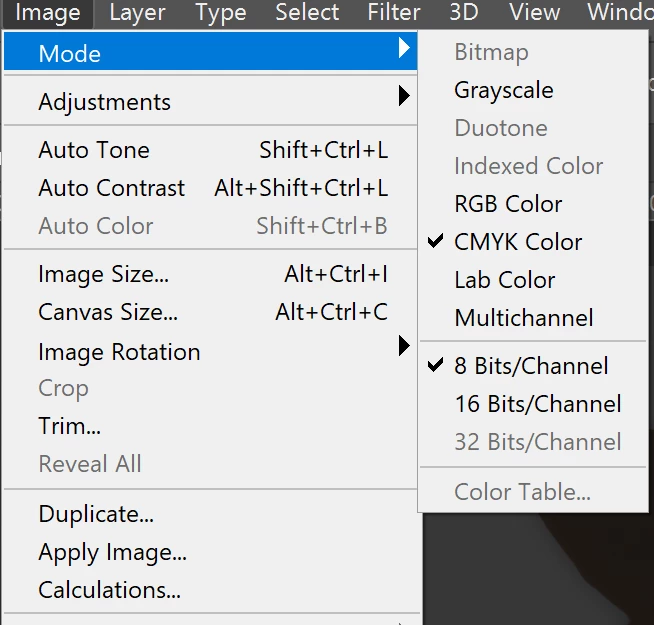
To convert the document to CMYK in Photoshop. Open the image in Photoshop and then go to the Image menu > Mode > CMYK color.
You would need to save the file as JPEG or the other available formats using the Save as command.
Regards
Nikunj
Enter your E-mail address. We'll send you an e-mail with instructions to reset your password.
 AdChoices