
How do I enable 3d features?
I have been really struggling recently with importing a basic obj model, when trying to import any .OBJ model, it hasnt worked. I am currently using 64 bit windows 10, with the latest drivers for my graphics card, and the latest version of adobe photoshop
these are my current settings:
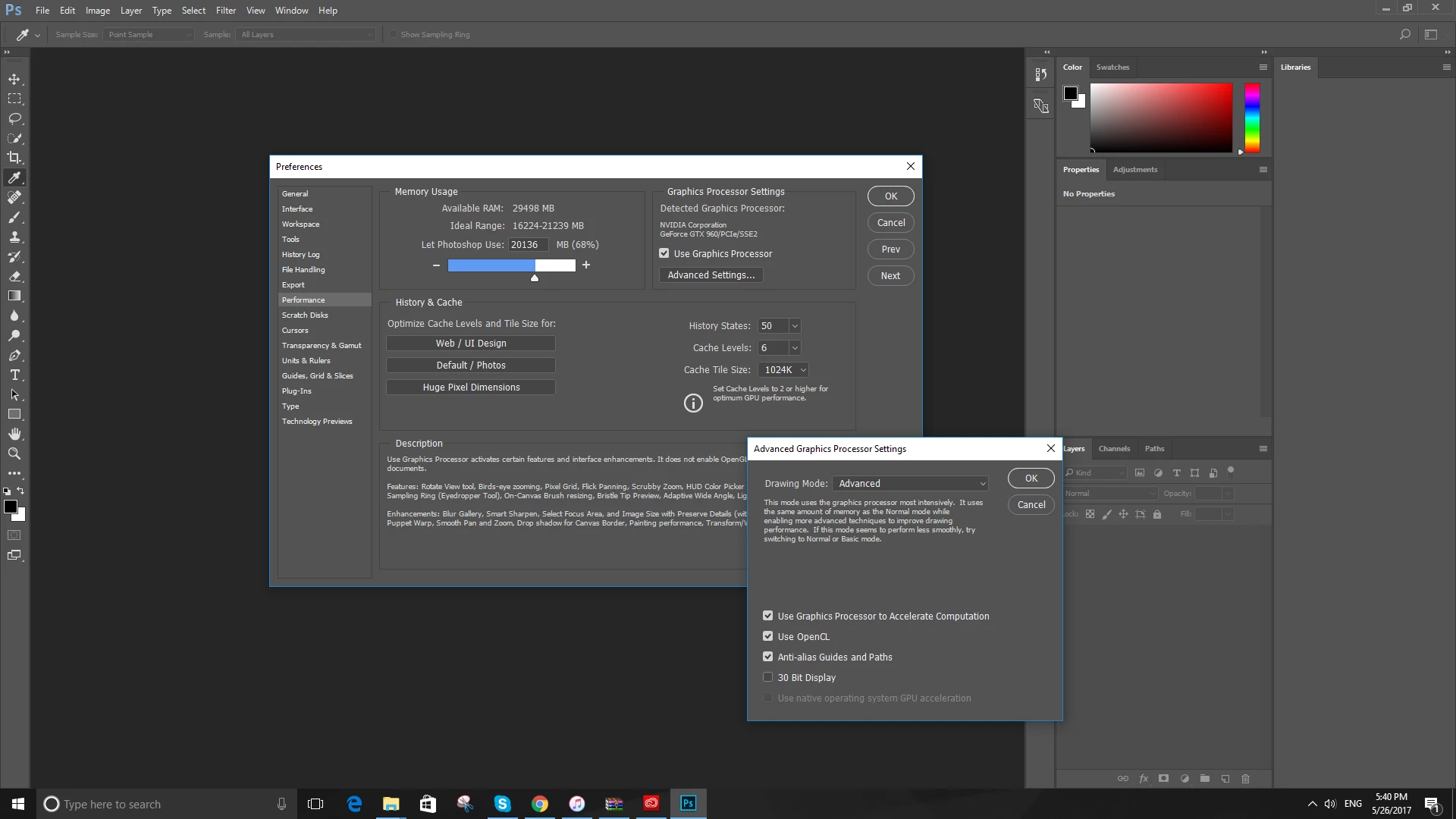
I have seen online people suggesting that increasing the ram and stuff like that could fix it, but as you can see, my system exceeds the requirements necessary for 3d to operate. There are no newer versions of adobe photoshop available, and every time I try to open an OBJ file i get this message:
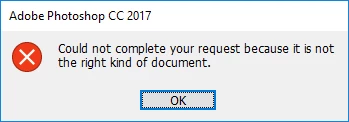
this happens with any OBJ file, any FBX file or any MTL file. I havent tried any other 3d file formats.
weirdly enough, the file icons show the photoshop icon
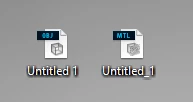
I am just wondering how i could go about fixing it. I would much rather have a definite answer than just a load of guesses, but i am pretty desperate at this point, so if you have any ideas that may work, i am more than willing to try them out.
Thanks a tonne for the help. - Sam
System information for anyone that needs it:
| OS Name | Microsoft Windows 10 Home |
| Version | 10.0.14393 Build 14393 |
| Other OS Description | Not Available |
| OS Manufacturer | Microsoft Corporation |
| System Name | Sam |
| System Manufacturer | System manufacturer |
| System Model | System Product Name |
| System Type | x64-based PC |
| System SKU | SKU |
| Processor | Intel(R) Core(TM) i7-6700K CPU @ 4.00GHz, 4001 Mhz, 4 Core(s), 8 Logical Processor(s) |
| BIOS Version/Date | American Megatrends Inc. 1805, 5/13/2016 |
| SMBIOS Version | 3.0 |
| Embedded Controller Version | 255.255 |
| BIOS Mode | UEFI |
| BaseBoard Manufacturer | ASUSTeK COMPUTER INC. |
| BaseBoard Model | Not Available |
| BaseBoard Name | Base Board |
| Platform Role | Desktop |
| Secure Boot State | On |
| PCR7 Configuration | Binding Not Possible |
| Windows Directory | C:\WINDOWS |
| System Directory | C:\WINDOWS\system32 |
| Boot Device | \Device\HarddiskVolume1 |
| Locale | United States |
| Hardware Abstraction Layer | Version = "10.0.14393.206" |
| User Name | Sam |
| Time Zone | GMT Daylight Time |
| Installed Physical Memory (RAM) | 32.0 GB |
| Total Physical Memory | 31.9 GB |
| Available Physical Memory | 22.1 GB |
| Total Virtual Memory | 44.7 GB |
| Available Virtual Memory | 32.0 GB |
| Page File Space | 12.7 GB |
| Page File | C:\pagefile.sys |
| Hyper-V - VM Monitor Mode Extensions | Yes |
| Hyper-V - Second Level Address Translation Extensions | Yes |
| Hyper-V - Virtualization Enabled in Firmware | No |
| Hyper-V - Data Execution Protection | Yes |
 AdChoices