

해결됨
How do I fix this? The text box is much larger than it was supposed to be
How do I fix this? The text box is much larger than it was supposed to be
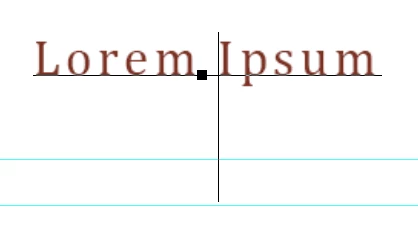

How do I fix this? The text box is much larger than it was supposed to be
Hi
You didn't show your Character panel (Window menu), but most likely it is an issue with leading that is too high. Because leading is a character setting, select your text, then change the leading.
If you still have questions, select your text and show another screen shot that includes the Character and Paragraph panels. You might also have Superscript applied.
Jane
Enter your E-mail address. We'll send you an e-mail with instructions to reset your password.
 AdChoices