
Answered
How do I get PS to see all my available font styles?
Sorry for the newbie question!
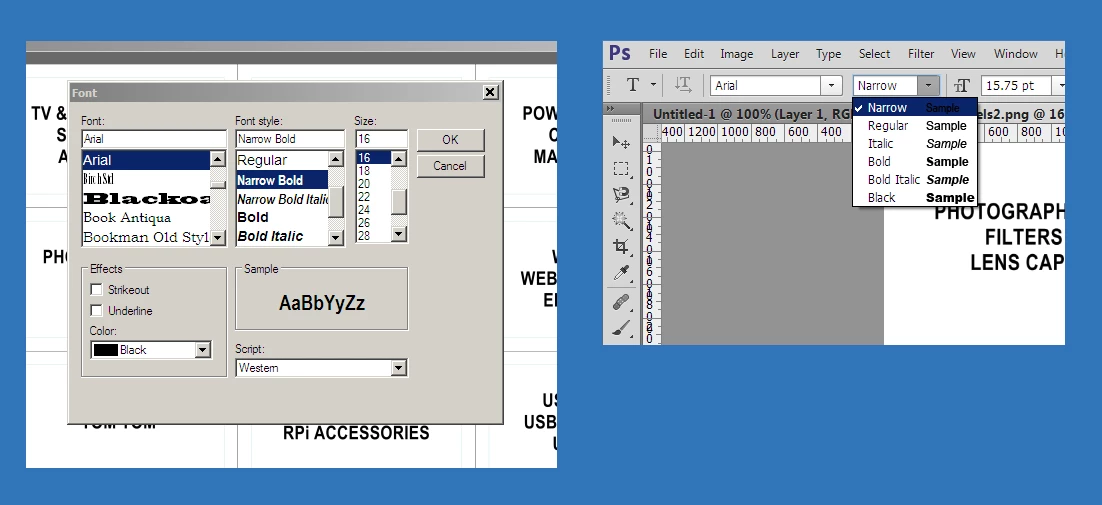
The attached pic shows two screenshot sections. The left-hand one shows a standard font-picking dialog box from a program I wrote (using Visual Studio) to make up sheets of labels. The right-hand one shows the font-picking menu from PS CS6. As you can see, I can use (for instance) Arial Narrow Bold in my own application, but that particular font style doesn't seem to be available in Photoshop.
I'm guessing this is an issue concerning the file naming of fonts on my system - is there a way I can get PS to see all the available font styles?
(I'm using Ps CS6 running on Windows 7 Pro)
 AdChoices