


Participant
November 6, 2018
질문

How do I get rid of the Pick Up Where You Left Off... a dumb Photoshop window?

  • November 6, 2018
  • 2 답변들
  • 914 조회

This pop up window is driving me insane in the new Photoshop CC 2019. It pops up whenever I open or close a file. I don't work this way, I am a professional retoucher that works off of different servers and  with different clients. This is useless and annoying. I really wish Adobe would consult more retouchers before they start adding these stupid features. We are literally the modern age dark room printers... which is what Photoshop made the program about. What the hell? Ask us what we do and don't want! We pay enough money for the pro version... keep the beginner junk in a different easier version of Photoshop for hobby people.

How do I make this go away? It's supremely annoying!
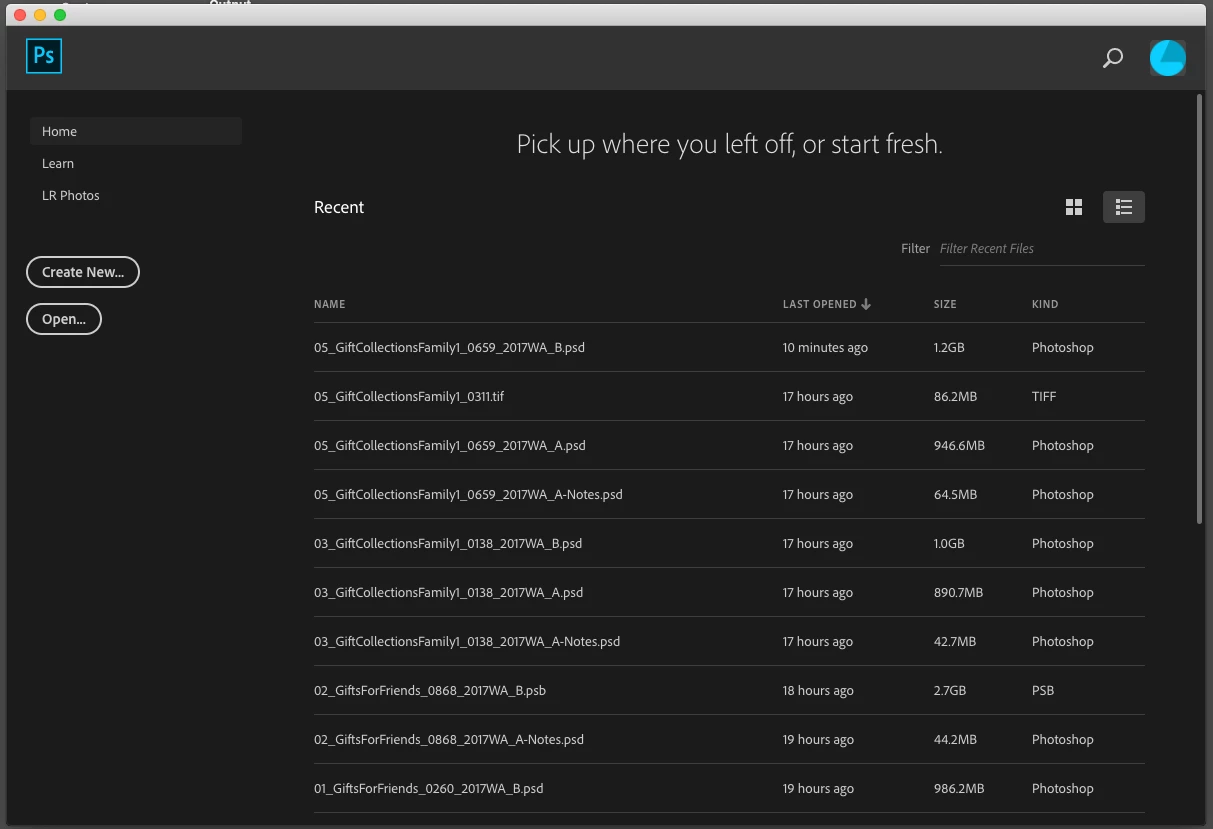
    이 주제는 답변이 닫혔습니다.

    2 답변

    Semaphoric
    Community Expert
    Community Expert
    November 6, 2018

    In Edit > Preferences > General, check the "Disable the Home Screen", close and re-open Photoshop.

    Muqqarib Hassan
    Inspiring
    November 6, 2018

    Hi, Please go to Edit > Preferences > and Click the  Disable Home screen

    Participant
    November 6, 2018

    I tried this yesterday. The screen still pops up. I restarted Photoshop and nothing changed. This is what I have checked... it didn't work.

    Muqqarib Hassan
    Inspiring
    November 6, 2018

    Hi, Its working at my side.

    Can you please try to reset your photoshop preferences ?

    And please Go to Edit > Preferences > Performance > Check the Legacy Composting.

    Thanks.