Participating Frequently
September 9, 2018
해결됨

How do I get to see the different shape of the brush?

  • September 9, 2018
  • 3 답변들
  • 2576 조회

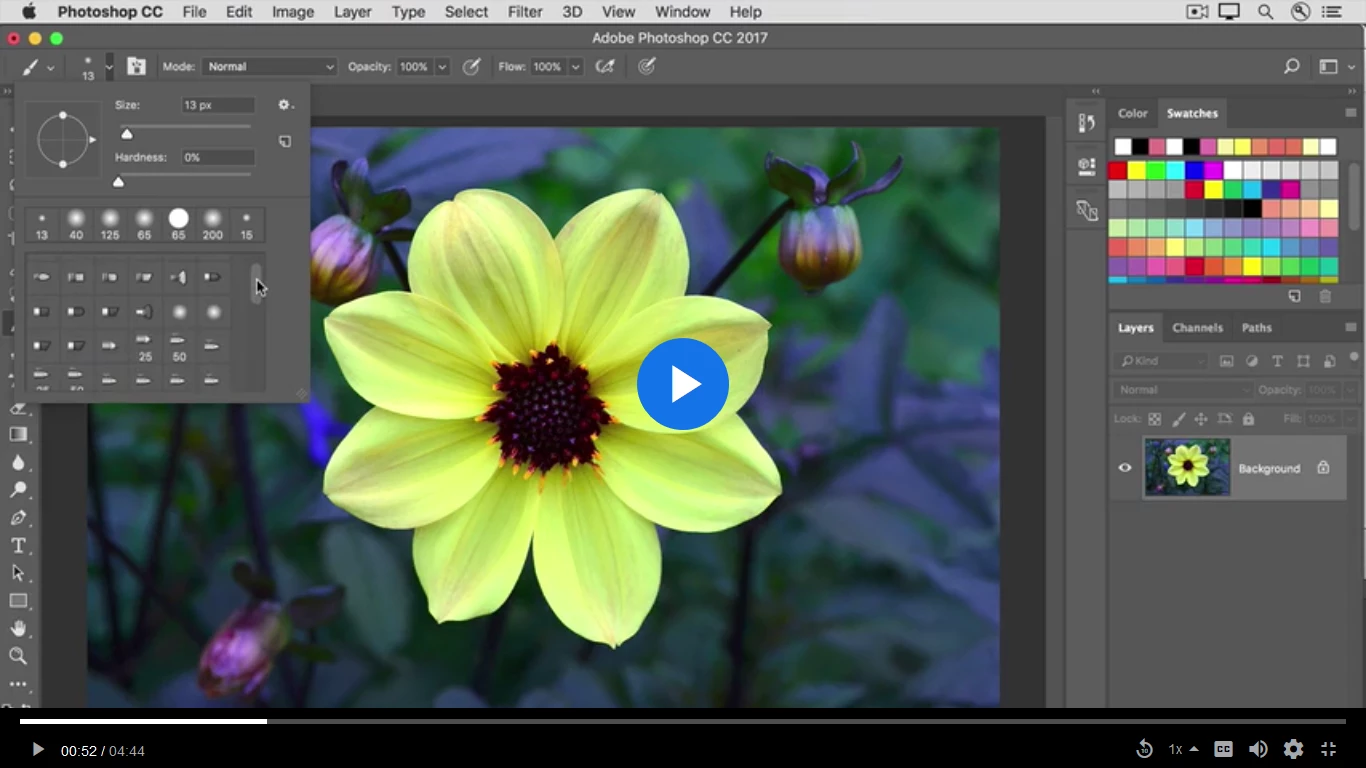
When I select brush, then click on the icon that looks like a brush tip. The size and hardness appear. Below in the scrolling menu I have different files and not the different shapes that are present in the tutorial.

Also the icon next to the brush tip one has a brush on it, in the tutorial it has a pot with paint brush in it.

Do you know how to make the brush tip and the icon reappear?

    이 주제는 답변이 닫혔습니다.
    최고의 답변: Trevor.Dennis

    iablaka  wrote

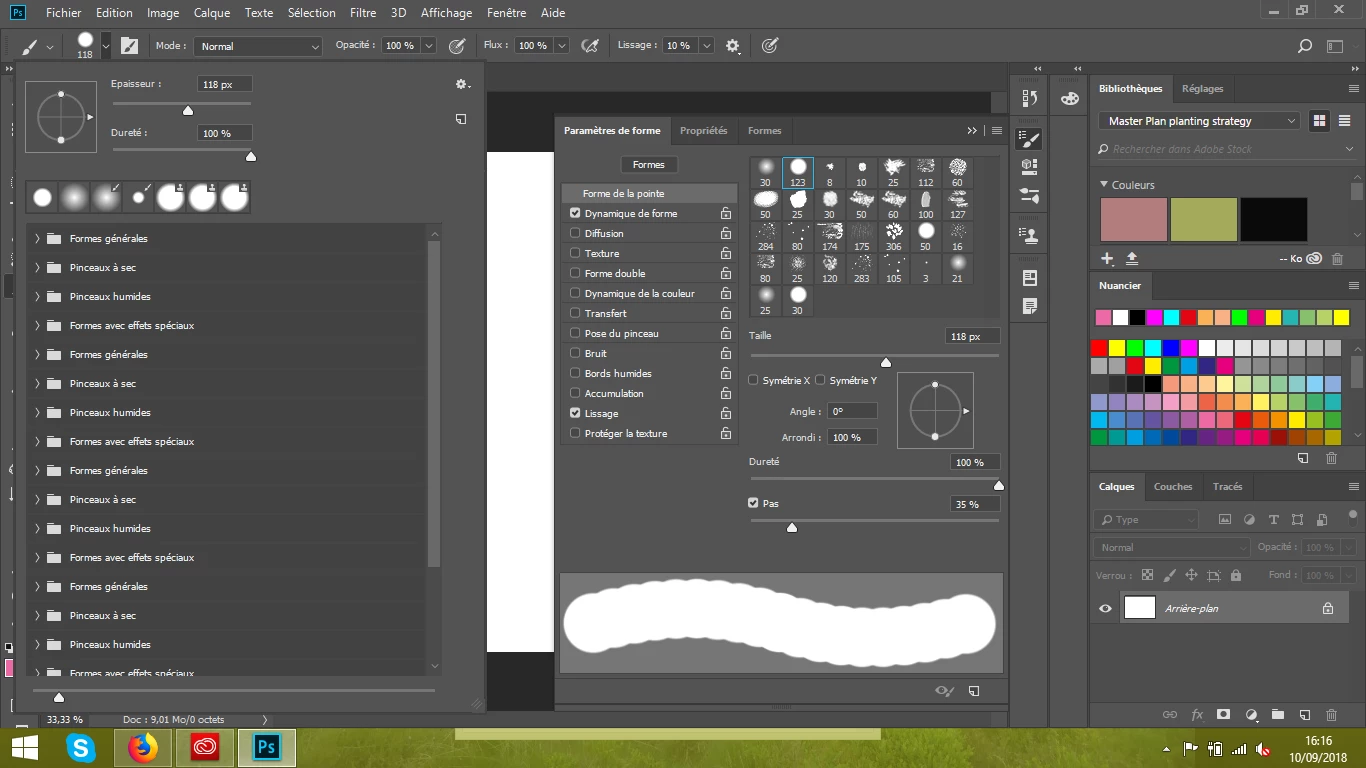
    My screen is below

    I hesitate to get involved here, because with so man different opinions, and one poster apparently proving the adage that 'A little knowledge is a dangerous thing' but your brush folder is a mess, and I'd be very much inclined to simplify its contents.

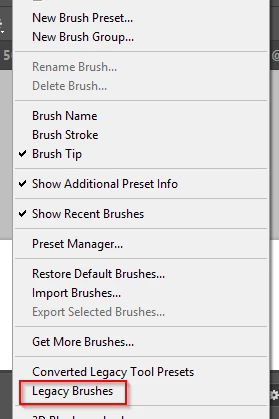
    1) Delete all of the brush folders, and add the Legacy brushes (brosses héritées)
    It is possible to twirl open the Legacy brushes, and then the Default brushes and drag the brush presets, one at a time, to the area below the folders.  It is a bit of a pain that you have to do this brush by brush.
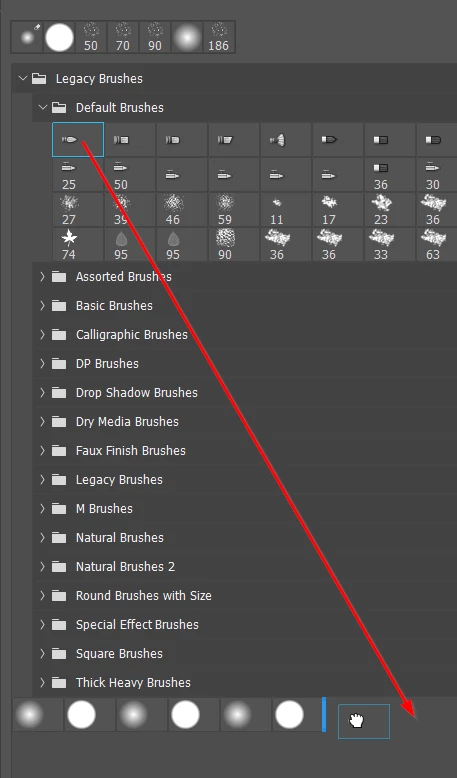
    When you have moved all the brushes, you can twirl shut the Legacy brushes folder, and drag it below the brush presets you moved, so it looks like this.  You would then have something close to your first screen shot.
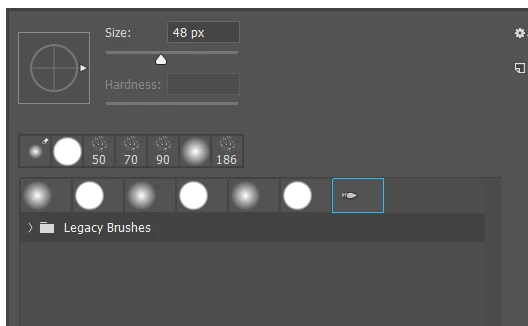
    You could even delete the folder leaving you just the presets.
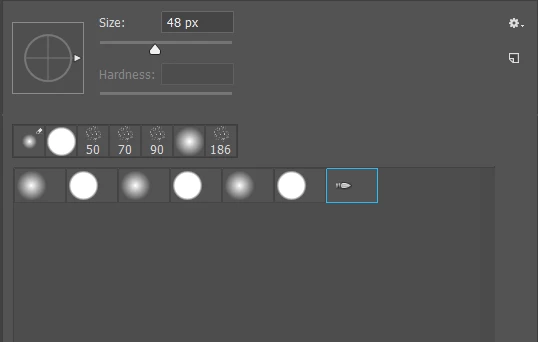
    At any time, you can reload the Legacy brushes folder, and all of its presets will be there. 
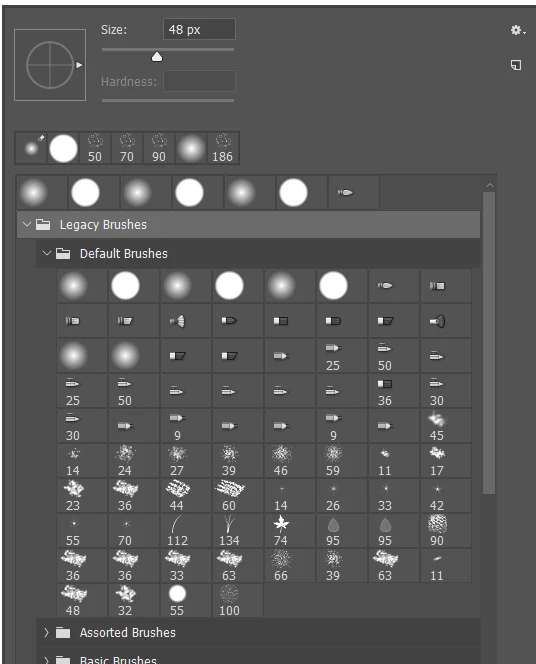
    I personally find the new system far too cluttered.  It can be difficult finding the presets you want from the large number of of folders and presets, so I try and keep it simple.  So you could create a new folder with your most used presets by dragging them from other folders, or making new presets yourself.
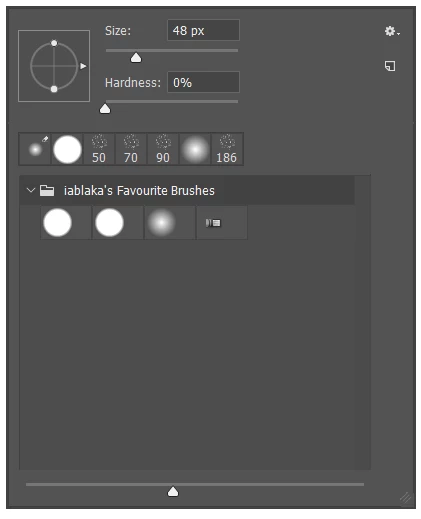
    Then decide how much information you want on the screen.  I prefer to keep this to a minimum because I know what brushes I use most of the time, and I want to keep the screen clean and free of clutter.
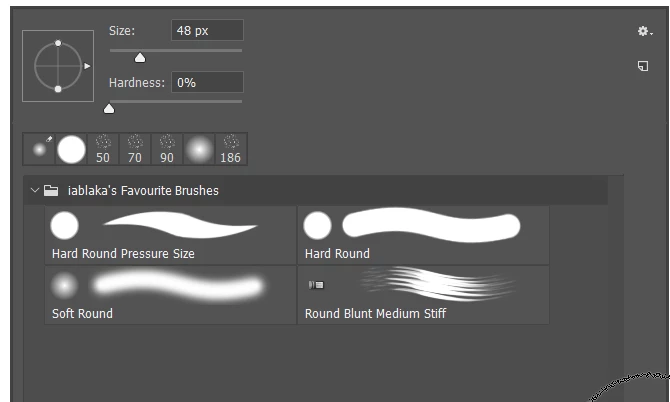
    I hope this helps.  I also hope that the next major update of Photoshop improves the way brush management works, as it definitely needs some work as it stands.


    3 답변

    Darkness9991
    Participant
    September 10, 2018

    Maybe this be an answer

    iablaka작성자
    Participating Frequently
    September 10, 2018

    This video does not make the missing brush shapes reappear

    Darkness9991
    Participant
    September 10, 2018

    Yes. But we always can download needed library of brushes shape from internet, and use many new shape of brushes.If You had any non-standard brushes then you can not restore them automatically after it removal.

    Darkness9991
    Participant
    September 10, 2018

    Use command to reset brush library to standart, or to load new needit library already downloaded from net

    Use PS preferences to define the brushe shape

    Make new shap of brush - selection tools to select shape on image - then command: Edit-Define Brush.

    Trevor.Dennis
    Community Expert
    Community Expert
    September 10, 2018

    Illya, it looks like you are not using the most recent version of Photoshop.  Brush Management changed with CC 2018.

    These settings control what appears on the right click menu now.   Brush Stroke is the one I think the OP needs.

    iablaka작성자
    Participating Frequently
    September 10, 2018

    Brush name, Brush Stroke and Brush tip are tick and it doesn't make the missing appear.

    JJMack
    Community Expert
    Community Expert
    September 9, 2018

    JJMack
    iablaka작성자
    Participating Frequently
    September 10, 2018

    Thank you for your help

    I have tried to tick the same word you chose but It changes nothing.

    I explain the issue badly

    I would like to obtain the same choices as the picture below

    My screen is below

    I am sorry it is french.

    As you can see I have a limited choice of brush tip.

    The left window is not the same as in the first picture.

    Semaphoric
    Community Expert
    Community Expert
    September 10, 2018

    It looks like you have your brushes organized into Groups. if you click on the ">" next to the Group names you should see the brush tips it contains. .