
Answered
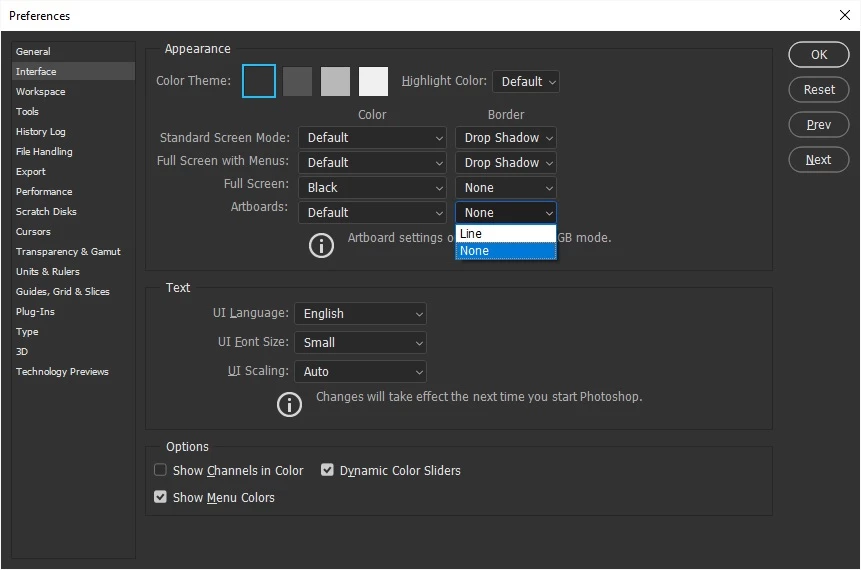
How do I hide artboard borders?
Hi,
I have screenshot on artboard 1 (for the context) and I have the banner I am making on artboard 2 above the screenshot.
Now, Photoshop renders 1px borders on artboards, which I need to hide in order not to disturb the way the banner looks on the context.
How do I hide artboard borders?
 AdChoices