
forebrain
Inspiring
September 3, 2023
Answered

How do I maintain one grain coarseness regardless of brush size in Photoshop.

  • September 3, 2023
  • 1 reply
  • 2559 views

How do I maintain one grain coarseness regardless of brush size in Photoshop. The effect should be like drawing with crayons or pastels on grainy paper, a consistent texture created throughout the piece.

This topic has been closed for replies.
Correct answer forebrain

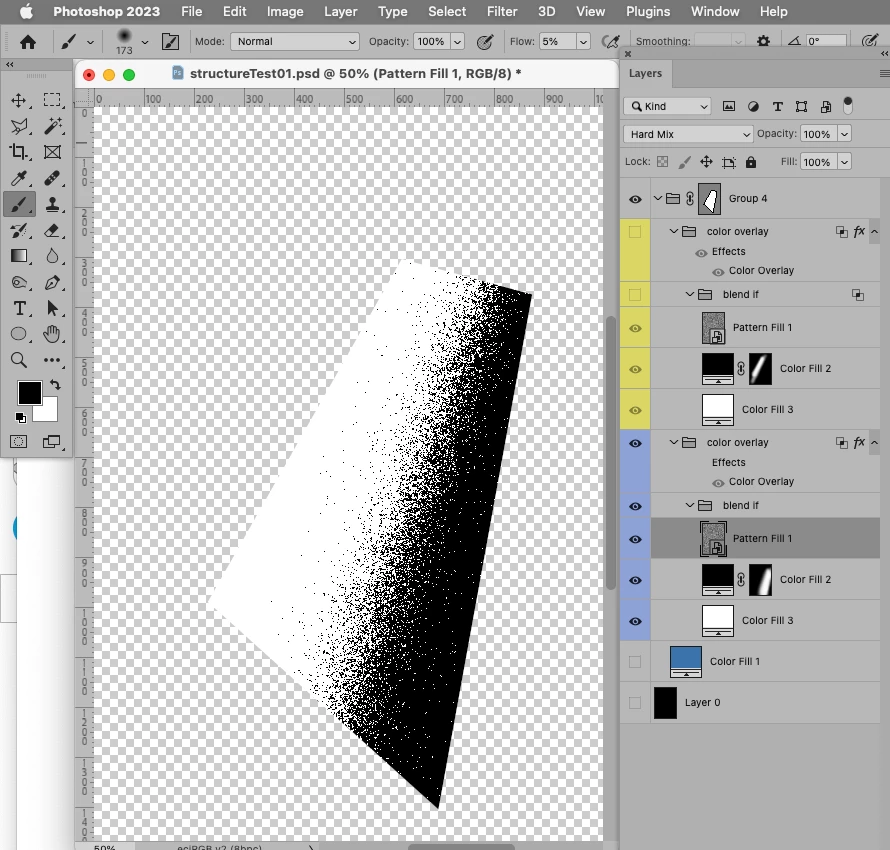
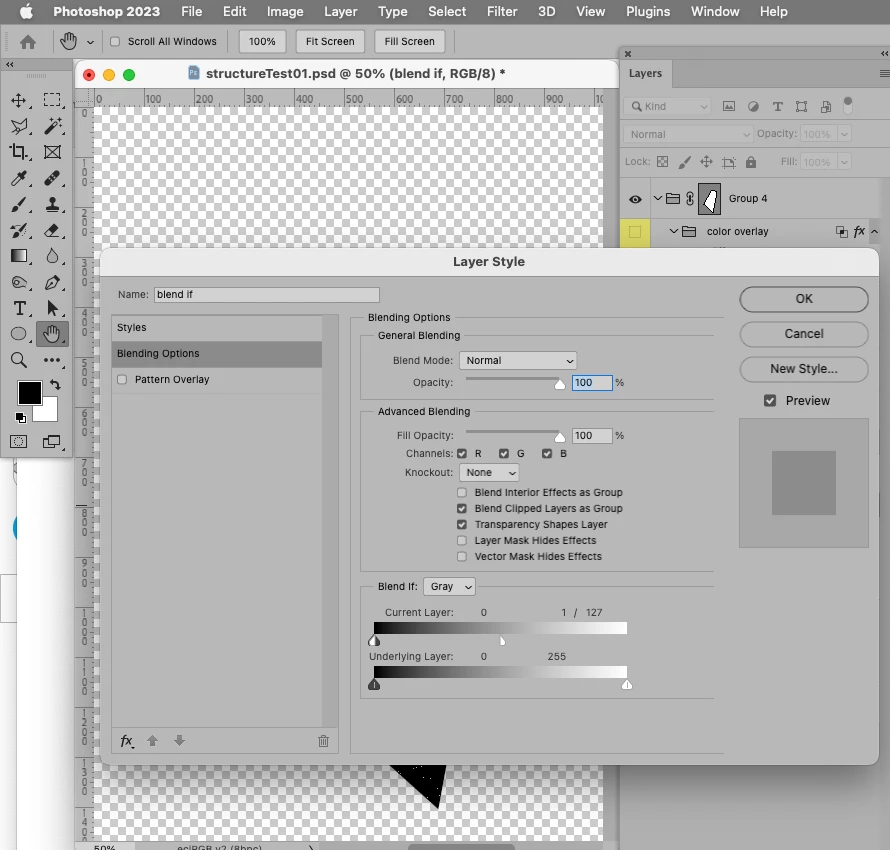
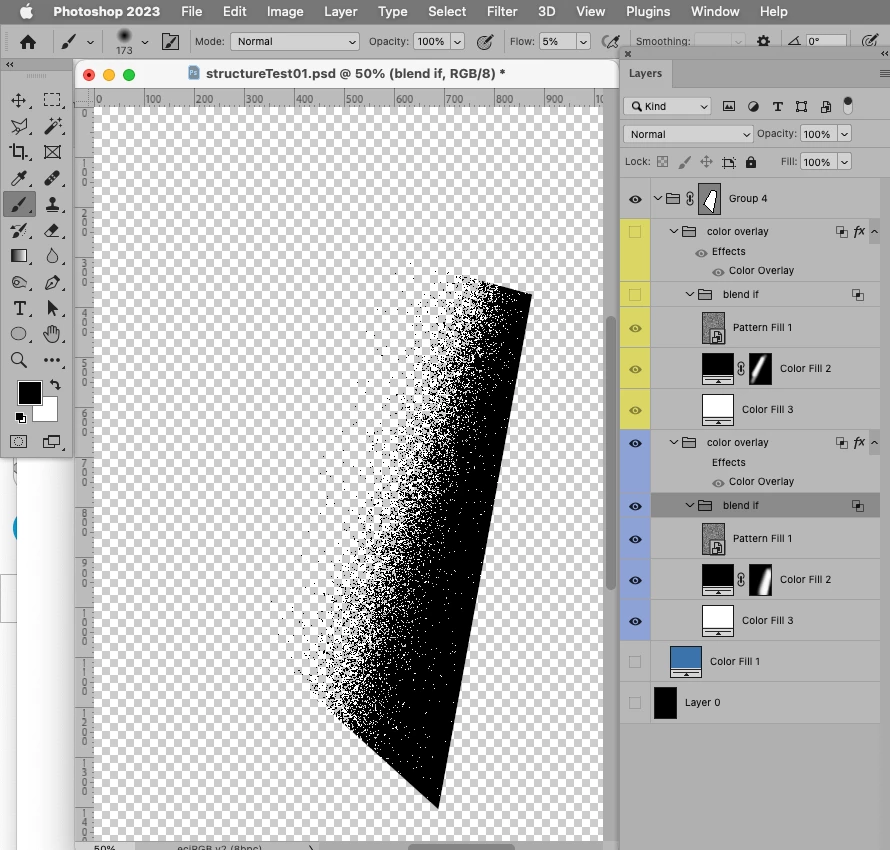
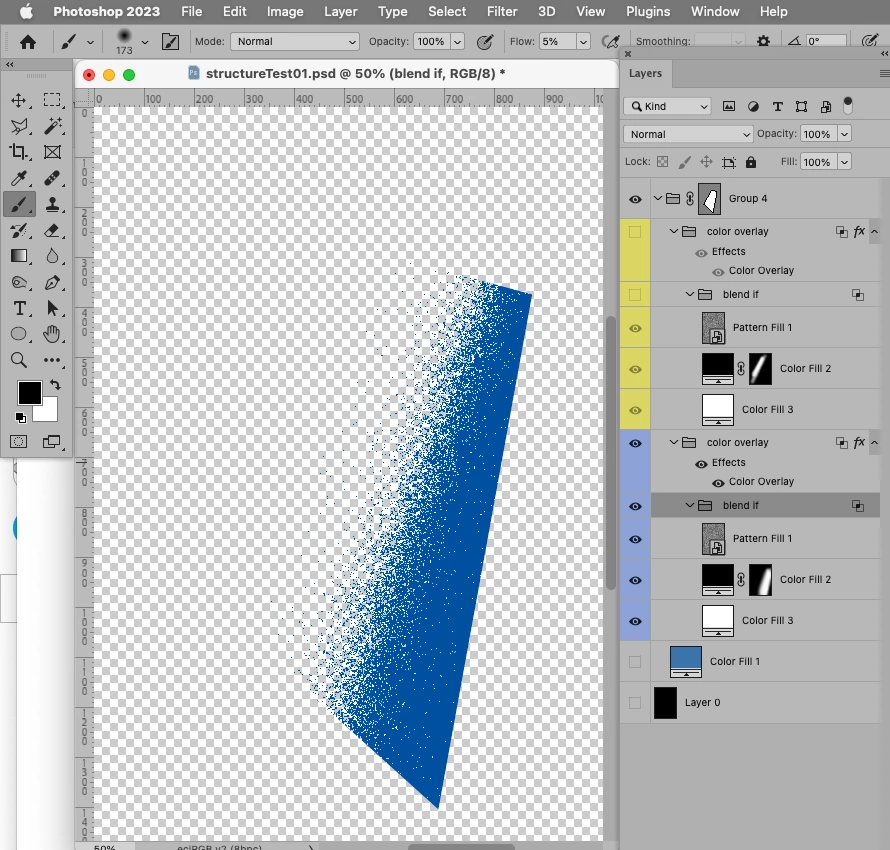
Maybe these screenshots can help illustrate. 
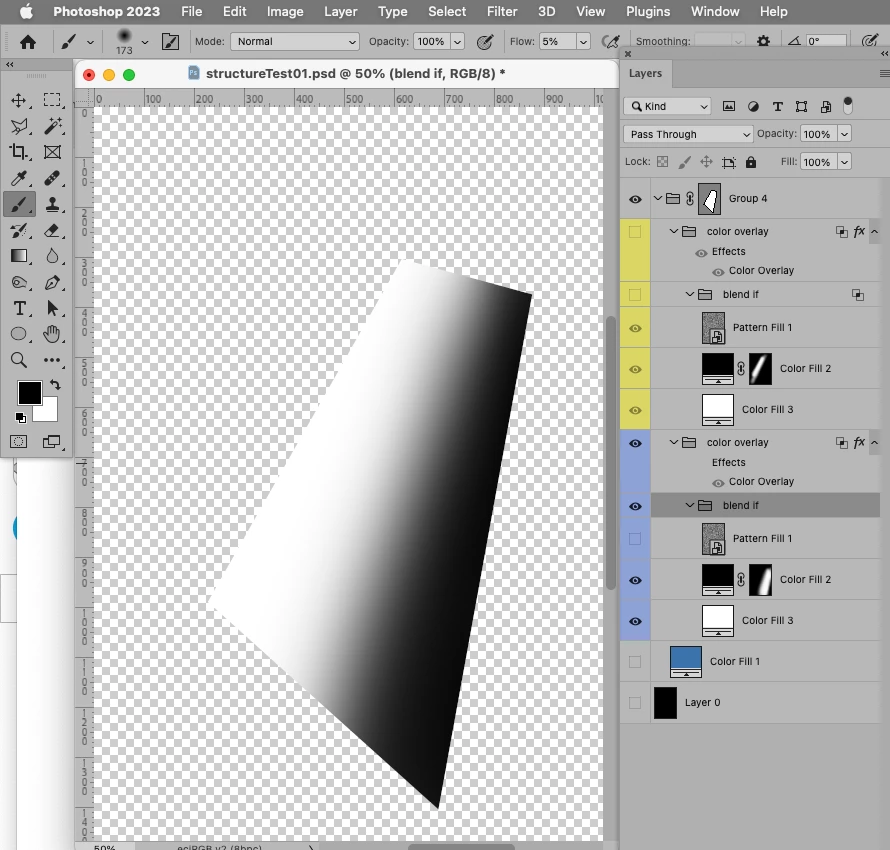
 

Edit: I forgot to mention that the SO contains a Pattern based on 50% gray and the Filter Add Noise; so scaling the Pattern in the SO and saving will affect all its instances. 
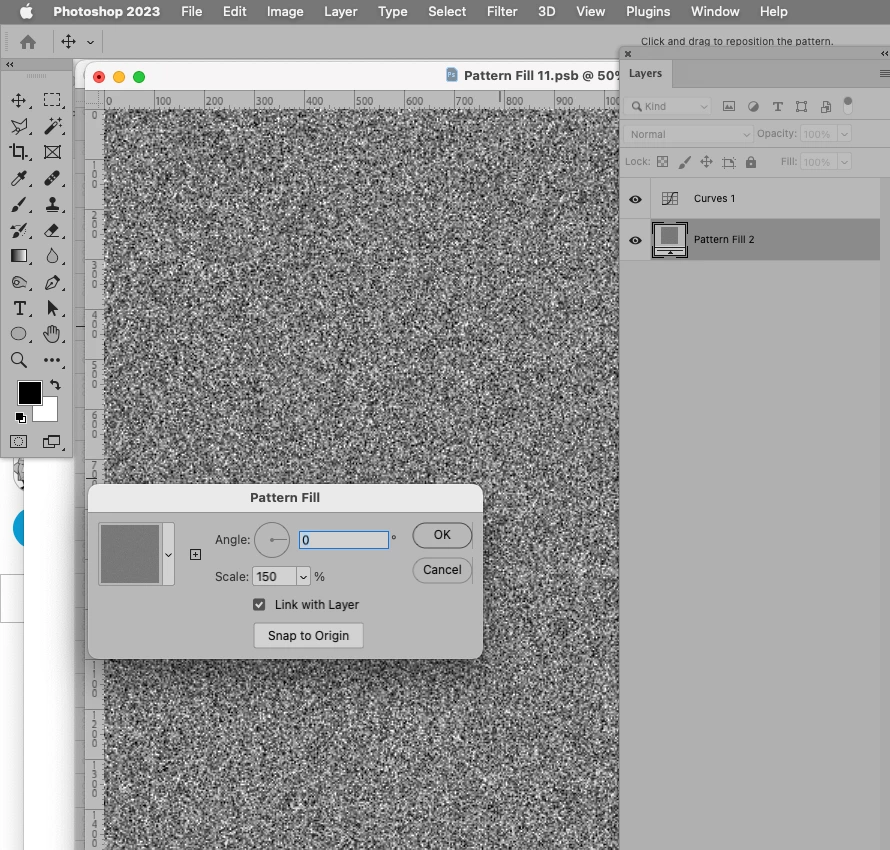

@c.pfaffenbichler This is very helpful. I shall follow your steps when I return to this work in the future. Cheers.

1 reply

c.pfaffenbichler
Community Expert
Community Expert
September 3, 2023

Could you please post screenshots with the pertinent Panels (Toolbar, Layers, Options Bar, Brush Settings, …) visible? 


Depending on the kind of Brush you are using Texture might help. 

forebrain
forebrainAuthor
Inspiring
September 4, 2023


Thank you for replying.
I was using self created brush (Coarse Grain 01) to shade.
The effect I need is the look seen in using Kyle's Screentones 38.
Please view attachments.
c.pfaffenbichler
Community Expert
Community Expert
September 4, 2023

@c.pfaffenbichler 

Sure, will check out your leads.

Thanks again.


Depending on how complex the illustration is and how complex a Layer structure you are willing to create Hard Mix Pattern Layers, Blend if and Color Overlay can be used to maintain an editable »texture«.