


Participating Frequently
August 26, 2022
해결됨

How do I perspective warp the text correctly to the ribbon of paper?

  • August 26, 2022
  • 4 답변들
  • 6085 조회

I'm having so much trouble trying to figure out what are the tools I should be using to perspective warp this correctly. Isn't there an easier way? I tried vanishing point planes but it wasn't working either. Please help!!  

이 주제는 답변이 닫혔습니다.
최고의 답변: Trevor.Dennis

Chuck/s method works well, but I'll offer up a different approach, but it has the disadvantage that you can't use Smart Objects so it is not possible to edit the text.


Make your white rectangle and type layers and merge them.  

Drag out a couple of guides to divide the rectangle into three.

Use the rectangle mmarquee tool to select each segment in turn, and copy to a new layer.  I have named them left, right, and centre for convenience.

Group those three layers as below.

Make the three new layers Smart Objects. THIS STEP IS CRUCIAL.
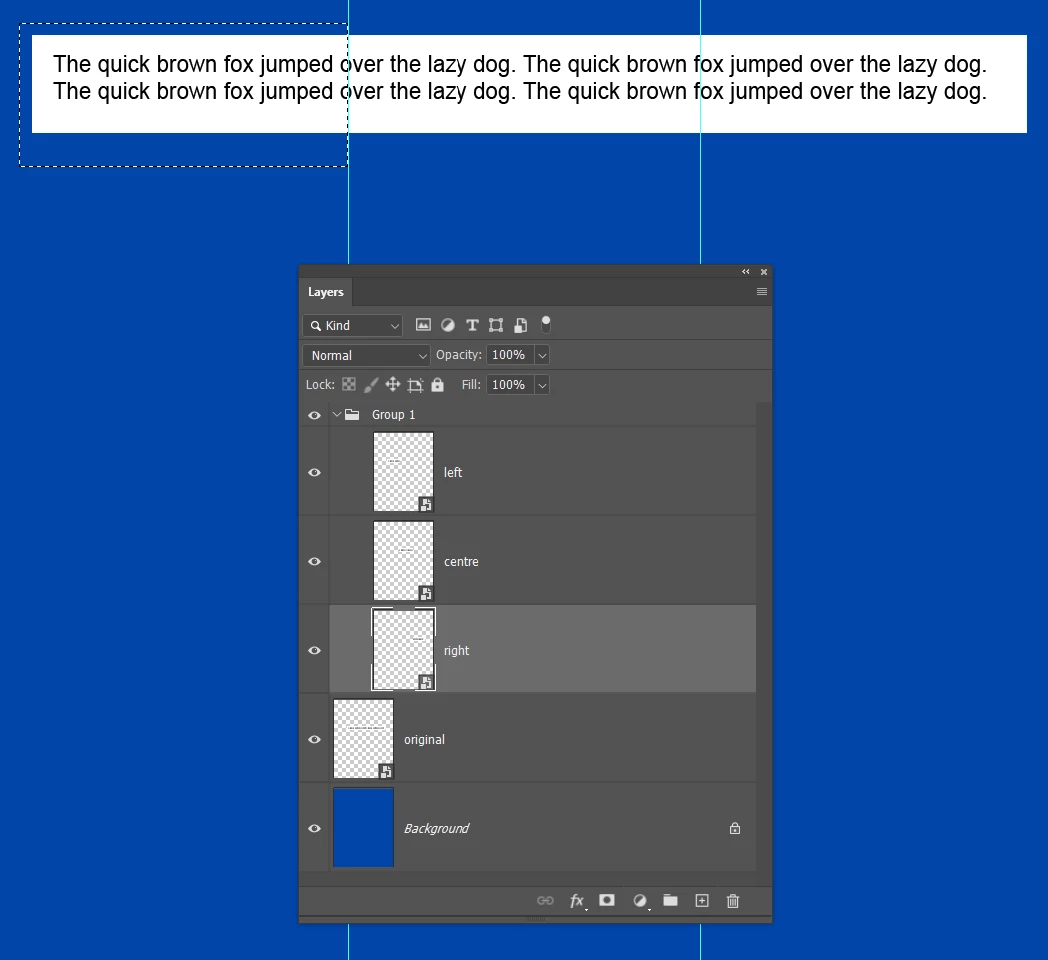
Select the group and use free transform to rotate all three layers.

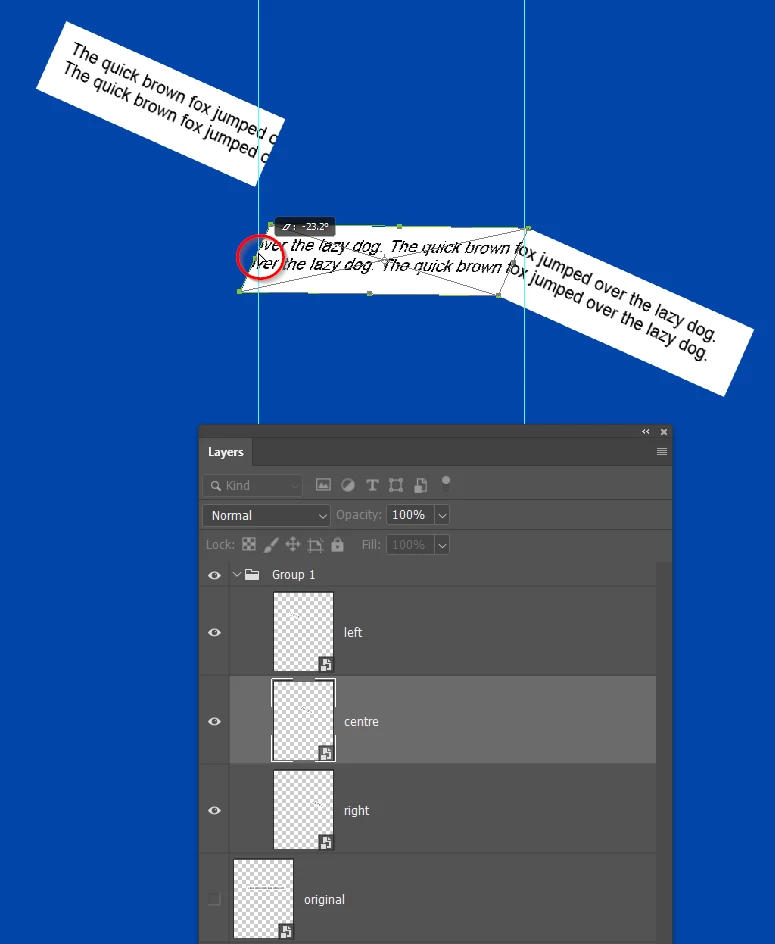
Open the group and select the Centre layer, and use the Ctrl T shortcut to start Free Transform.  Because you made the layers Smart Objects, the bound box will have remained tight to the object, so hold down Ctrl (Cmd) and drag the centre left handle to drag down that side of the centre rectangle as below.
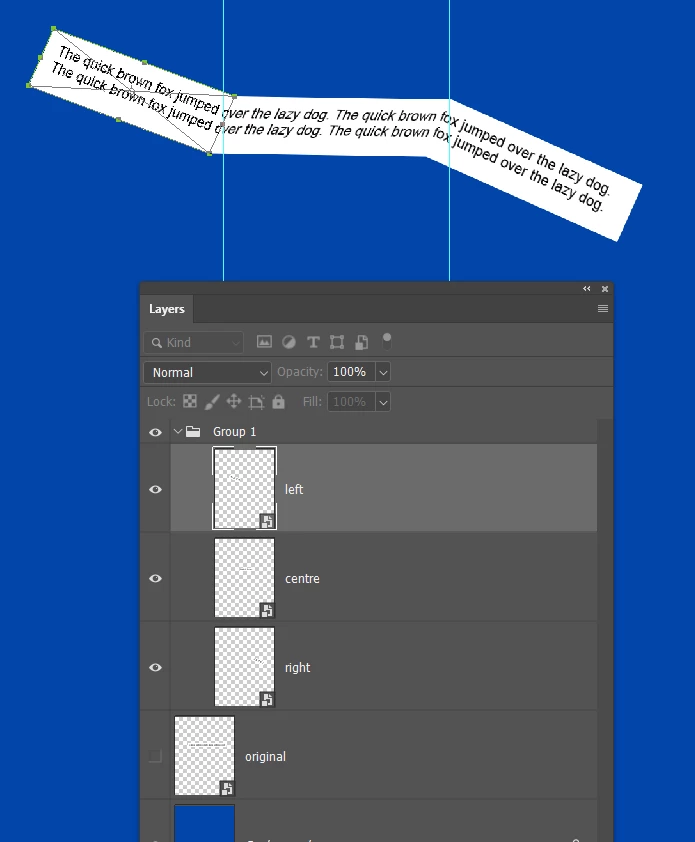
Select the left layer. Use the Move tool to align the right side with the centre layer, and use Free Transform and drag  the left centre handle into position.
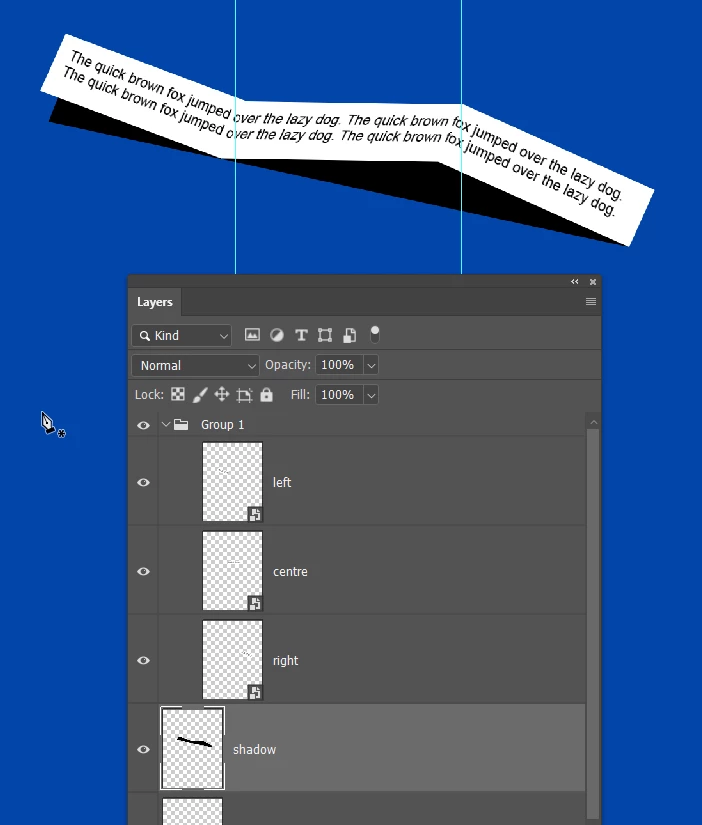
Add the shadow and you are done
4 답변

Trevor.Dennis
Community Expert
Community Expert
August 27, 2022

Chuck/s method works well, but I'll offer up a different approach, but it has the disadvantage that you can't use Smart Objects so it is not possible to edit the text.


Make your white rectangle and type layers and merge them.  

Drag out a couple of guides to divide the rectangle into three.

Use the rectangle mmarquee tool to select each segment in turn, and copy to a new layer.  I have named them left, right, and centre for convenience.

Group those three layers as below.

Make the three new layers Smart Objects. THIS STEP IS CRUCIAL.

Select the group and use free transform to rotate all three layers.

Open the group and select the Centre layer, and use the Ctrl T shortcut to start Free Transform.  Because you made the layers Smart Objects, the bound box will have remained tight to the object, so hold down Ctrl (Cmd) and drag the centre left handle to drag down that side of the centre rectangle as below.

Select the left layer. Use the Move tool to align the right side with the centre layer, and use Free Transform and drag  the left centre handle into position.

Add the shadow and you are done

lomeowmeow작성자
Participating Frequently
August 27, 2022

Thank you so much, I will attempt this.

Trevor.Dennis
Community Expert
Community Expert
August 28, 2022

If you don't mind gentle curves as opposed to the sharp folds you have above, Free Transform > Warp is an option, and it lets you keep the layers as a Smart Object so you can edit the text.  

Chuck Uebele
Community Expert
Community Expert
August 27, 2022

Here's a screenshot using the warp tool. I added extra warp lines at the paper fold.

lomeowmeow작성자
Participating Frequently
August 27, 2022

Thank you sooo much!

Chuck Uebele
Community Expert
Community Expert
August 26, 2022

Looks like you're over doing it. I would combine the text with a transparent rectangle with a stroke, the size of the paper. Then put both in a smart object. Use the edges of the rectangle as guides to warp to the actual paper. Then you can either turn off the rectangle layer or mask it out. Warp also has guide lines and you can try and use those to align with the paper. Another thing you could try is to make a duplicate text layer for each crease or fold in the paper. Then warp each section to the paper to get a sharper distorted fold in the text: mask out the areas of the duplicate layer, of course.

lomeowmeow작성자
Participating Frequently
August 26, 2022

Where do I find the warp guidelines?