
Question
How do I "reverse" a gradient transparency?
I'd like to know how to restore the area of an image that has been put into a gradually fading transparency.
I have seen many tutorials around on how to fade out the borders of an image, but what if I start with a picture with a fading border and want to reverse the process back into a fully opaque picture?
Examples:
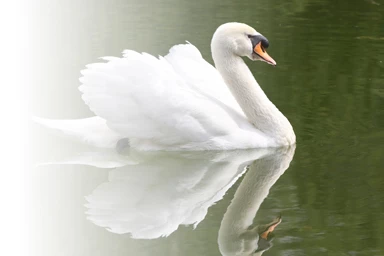

With the exception of the very edges of the picture which I believe are unrecoverable, there's still information there that can be used to reverse most of the transparency no?
Any tips are appreciated.
Moderator Edit, uploaded images to forum
 AdChoices