
Answered
How do I resize multiple layers to a specific width and height at once?"
Good day, I am new to Photoshop. I am on PC, I am using 26.8.0 version of the program.
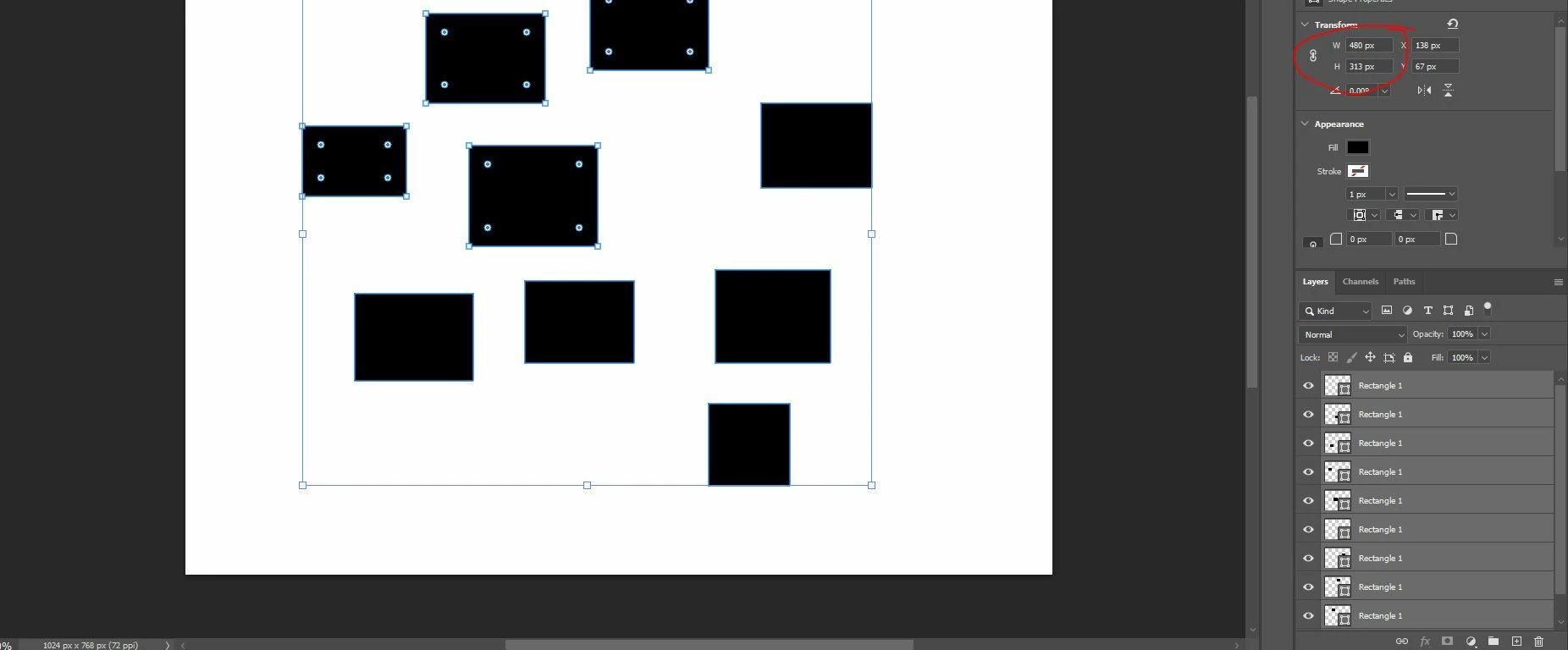
Let's say I have 10 layers in a document: 1 background and 9 rectangles, each with a different width and height.
I want to set a specific width and height for the 9 rectangles at once. For example, I want all rectangles to be 200 x 200 px.
I have tried selecting all of them and using Free Transform, or setting the desired width and height in the Properties panel while they are all selected, but it resizes them incorrectly (the chain is turned off)."
Is there a way to do this? Before posting here, I ran a ChatGPT inquiry, but it gave me the wrong answer.
 AdChoices