
Participant
July 7, 2019
해결됨

How do I seamlessly insert many images below each other

  • July 7, 2019
  • 3 답변들
  • 1966 조회

Hi Guys,

i wonder, if there is a feature, where i can select some pictures and insert them into one long strip?
Doing that by hand is not a big deal, but i like to automate things

Thanks in Advance!

(I hope you can understand my request, since i used a lot of google translate)
    이 주제는 답변이 닫혔습니다.
    최고의 답변: JJMack

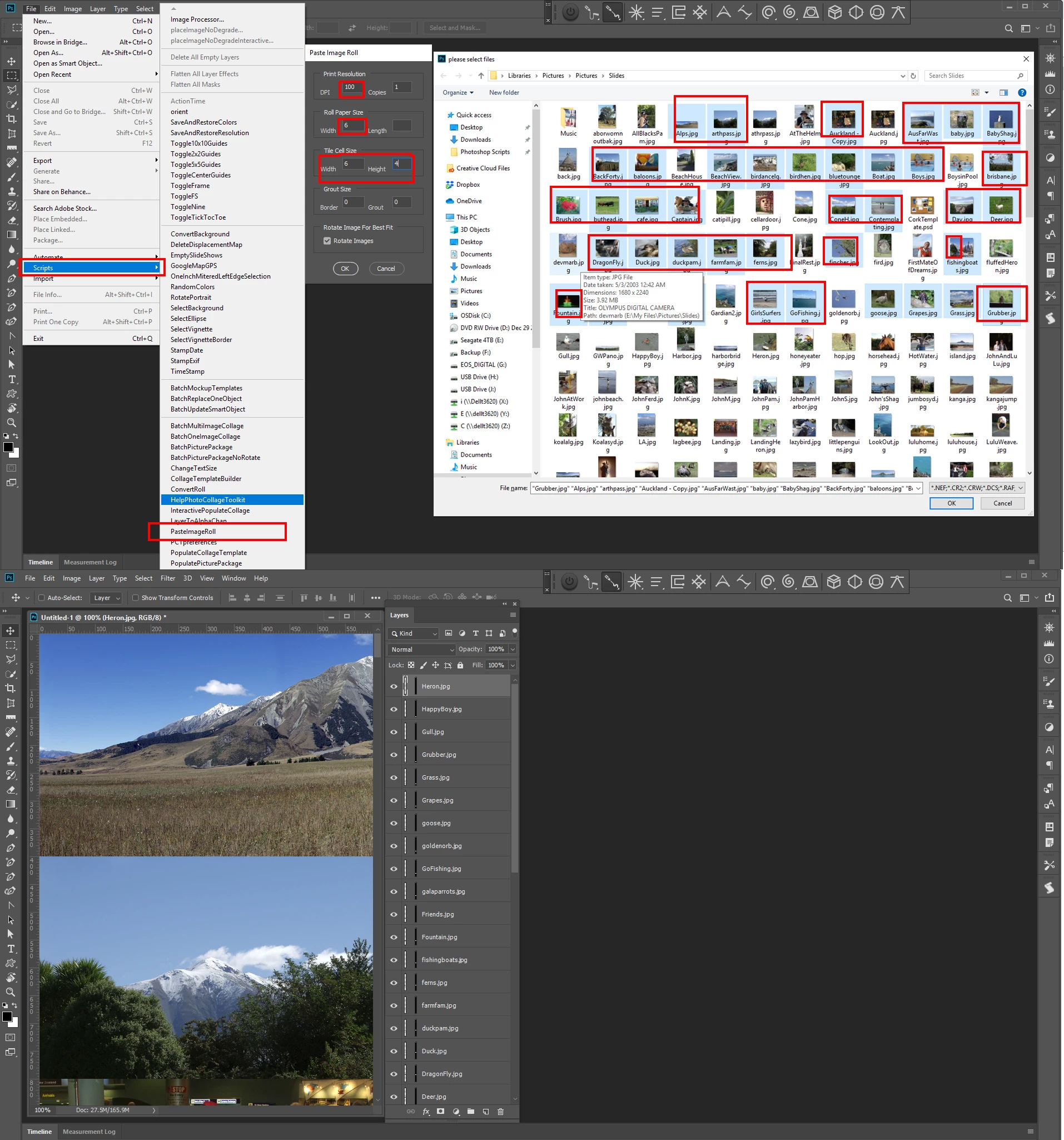
    Are all the image the sames aspect ratio. If not how do you want the layout be done? If you want to tile them to the same to the same tile size you can use the PasteImageRoll Script in my toolkit Free Photoshop Photo Collage and Mockup Toolkit

    Paste Image Roll script and Picture Package support documentation

    Here I selected 40 landscape images

    3 답변

    JJMack
    Community Expert
    JJMackCommunity Expert답변
    Community Expert
    July 7, 2019

    Are all the image the sames aspect ratio. If not how do you want the layout be done? If you want to tile them to the same to the same tile size you can use the PasteImageRoll Script in my toolkit Free Photoshop Photo Collage and Mockup Toolkit

    Paste Image Roll script and Picture Package support documentation

    Here I selected 40 landscape images

    JJMack
    Scelus작성자
    Participant
    July 8, 2019

    JJMack, Thanks a Lot! It worked!

    macpawel
    Participating Frequently
    July 7, 2019

    Strat to use Script

    File > Scripts> Load files into stack

    Select all your files and click ok

    then select all layers and choose Edit > Auto Align Layers - use Auto settings

    Then use Edit > Auto Blend Layers - and thats it!

    Scelus작성자
    Participant
    July 7, 2019

    i tried it, but now there are just 1 reduced layer and 4 layers with, what seems to be masks.

    https://i.pantsu.store/inoycl.mp4

    I recorded a video... maybe you can tell me, whats wrong.

    Bojan Živković11378569
    Community Expert
    Community Expert
    July 7, 2019

    File > Scripts> Load files into stack probably won't work for what you want. You will need to create template or custom action/script. Another option is to use template and data sets if you have same amount of files each and every time. If you have different amount of files every time then perhaps script can help you, Photoshop action is difficult to record with variable number of files.

    Simmer1
    Community Expert
    Community Expert
    July 7, 2019

    Hi,

    Do you mean a panorama?

    Scelus작성자
    Participant
    July 7, 2019

    Sort of. Vertical aligned strip of pictures.
    Kinda like Photographic Film in analoge photographing.

    So, no transition or something like this. Just picture to picture without any border.