


timl87641969
Participant
November 17, 2020
해결됨

How do you revert to a version of Photoshop lower than 21.2.4 now?

  • November 17, 2020
  • 2 답변들
  • 782 조회

Hi! Photoshop has been lagging a lot for me since I updated. When I'm drawing with the brush tool I'm fine, but as soon as I change the color, and moreso when I switch to a different window, I have to pause for 1-2 minutes for the beachball to finish loading before I can continue.

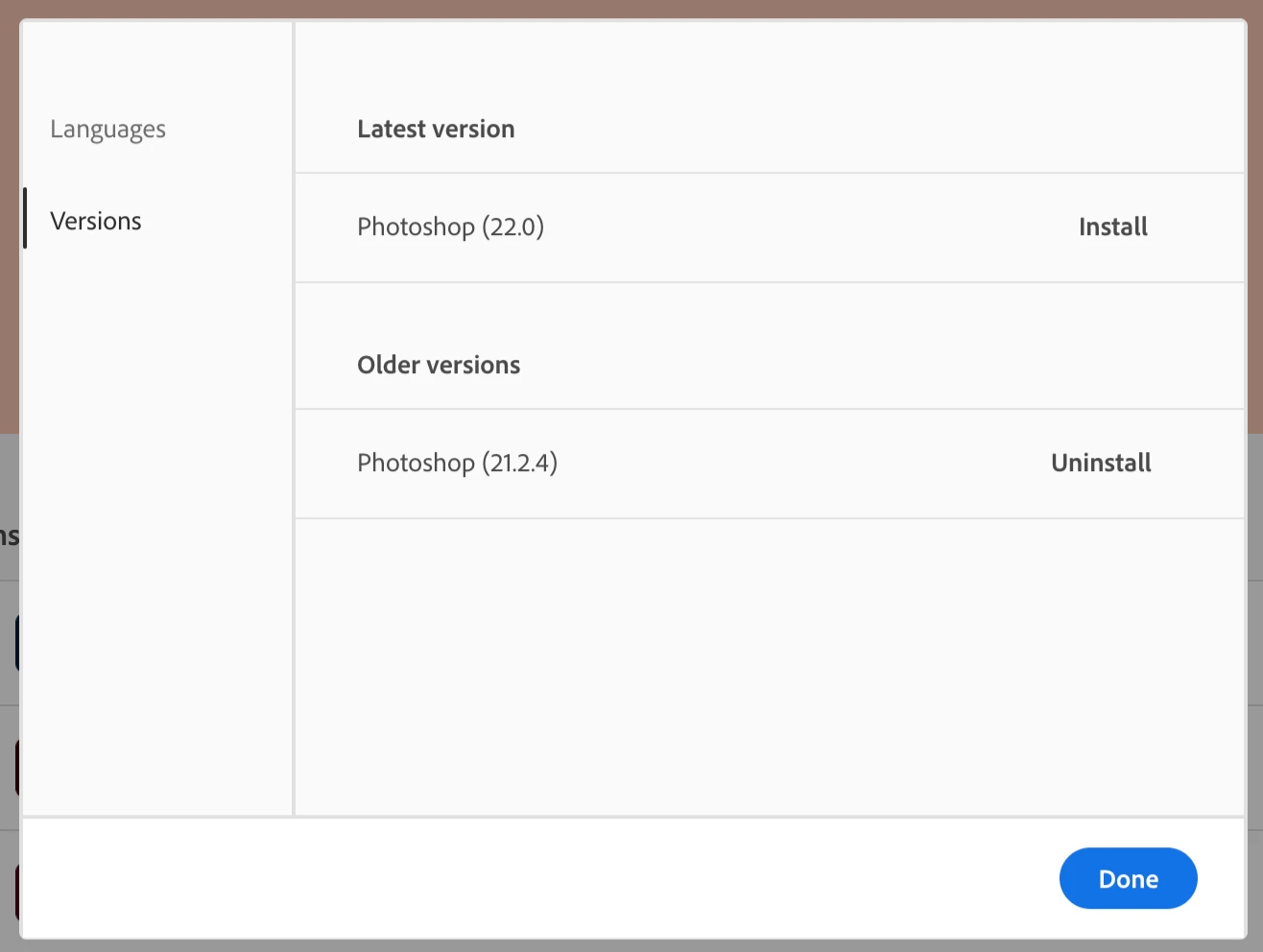
I wanted to ask if it's possible to update to an even older version, because so far when I click on 'Other versions,' these 2 are my only choices. I indicated 'now' because on past posts about this topic, I saw much longer lists of previous versions for them. 


이 주제는 답변이 닫혔습니다.
최고의 답변: ProDesignTools

Hey Tim,


Try here for additional access to CC 2019, 2018, 2017, etc:


Adobe Creative Cloud Direct Download Links


(However keep in mind what Conrad said that Adobe will only officially support the current and previous major release, which roll forward over time.)

2 답변

ProDesignTools
Community Expert
Community Expert
November 18, 2020

Hey Tim,


Try here for additional access to CC 2019, 2018, 2017, etc:


Adobe Creative Cloud Direct Download Links


(However keep in mind what Conrad said that Adobe will only officially support the current and previous major release, which roll forward over time.)

timl87641969
timl87641969작성자
Participant
November 25, 2020

Thank you! 

ProDesignTools
Community Expert
Community Expert
December 2, 2020

You're welcome! Glad to know they helped.

Conrad_C
Community Expert
Community Expert
November 17, 2020

You’re right, it used to be possible to install any CC version. However, in 2019 the policy changed. The current policy is that you can install the current and previous major versions using the Creative Cloud desktop app, but no further back. You might be able to locate an older installer using the Direct Download Links section in the right sidebar when you click the first link above.