


Question
How to clear scratch disks for Photoshop CS 6???
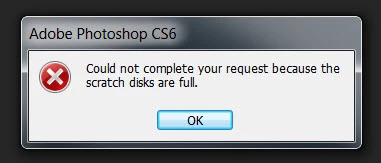
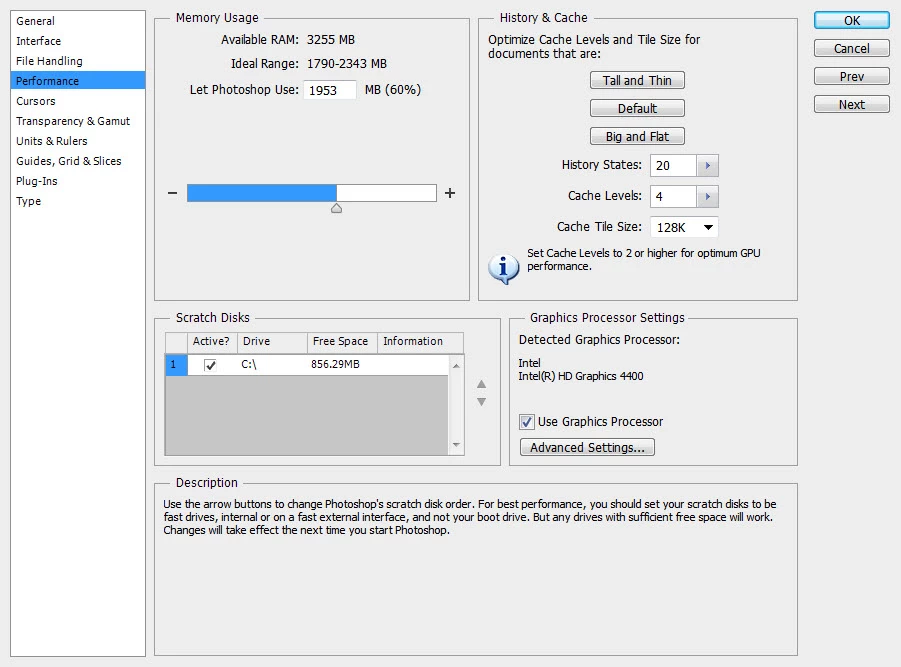
I tried opening a 500kb file and received the following Photoshop message: "Could not complete your request because the scratch disks are full." I tried going to Edit/Preferences/Performance and only one drive, i.e. my harddrive, is listed, and it shows 856MB under Free Space. I read somewhere to de-select the active checkbox to clear the memory, but I'm not able to de-select. This is on Photoshop CS6 v.13.0 (13.0 20120315.r.428 2012/03/15:21:00:00) x32 - old version, I know.
I can't find a customer support email for Adobe. Hope someone can help with this! Thanks!
 AdChoices