
Question
How to Content-Aware Fill within a shape??
How would I content-aware fill the sections with the heart here? I want the image to be cropped in the shape of a heart, so I used the "clipping mask" tool to create the shape. But I need the content-aware fill to fill in the rest (circled red).
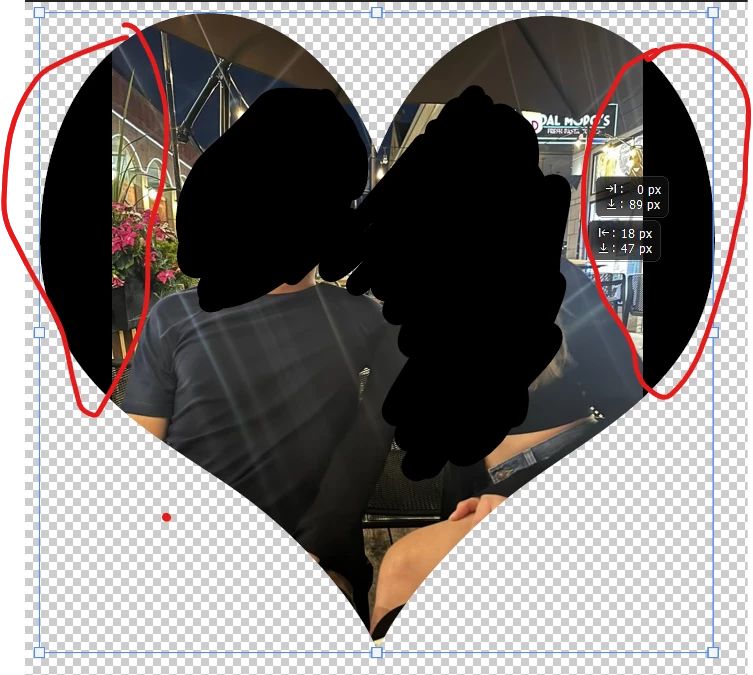
I've tried expanding the original image using content-aware fill, but it's really bad, no matter what I do. So I was hoping that instead I could just content-aware fill those small sections, for hopefully a better result. How can I do this??
 AdChoices