
Participant
July 31, 2019
質問

How to fix small text in photoshop CS6

  • July 31, 2019
  • 返信数 3.
  • 2102 ビュー

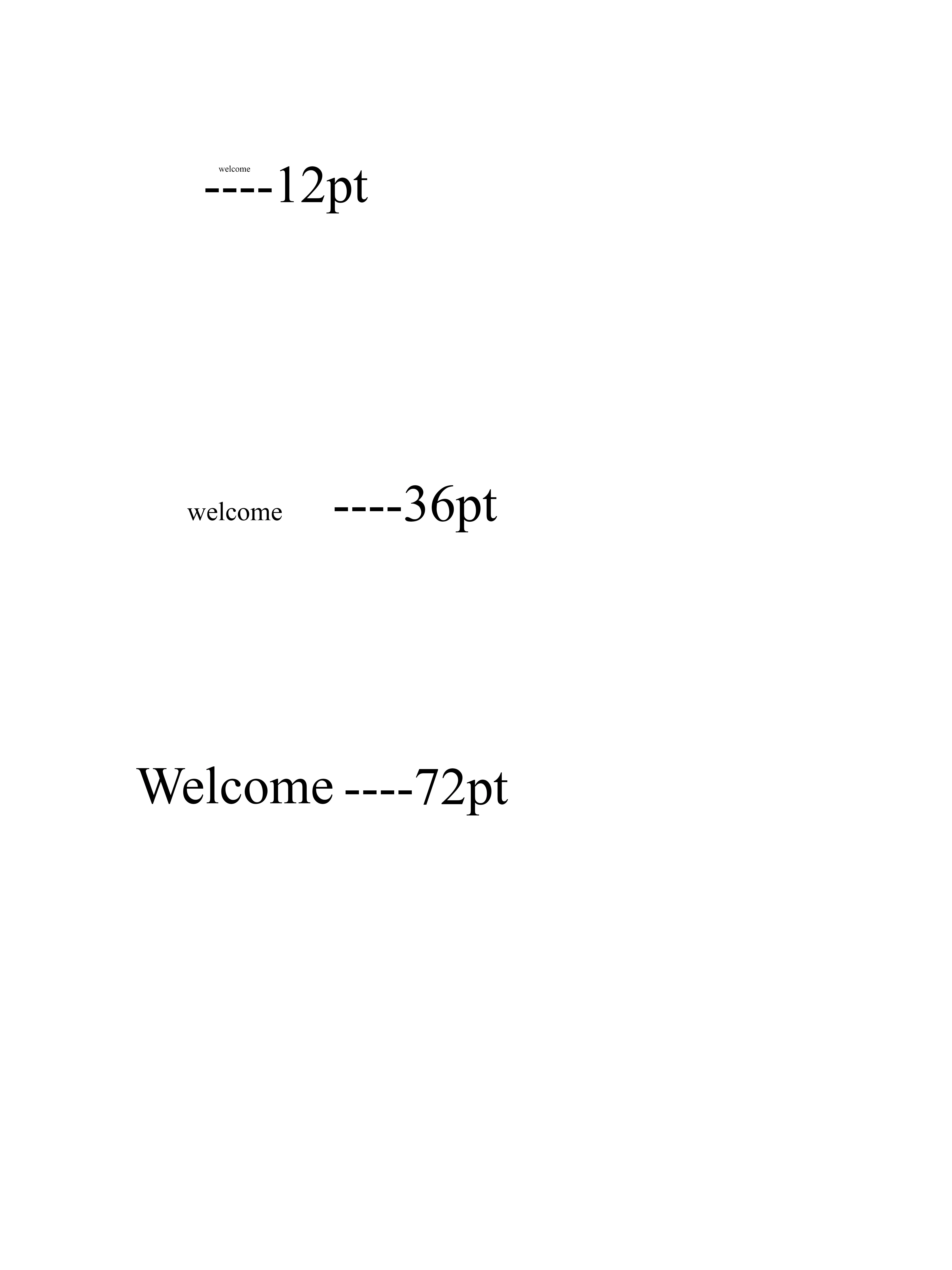
I have CS6 and the font its soooo tiny and un-smooth when creating a 18x24 poster with 300dpi! I always used 300 dpi in the past and never had this problem with the text being so small. . It does not matter which font I use It is super tiny and pixelated . I know there is a way to fix this because I did it a long time ago but I have forgot so I need some advice. I attached a Picture below of what the different font sizes look like.
このトピックへの返信は締め切られました。

返信数 3

Semaphoric
Community Expert
Community Expert
August 1, 2019

I'm assuming that's 18 x 24 inches, and that the job is for print? It should print OK. what does it look like if you View > Print Size?

Nancy OShea
Community Expert
Community Expert
July 31, 2019

You probably have a high resolution display  Unfortunately CS6 is old software so it is not Hi-DPI aware.

Use your operating system's display settings to lower your screen resolution.  But increasing fonts  higher than 100% (normal zoom) could result in truncated panels.

Nancy O'Shea— Product User & Community Expert
Sahil.Chawla
Adobe Employee
Adobe Employee
July 31, 2019

Hi there,

That does not sound good, as the font is looking small, could you please let us know what type of monitor are you working on? Is it a high resolution monitor?

Could you try lowering the screen resolution and let us know if it helps?

Regards,
Sahil

Ldgraphics作成者
Participant
August 1, 2019

I am working on a MacBook Pro 2015 laptop and never had this problem on it before. I never had problems on my 2018 Mac Pro either.