
Answered
How to get rid of sharp edge
 How to get rid of sharp edge on the right hand side of the image only?

How to get rid of sharp edge on the right hand side of the image only?
It's a stock image with transparent background, which makes life easier for you.
Ctrl click the layer to load it as a selection, and make the selection a work path.
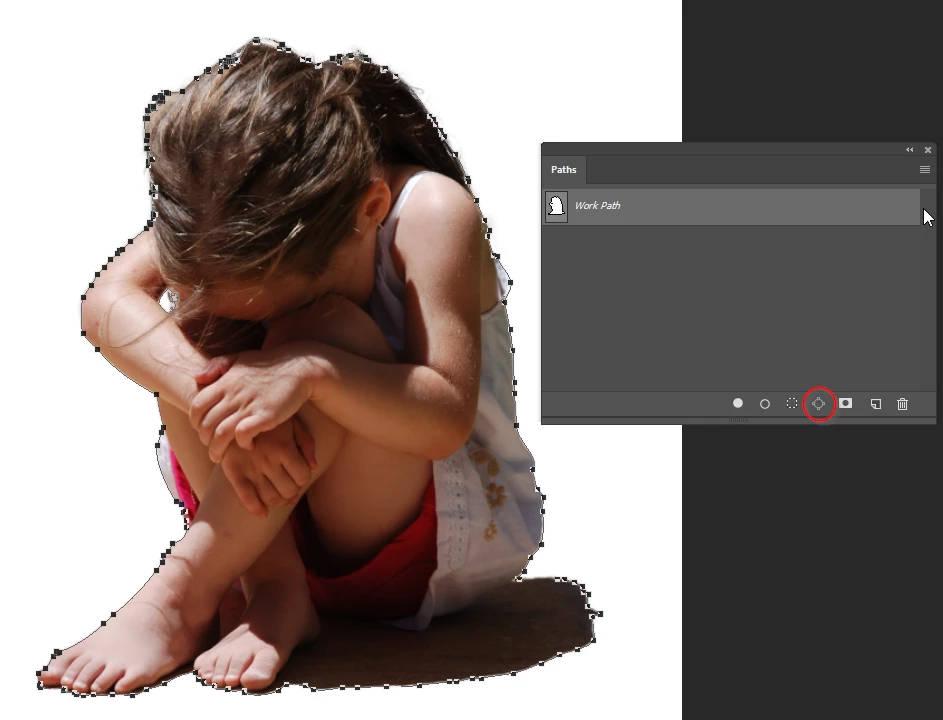
Select the Pen tool, and make sure Auto Add Delete is checked in the options bar
Hover over the path at one end of the bit you want to soften, and add a point.
You'll see the tiny + sign in the pen icon
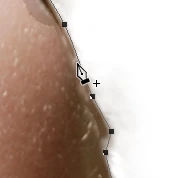
Hold down the Ctrl (Cmd) key to select the direct selection tool, click away from the path, and then drag around the new point you just made, and delete it This will break the path
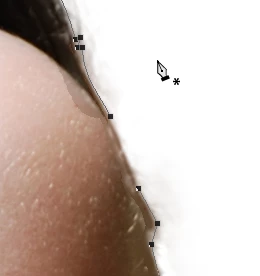
Do the same at the other end of the bit you want to soften.
Use the direct selection tool again to select and delete the unwanted points
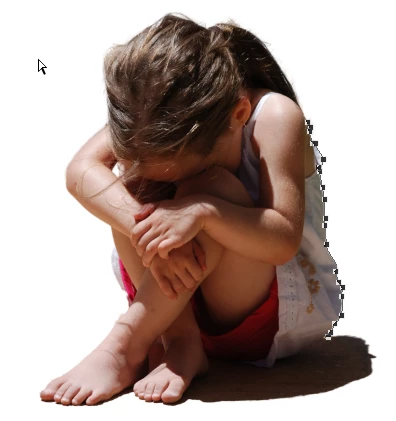
Select the Blur tool and adjust the brush size and strength.
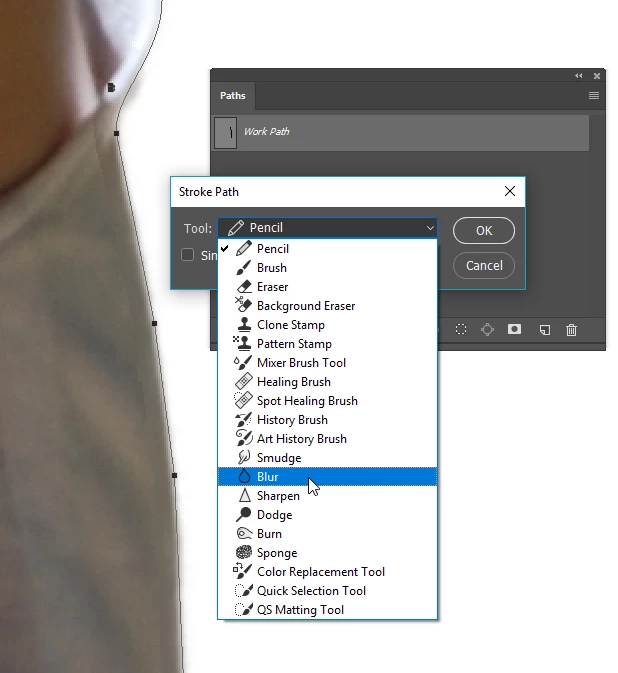
Right click the path and chose Stroke Path
Use the drop down to select the blur tool.
Repeat if required
Already have an account? Login
Enter your E-mail address. We'll send you an e-mail with instructions to reset your password.
 AdChoices