
New Participant
October 24, 2024
Answered

How to make/fill in a sharp edge...

  • October 24, 2024
  • 1 reply
  • 560 views

Hey gang,

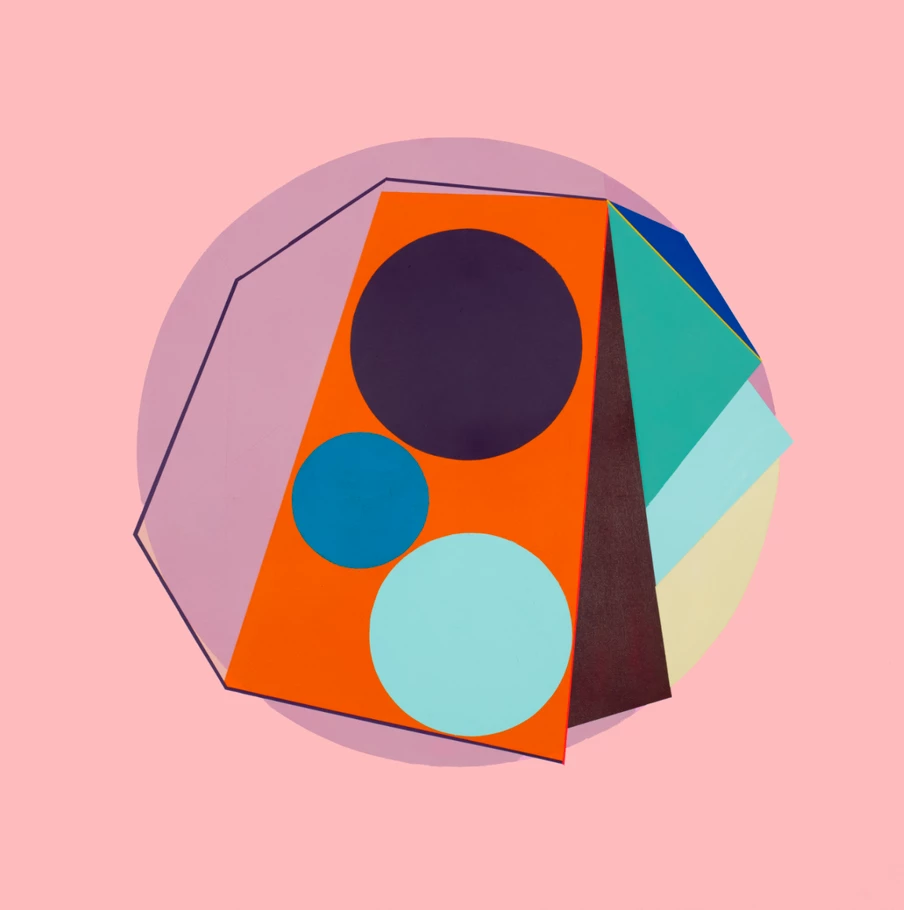
I've been working with an screen printing artist in making reproductions of one of his original pieces.  Photo attached are of the original piece.  The artist would like the edges between the shapes to be sharp i.e., not have the natural aberrations from the screen printing medium.  I've tried a bunch of various things but nothing has reall done it.  Tried the pen tool, but when I try to fill the selection, it doesn't really do it right...  Any ideas?
This topic has been closed for replies.
Correct answer Trevor.Dennis

That sort of graphic art is crying out to be remade as a layered vector image.  It honestly wouldn't take you long to do each one, and you'd have an infinetely scaleable graphic that would remain perfectly sharp.

1 reply

Trevor.Dennis
Trevor.DennisCorrect answer
Community Expert
October 25, 2024

That sort of graphic art is crying out to be remade as a layered vector image.  It honestly wouldn't take you long to do each one, and you'd have an infinetely scaleable graphic that would remain perfectly sharp.

New Participant
October 25, 2024

Bingo - that's what I'm looking for!  How... does one do a layered vector image...?  When you say "layered", do you mean that each shape should be a vector image on its own layer...?