Participant
February 24, 2017
Answered

How to remove the sunlight from an image

  • February 24, 2017
  • 3 replies
  • 11356 views

Hello,

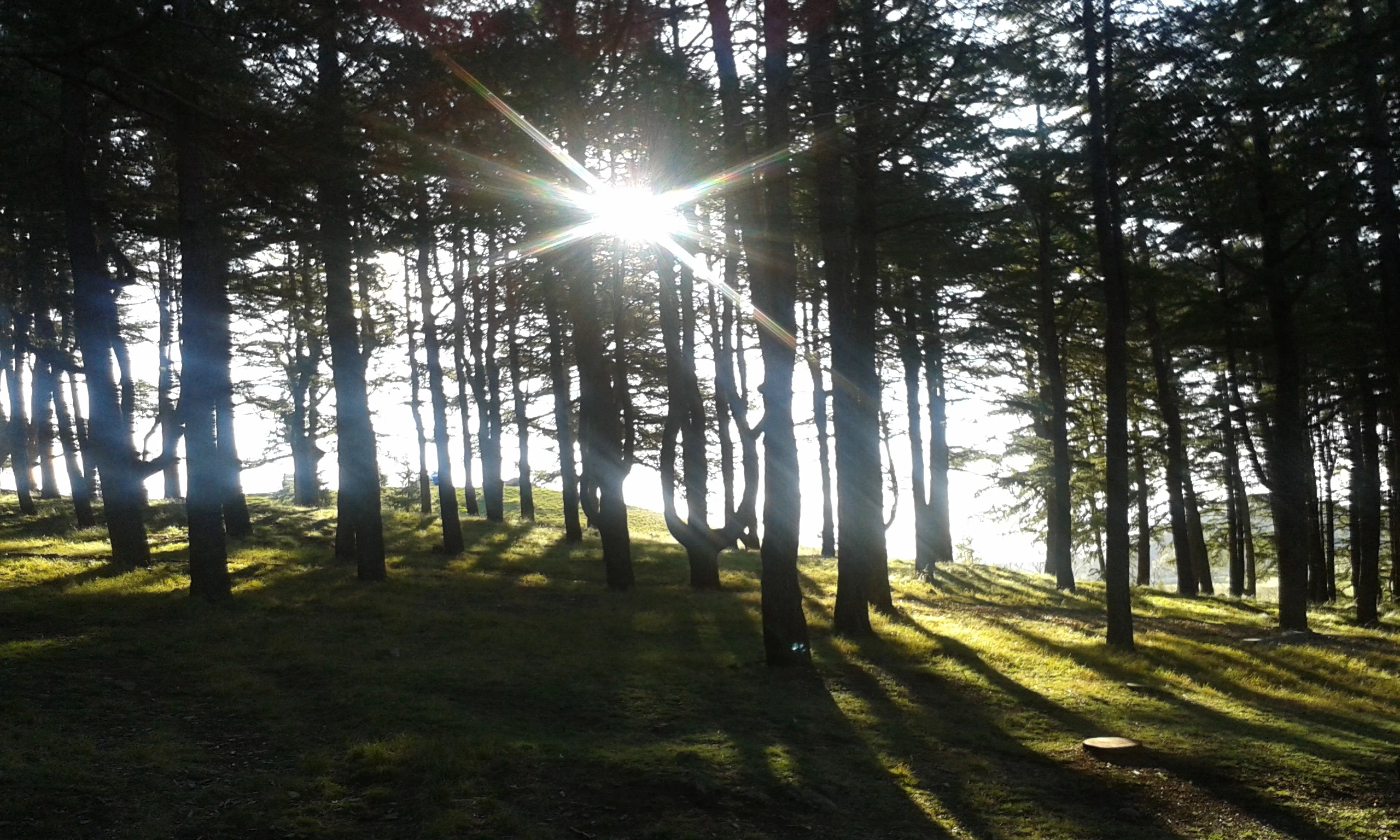
I have this picture that I am wanting to use as a background image and then put text over the top. My issue is the sun is too bright. I have tried to adjust the contrast of the sun so it is not so bright however it leaves an obvious mark around the sun when Im finished. Ive tried to lasso the sun, copy and paste as a new layer and then go to image > adjustment and change the contrast there. I have also tried to use the curves feature - but both leave a round mark around the sun.


Can someone please help me to adjust this so that the picture all blends nicely still, and the brightness of the sun is dulled down?

This topic has been closed for replies.
Correct answer Mohammad.Harb

Using the clone stamp Tool, Content-aware fill and the patch Tool will be a great help

3 replies

Nancy OShea
Community Expert
Community Expert
February 24, 2017

The Content Aware Spot Healing Brush may help with this.

Getting Rid of Glare Using Photoshop's Healing Tools - TipSquirrel

Nancy

Nancy O'Shea— Product User & Community Expert
Community Expert
February 24, 2017

Try using the clone tool set to darken and a lowered opacity to fill in some of the glare.

Here is a sample of how it might work -- It's a quick and dirty test run.  With a bit of care and time, you could do a much better job with it.

Mohammad.Harb
Community Expert
Mohammad.HarbCommunity ExpertCorrect answer
Community Expert
February 24, 2017

Using the clone stamp Tool, Content-aware fill and the patch Tool will be a great help

Participant
October 28, 2020

I've tried doing the same thing and  making these people more seen but nothing is working. Any help is much appreciated! My email is [e-mail removed by moderator for your protection.]

-

Nancy OShea
Community Expert
Community Expert
October 28, 2020

Emma,

Never post your personal information in a public user-to-user forum.  I have removed your e-mail address according to forum rules.  But the damage is done.


=============
Beware of fake Adobe reps who may contact you privately offering to help you, sell you software or take control of your computer. It's a scam, run away!
=============
3 Easy Ways to Identify Genuine Adobe Staff
https://tinyurl.com/10791730


IMO, your image cannot be saved.  It's never good to shoot directly into the sun. Also that's a sure fire way to ruin your camera's sensor. 


Nancy O'Shea— Product User & Community Expert