



질문
How to set the lightness and brightness value right when changing the color of a paper texture?
I am following this tutorial
How to Change the Paper Color in Photoshop | RetroSupply Co.
to change the color of my paper texture.
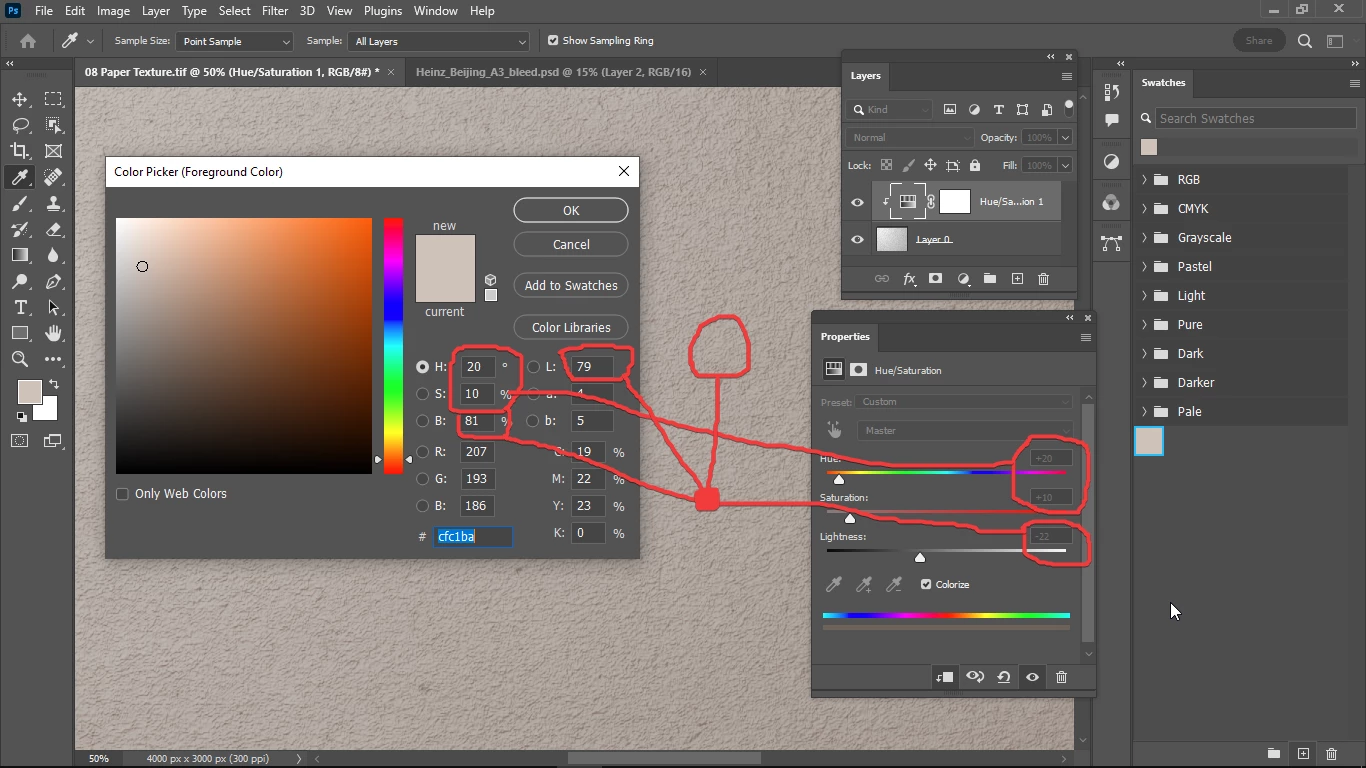
But the lightness value that would match my desired swatch color of -22 doesn't match the lightness and brightness values in the color picker (my choosen foreground color) panel.
How do I set the same lightness and brightness value in my Hue / Saturation panel, to match my swatch color?
 AdChoices